4.4 Blank NDEF setting
SIC4340 Tools app includes the hidden function to write blank NDEF. This function will
format the CC page and write blank NDEF data to SIC4340 memory. The advantage of this
function is to initial SIC4340 to support NDEF message or to clear the NDEF message inside
its memory.
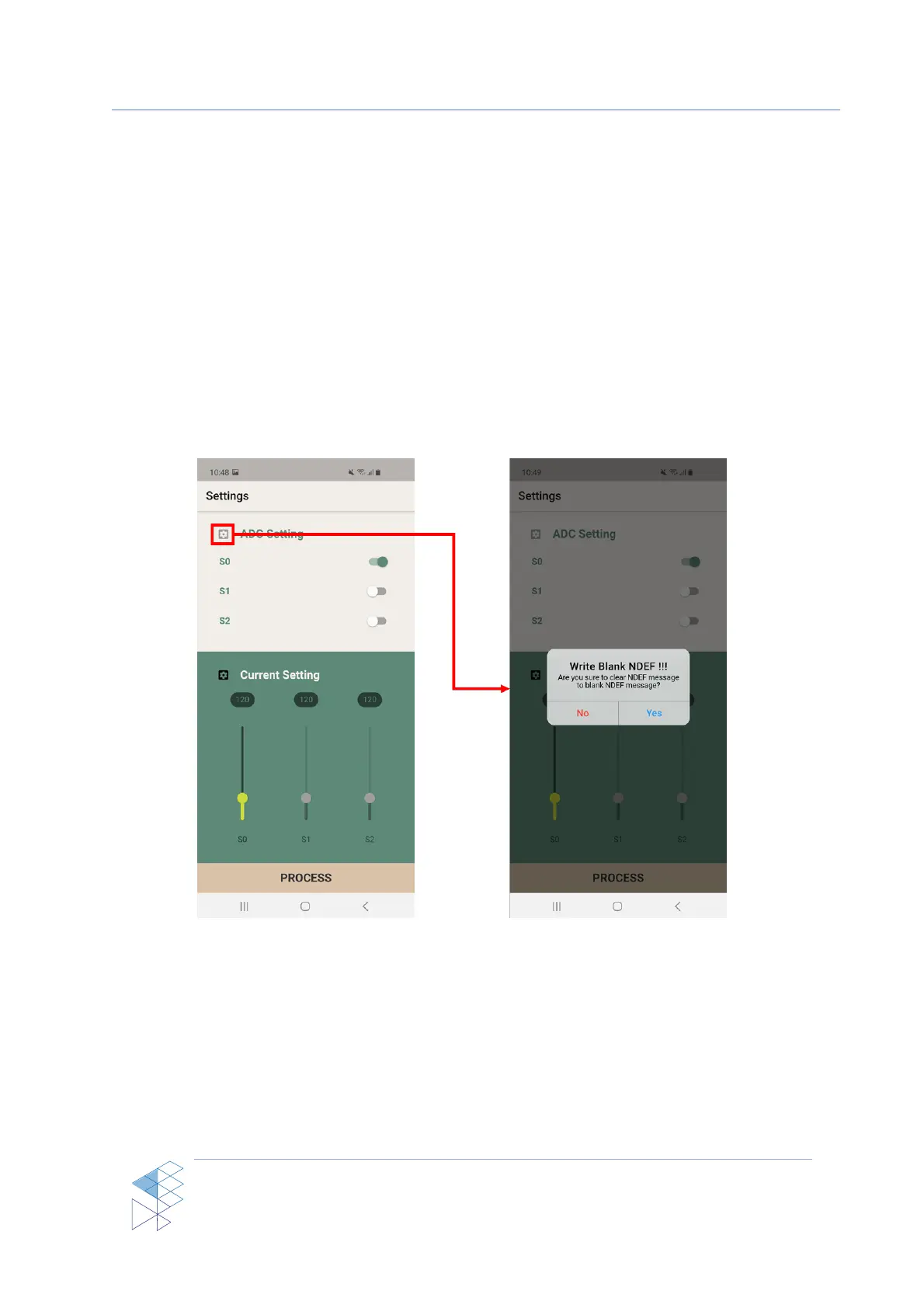
This function can be accessed by tapping the setting icon in the left of ‘ADC Setting’
title. After tapping on this setting sign, the warning dialog will be shown to make sure that
user actually need to clear the NDEF message inside SIC4340’s memory as shown in Figure 11.
Figure 11: Write Blank NDEF feature



 To Next Page