8
Press Keys:
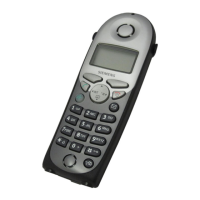
Preparing the handset
Gigaset 4000 Micro, IM1 eng, A31008-G4000-B022-2-6Z19
4000co.fm
18.03.02
Setting the date and time
You need to set the date and time so that the time that
messages and calls are received is shown correctly.
©
Open the menu.
åååååååååååååååååååååååååååååååå
D
Calendar/Clock
[
Select and confirm.
åååååååååååååååååååååååååååååååå
D
Date/Time
[
Select and confirm.
The current setting is shown.
Enter the date
Enter the day/month/year.
In this case 20.05.2001. e. g.
ŸÞÞ¢Þ]
D
Go down one line.
Enter the time
Enter hours and minutes.
In this case 19:05
e. g.
] ¬ Þ ¢
D
Go down one line.
Select the display mode
use the left side of the control key to select the 12-
hour mode (am or pm) or the 24-hour mode (default).
åååååååååååååååååååååååååååååååå
Save
[
Save the settings.
Changing the display language
©
Open the menu.
åååååååååååååååååååååååååååååååå
D
H/Set Settings
[
Confirm the function.
åååååååååååååååååååååååååååååååå
D
Language
[
The current language is marked with a
✓
.
D[
Select the language you want and confirm.
Dialling an emergency number
You can dial the emergency numbers saved in the base
station even if the telephone lock is activated. Please
refer to the operating instructions for your base station.
You will find a.table on the last page of this booklet.






 To Next Page