Siemens AG 2003, L:\Mobil\R65\A65_Puma_v2\am\Puma_Main.fm
13Text entry
VAR Language: am; VAR issue date: 041104
left page (13) of A65_PUMA am, A31008-H5810-A40-1-4A19 (11.11.2004, 16:23)
Special characters
Press briefly
*
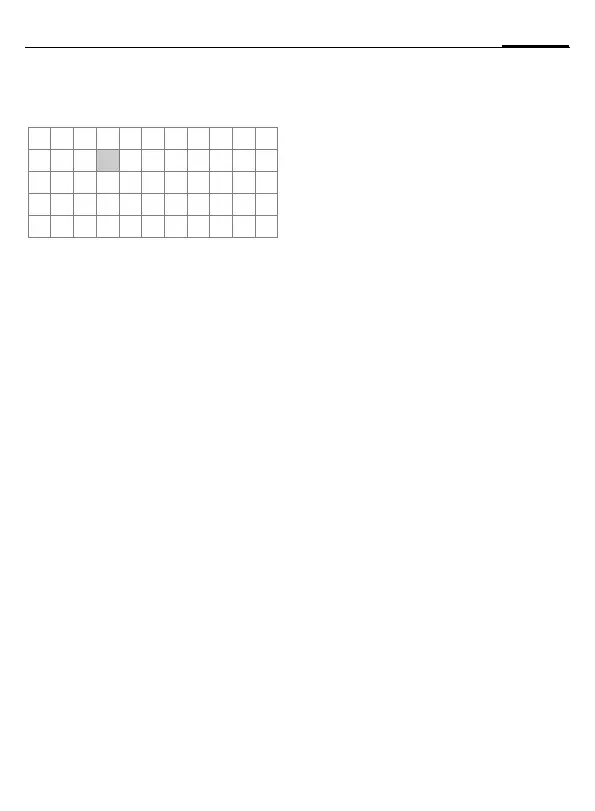
. The character map is
displayed:
1
) Line skip
Navigate to characters with
G,Hand
press
§Select§.
Input menu
Press and hold
*
with text input.
The input menu ist displayed:
Text format (SMS only)
Input language
Mark text
Copy/Add
Text entry with T9
T9 deduces the correct word from the in-
dividual key entries by making compari-
sons with an extensive dictionary.
Activate, deactivate T9
§Options§ ¢T9 input ¢ T9 preferred
¢ §Change§ (activate or deactivate T9)
Select Input language
Select the language in which you want to
compose your message.
§Options§ ¢T9 input ¢ Input language
¢ §Select§ (the new language can be se-
lected) or
§Delete§ (T9 dictionary for the se-
lected language will be deleted).
Type a word using T9
The display changes as you proceed.
Therefore, it is best if you finish a word
without looking at the display.
Simply press the keys once only where the
relevant letter is located. For "hotel", for
example:
Press briefly
for
T9
Abc then
46835
and 1 (the blank ends a
word).
Do not use special characters such as Ä
but rather use the standard characters,
e.g. A; T9 will do the rest for you.
Additional notes
0
Setting a full stop. Word is ended
when followed by a blank space.
Within a word, a full stop repre-
sents an apostrophe or hyphen:
e.g.
§provider.s§ = provider’s.
D
Move to the right. Ends a word.
Press briefly: Swap between: abc,
Abc,
T9
abc,
T9
Abc, 123. Status in-
dicator in the top line of the dis-
play.
Press and hold: All input modes
are displayed.
*
Press briefly: Select special char-
acters.
Press and hold: Open input
menu.
T9 word suggestions
If several options are found in the diction-
ary for a key sequence (a word), the most
probable is displayed first. The word must
be highlighted as
§inverted§. Then
press
»
. The displayed word is re-
placed with a different word. If this is also
incorrect, repeat until the correct word is
displayed.
To add a word to the dictionary,
select
§Spell§. Now write the word without
T9-support and accept with
§Save§ into the
dictionary.
1
) ¿¡_;.,?!+-
"’ :
* /()
¤¥
$
£
€@\ &#[ ] {}%~
<=> | ^ § Γ ∆ Θ Λ Ξ
Π Σ Φ Ψ Ω


 To Next Page