Siemens AG 2003, L:\Mobil\R65\A65_Puma_v2\am\Puma_Overview.fm
Phone overview6
VAR Language: am; VAR issue date: 041104
left page (6) of A65_PUMA am, A31008-H5810-A40-1-4A19 (11.11.2004, 16:23)
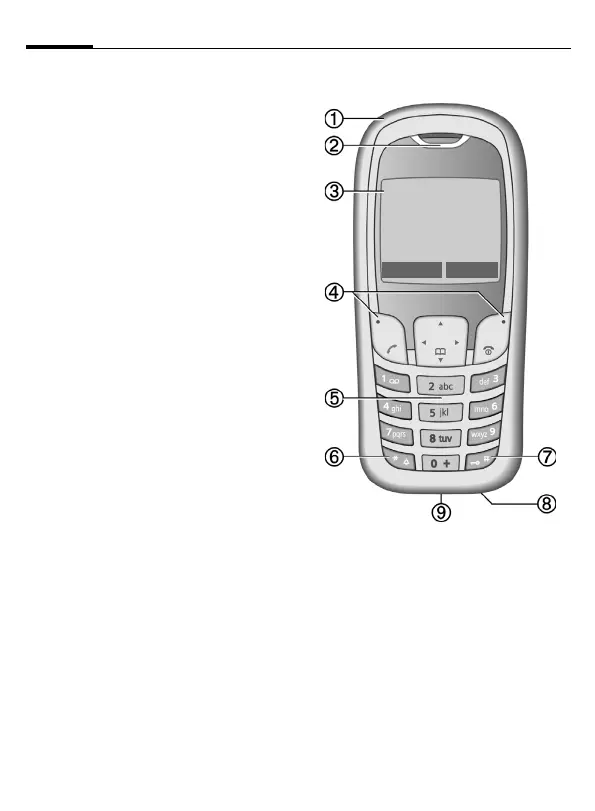
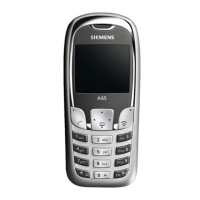
1 Integrated antenna
Do not interfere unnecessarily with the
phone above the battery cover. This re-
duces reception quality.
2 Loudspeaker
3 Display symbols
Signal strength/GPRS available/battery
level.
4 Display keys (press upper part of button)
The current functions of these keys are
shown in the bottom line of the display
as
§text§/symbol (e. g. d).
5 Input keys
Numbers, letters.
6
*
Press and hold
• In standby mode: switch on/off all sig-
nal tones (except alarm).
• For incoming calls: switch off ring
tones only.
7
Press and hold
In standby mode: switch key lock on/off.
8 Microphone
9 Plug socket
Connection for charger, headset,
camera etc.
_ªg
Service provider
01.10.2004 10:10
NewMMS Menu


 To Next Page