en Getting to know your appliance
10
Settings menu
Tap
Ò to open the settings.
Features
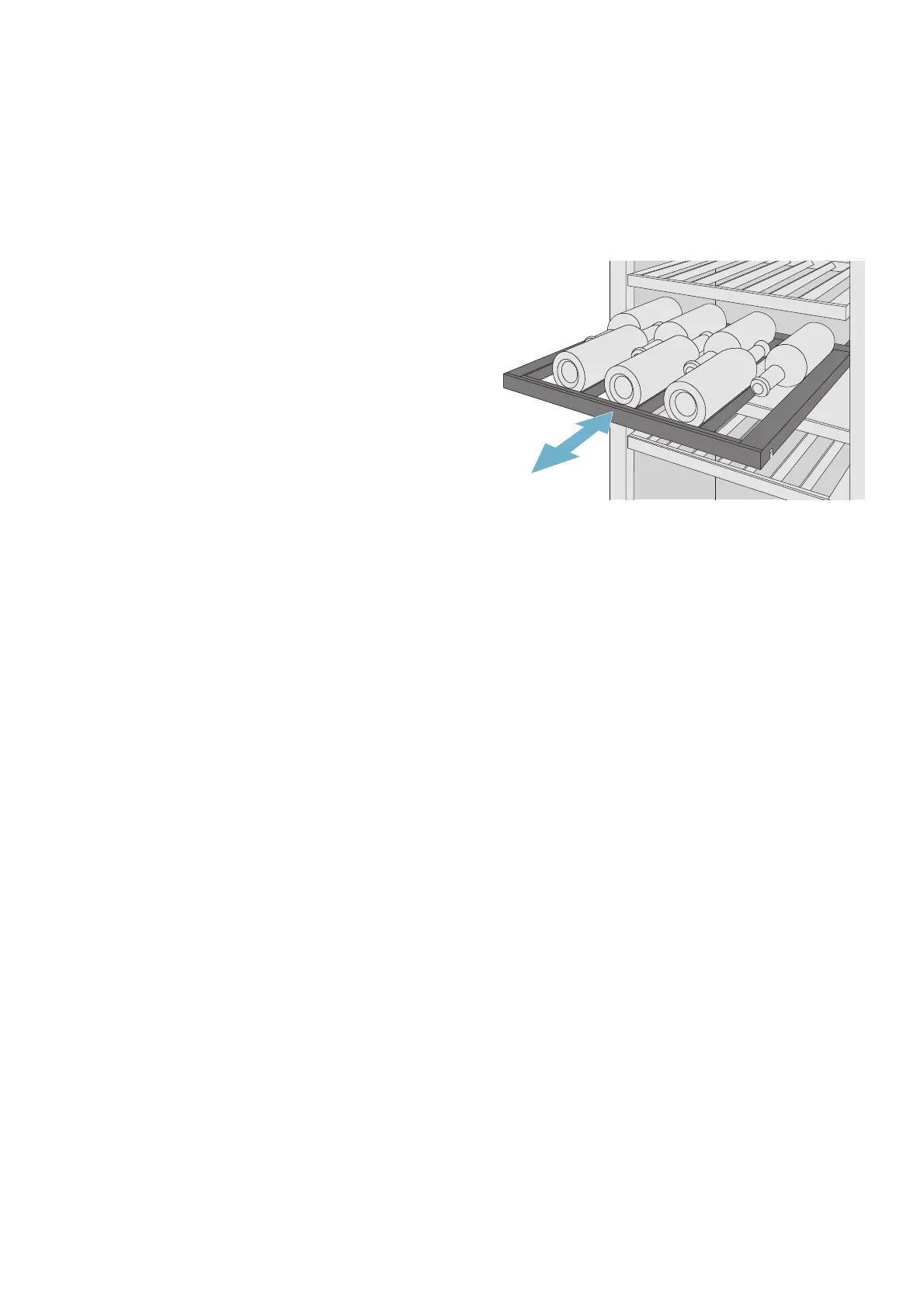
Shelf
You can pull out the shelves to reach wine bottles more
easily.
Note:
The shelves separating the climate zones are not
movable.
Dimming effect
and display light
Adjust the interior lighting of the
appliance.
Dimming effect
When the dimming effect is
switched on, the interior lighting
of the appliance slowly brightens
when you open the appliance
door and then slowly darkens
when the appliance door is
closed.
Display light
You can use the pre-
programmed light modes to
illuminate your bottles when the
door is closed. The light modes
have different illumination levels
in the individual climate zones.
Display brightness
and standby
screen
Adjust the control panel
brightness and select a display
option for standby mode.
Volume Set the volume of the touch key
tone and the audible signal.
Home Connect Connect your refrigerator to your
mobile device.
~ "Home Connect" on page 12
Sabbath mode Opens the menu for setting the
Sabbath mode and displaying
the Sabbath mode in the main
menu.
All non-essential functions are
switched off so you can also use
the appliance on the Sabbath.
~ "Sabbath mode" on page 11
Self-test and reset Self-test
Start fault analysis on your
appliance.
Factory settings
Reset the appliance back to its
factory settings as received on
delivery.
Demo mode
After switching on the appliance,
this menu item is displayed for
3 minutes. To switch Demo
mode on or off later, switch the
appliance off and on again. The
mode is displayed again for
3 minutes.
Note: Do not store any food in
Demo mode, as the appliance
remains at room temperature.
The cooling function of the
appliance is switched off.You can
use all other functions.
¿ Regional
settings
¿ Language
Change the display language.
Temperature unit
Select the temperature unit °C/
°F.



 To Next Page