Getting to know your appliance en
9
* Getting to know your appliance
Get t i ng to know your appl i anc e
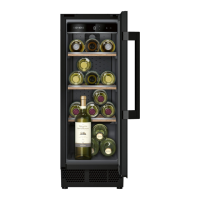
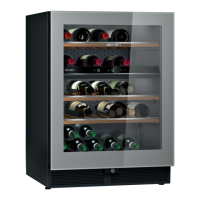
Appliance
* Not all models.
Controls
Main menu
Press the ) button to open the main menu.
The main menu contains the operating modes, an
overview of the information texts for the appliance's
functions, and the Ò Settings menu.
Mode selection
To switch on a mode, tap on it. When an operating
mode is switched on, the corresponding symbol is
shown on the control panel.
A window containing the information text for the
selected operating mode appears.
Overview of the information texts l
The information texts are provided for the most relevant
functions.In the overview l, you will find all the
information texts for the functions. When you switch on
a function, the appliance will display the information text
for this function. If required, you can switch off the
information text for individual functions.The overview l
will still show all the information texts.
In order to switch on all the information texts in the
functions again, reset the appliance to its factory
settings.
(0 Controls
8 Main switch on/off
@ Shelf
H Partition
P Rating plate
X Ventilation opening
8
H
P
@
X
(0
( Wine storage compartment temperature
display
Indicates the set temperature in °C/
°F.Depending on the appliance model in
question, 2 or 3 compartments are
displayed.
0 ) button
Opens main menu.
== button
Switches on the display light with the most
recently selected mode.
Ý Opens the menu for setting the Sabbath
mode.
Note: This function is only visible once it has
been switched on in the Settings menu.
All non-essential functions are switched off so
you can also use the appliance on the
Sabbath.
~ "Sabbath mode" on page 11
&
&
&
(
0



 To Next Page