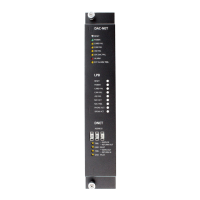
A24205-A334-B839 (Edition 14) s
P/N 315-035100-14
WIRING
Remove ELECTRICAL POWER prior to working on equipment.
All field wiring of the DAC-NET is connected to the terminal blocks of the
CC-5/CC-2 card cage slot in which it is installed.
NOTE: In Canada, ULC S524 requires that all interconnecting data
communications links for networks be wired DCLC (Class X) except for
dedicated network communication to annunciators.
To Connect External Wiring Lift the white cover on the terminal block
Loosen the screw of the terminal by turning it counterclockwise.
Insert the wire into the side of the terminal block.
Tighten the screw of the terminal block by turning it clockwise.
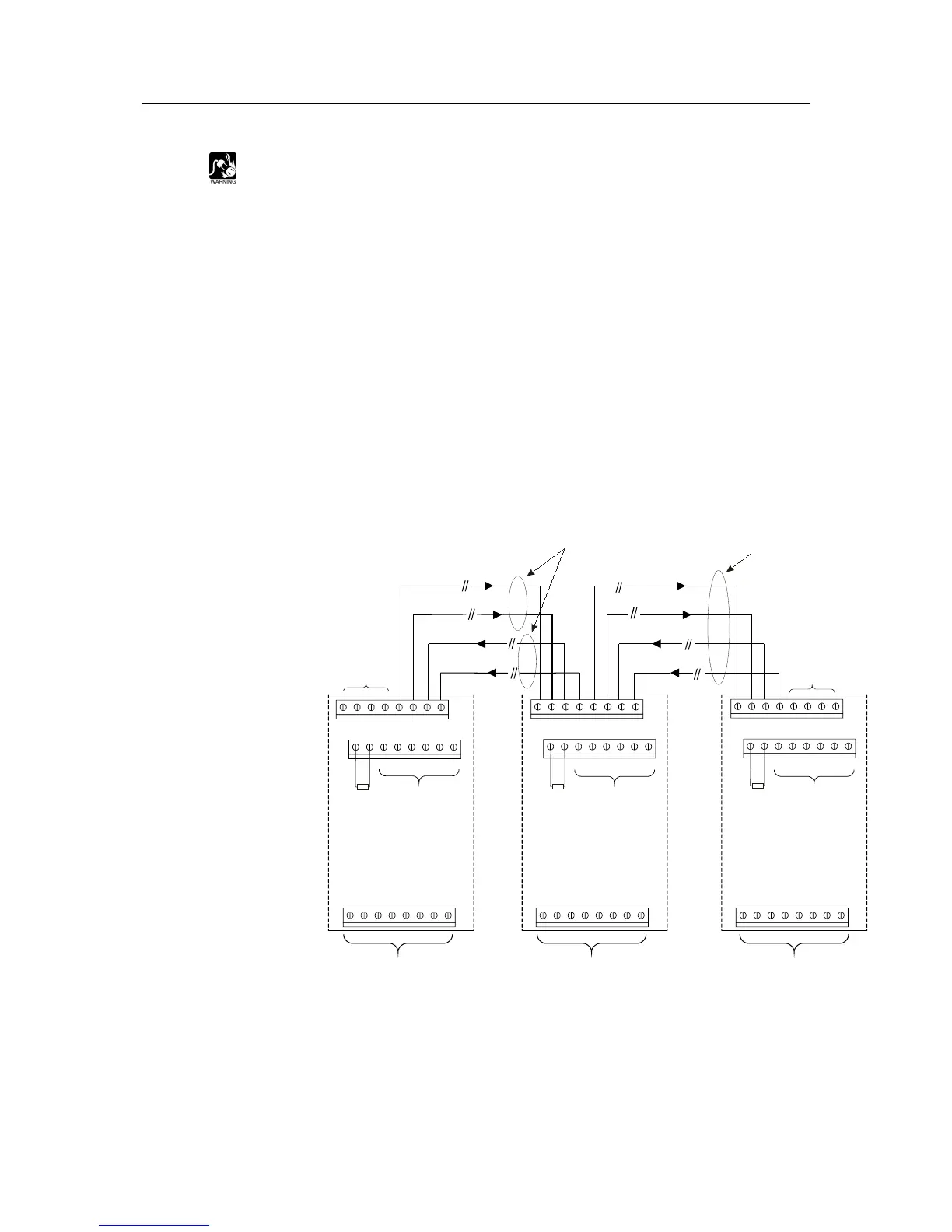
The DAC-NET supports D-NET Class B (ULC DCLB) and Class X (ULC DCLC)
wiring. Check the ZEUS configuration for the proper network.
Main
Main
Return Return
Main Out a (+)
Return In a (+)
Return In b (-)
Do not use
Do not use
Main Out b (-)
Supervised
power limited
can be in one cable
ONE SLOT OF CC-5 / CC-2
17
19
21
23
18
20
22
24
17
19
21
23
18
20
22
24
17 19 21 2318 20 22 24
Do not use
Do not use Do not use
FIRST DAC-NET
LAST DAC-NET
Do not use
ONE SLOT OF CC-5 / CC-2
Do not use
ONE SLOT OF CC-5 / CC-2
Do not use
1
3
5
7
2
4
6
8
11
13
15
12
14
16
1
3
5
7
2
4
6
8
11
13
15
12
14
16
1
3
5
7
2
4
6
8
11
13
15
12
14
16
9 10
RESISTOR 3.3K
P/N 140-03721 (US/CA)
C24235-A1-K14 (GE)
9 10
RESISTOR 3.3K
P/N 140-03721 (US/CA)
C24235-A1-K14 (GE)
9 10
RESISTOR 3.3K
P/N 140-03721 (US/CA)
C24235-A1-K14 (GE)
Figure 6
DAC-NET Class B (ULC DCLB) D-NET Wiring
1. Power limited.
2. Use twisted pair
3. 18AWG (Ø 0,5m) Min.
12 AWG (2,5mm²) Max.
4. The two pairs between the nodes can
be in one cable.
5. Max. cable length between DAC-NETs:
300m
(38 Ø 0,6mm)
(21 Ø 0,8mm) with cat 3 cable as
J-Y(ST)Y.
6. Max. cable length between DAC-NETs:
900m
(157 Ø 0,51mm) with cat 5 cable
as J-02YS(ST)Y.
7. Max. cable length between DAC-NETs:
700m
(30 AWG 18
(19 AWG 16
(12 AWG 14 with cable
18B FPLR or 1pr. 16B FPLR or 1pr.
14B FPLR.
8. Distance between the first DAC-NET
and last DAC-NET must not exceed
wire lengths specified in Notes 5-7.
9. 10km max. total distance around the
ring.
10. 32 DAC-NETs Max.
11. Positive or negative ground fault
detected at <5k for terminals 1-8.


 To Next Page
 Loading...