Configuration procedure for DVRs
15
Building Technologies
A6V10097205_a_en
CPS Fire Safety 30.09.2016
Connecting the cameras
1. Select and expand the DVR node.
2. Select and expand the Video In Folder.
3. Add the required video inputs by clicking the Video In icon .
Press SHIFT key when clicking the icon to add multiple nodes at once.
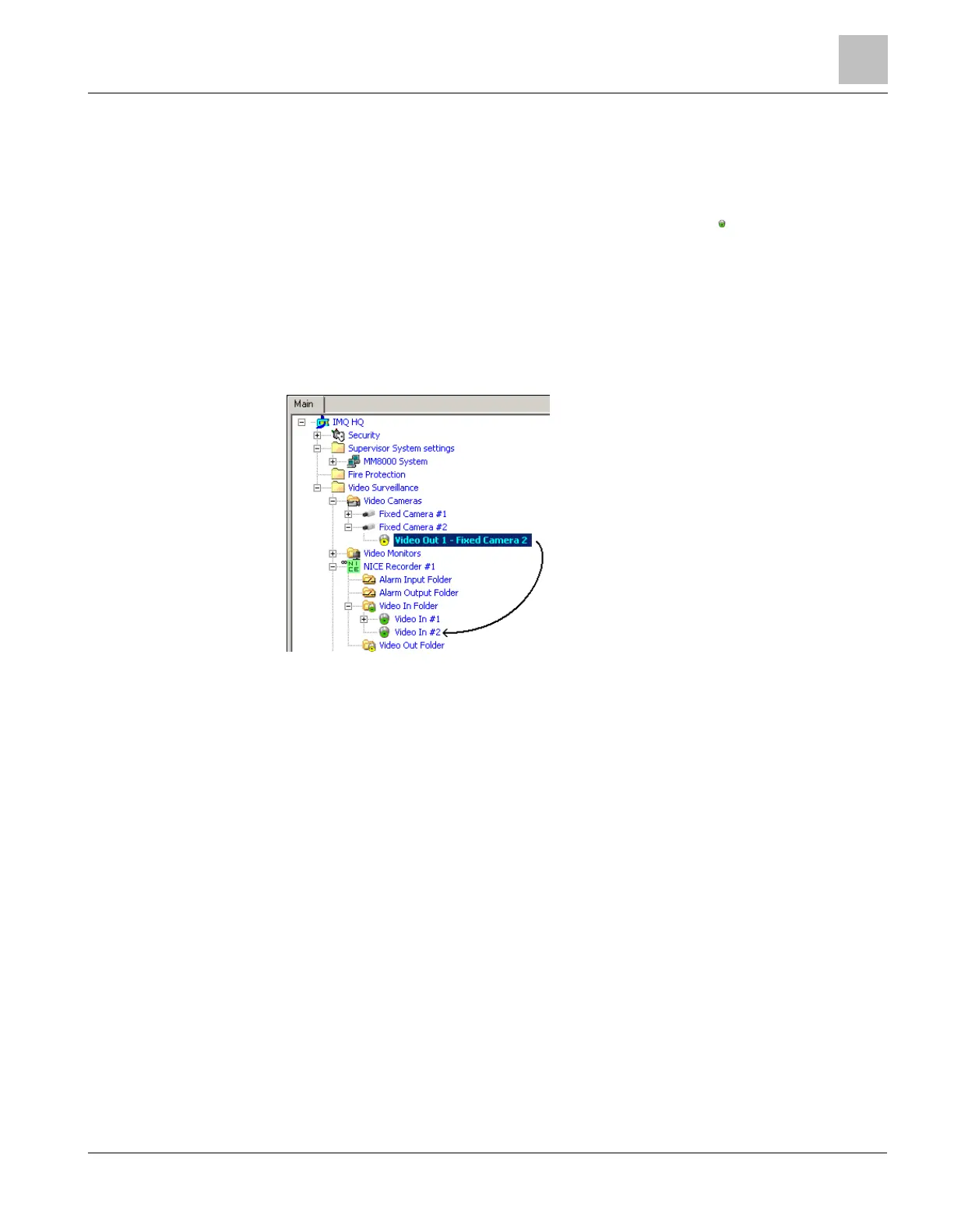
4. Expand the Video Cameras folder.
5. Select the Video Out node of the camera.
6. Drag and drop the video signal to the DVR Video In node.
7. Connect other camera outputs to the corresponding video inputs as necessary.
Connecting cameras to video inputs
Video Monitors and Alarm I/O
Each DVR unit also includes monitors and alarm in/out objects. For the configuration of
these objects, you can also refer to the Video Connectivity Guide (doc.no.
A6V10062457).
Video camera coverage
The video camera coverage is configured graphically or via manual associations as
described in the Graphical Map Configuration (doc.no. A6V10062441).











 To Next Page