19
Building Technologies
A6V10097205_a_en
CPS Fire Safety 30.09.2016
6 Operation
6.1 MM8000 PTZ control panel
MM8000 operations are described in the MM8000 Operation Manual (document no.
A6V10062409).
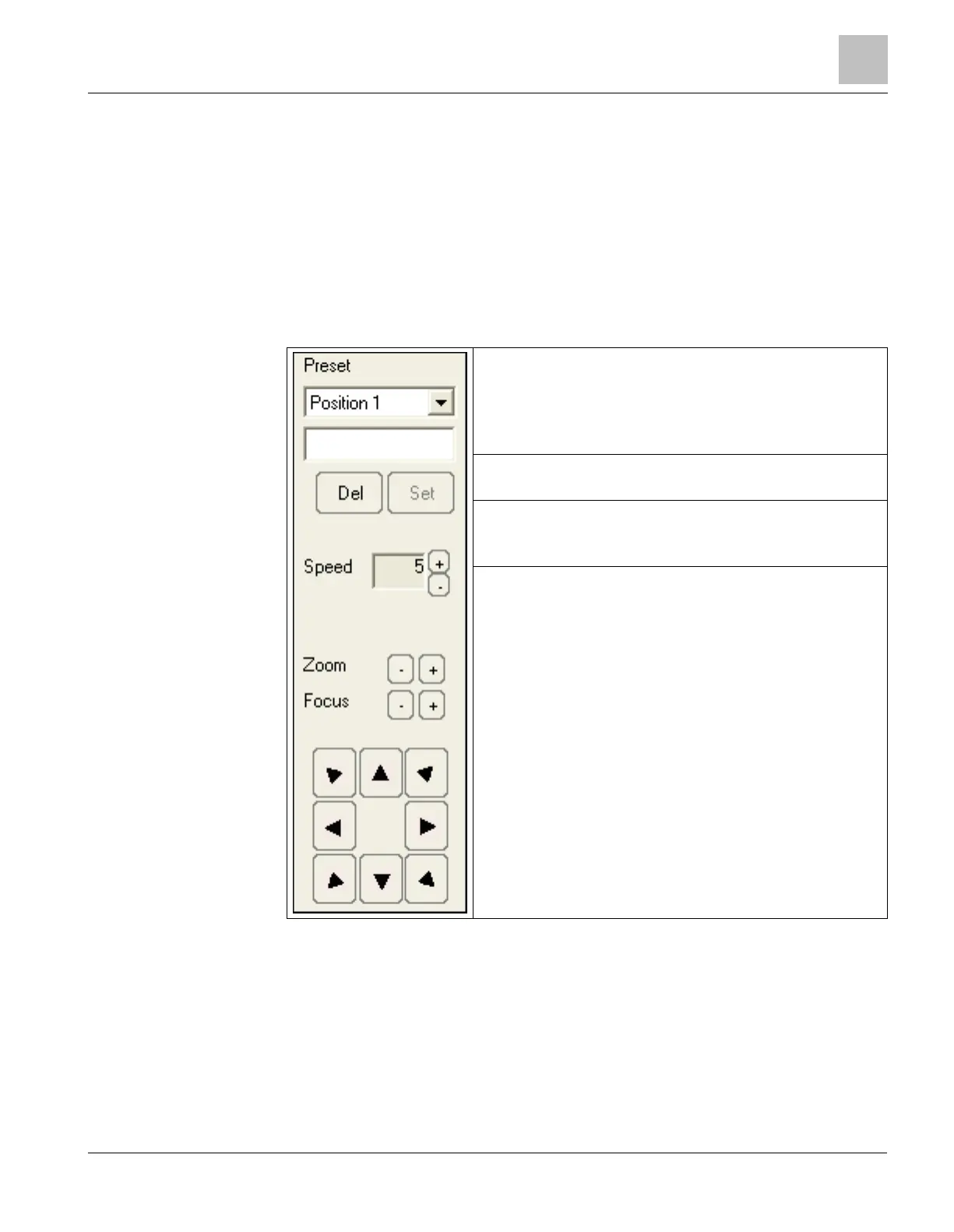
When operating with NICE/RIVER video systems in event treatment and plant
browsing, a specific control panel is provided for the cameras equipped with PTZ
control features.
The following table illustrates the control commands available in the panel.
Select predefined position using the drop-down menu.
Enter the names of new positions in the empty field.
Click
to delete the currently selected position.
Click
to store new positions.
Click
to speed up motion and
to slow it down.
Click
or
to adjust the camera
Click
or
to adjust the camera
Click the Arrow buttons to Pan/Tilt the camera and reach any
required position.











 To Next Page