6
Building Technologies A6V10097205_a_en
CPS Fire Safety 30.09.2016
Documentation Conventions
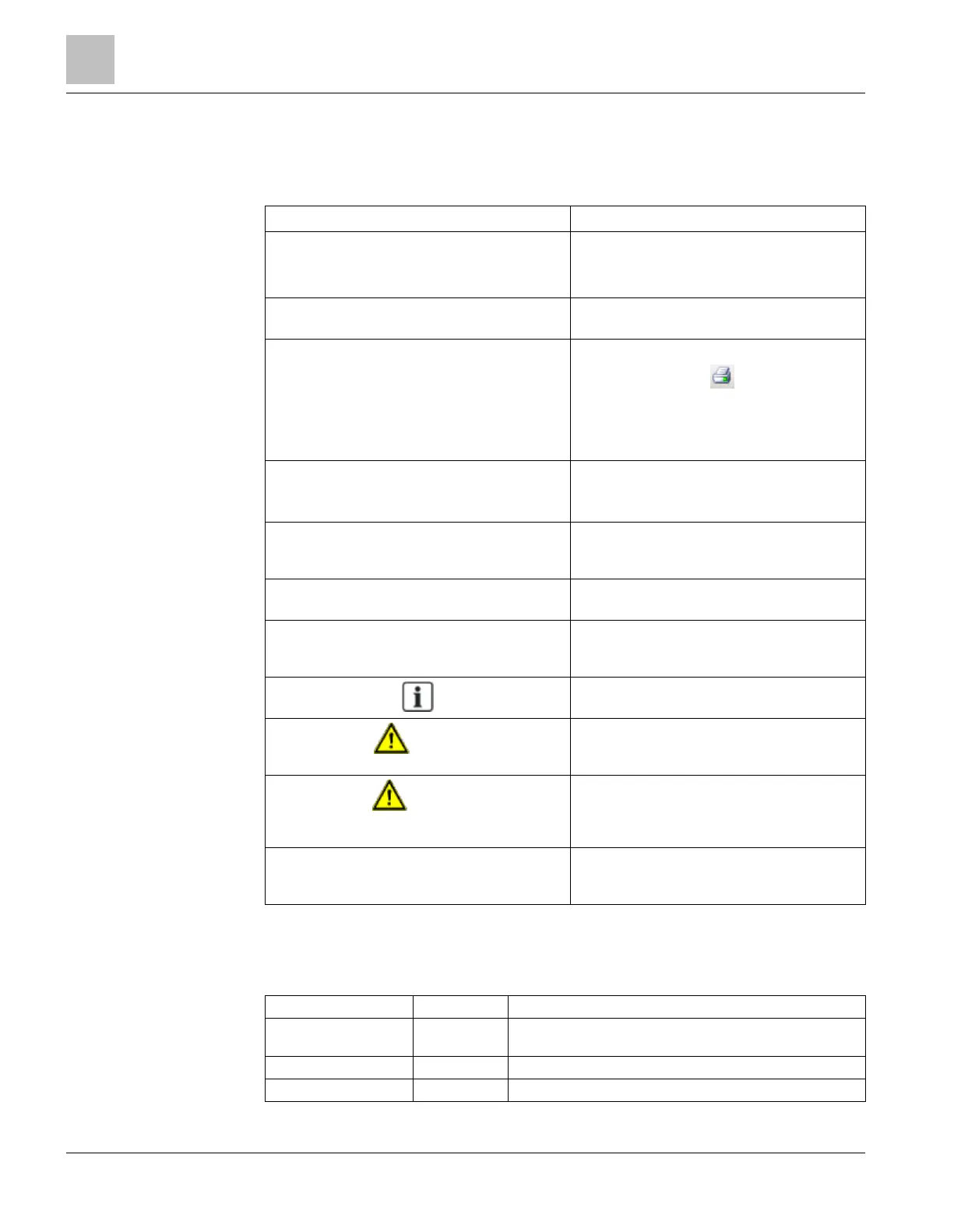
The following table lists conventions to help you use this document in a quick and
efficient manner.
Numbered Lists (1, 2, 3…) indicate a procedure
with sequential steps.
Turn OFF power to the field panel.
Disconnect the power cord.
Open the cabinet.
One-step procedures are indicated by a bullet
point.
Expand the Event List.
Conditions that you must complete or must be
met before beginning a procedure are
designated with a
.
Results, after completing a step or at the end of
the entire procedure, are designated with a
⊳ The report you want to print is open.
Click the
icon .
The
dialog box appears.
Select the
and click
.
The print confirmation appears.
font in a procedure indicates something
you should select or type.
Type
for Field panels.
Click
to save changes and close the
dialog box.
Menu paths are indicated in
. Select
File > Text, Copy > Group
, which
means from the
menu, then select
,
and finally
.
Error and system messages are displayed in
font.
The message Definition successfully
displays in the status bar.
Italics
are used to emphasize a term. The Open Processor continuously executes a
user-defined set of instructions called the
control program
.
This symbol signifies a Note. Notes provide
additional information or helpful hints.
Caution
This is a Caution message and indicates that
minor or moderate injury or property damage
may occur if a procedure is not followed.
Warning
This is a Warning message and indicates that
a serious injury or a severe equipment and
property damage may occur if a procedure is
not followed.
Cross references to other information in printed
material are indicated with an arrow and the
page number, enclosed in brackets: [→92]
For more information on creating flowcharts,
see Flowcharts [→92].
Modification index
Note: For versions more than four years old, please visit the Siemens Asset Portal.
A6V10097205_a_en 09.2016 DMS8000 4.81 - Username and password authentication
required for NICE SDK 3.1
A6V10097205_a_en 06.2010 DMS8000 4.30
A6V10097205_a_en 06.2009 DMS8000 4.20











 To Next Page