EasyManua.ls Logo

Siemens MindConnect Nano - User Manual

Siemens MindConnect Nano
2 pages
Print Icon
To Next Page IconTo Next Page
Loading...
siemens.com/mindsphere
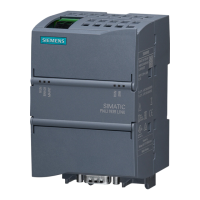
MindConnect Nano
Quick Start
7. Use MindSphere
Once MindConnect Nano is onboarded, you can configure
your Asset for data collection. After you have configured
asset data, MindConnect Nano starts the data acquisition.
You can now start the Fleet Manager and Visual Analyzer
to see your machine data.
For additional information go to MindSphere – Getting
Started.
Requirements
• PC with internet connection for MindSphere configuration
Browser for online user interface, supporting HTML5
(e. g. Firefox, Google Chrome, Safari, Opera)
Login data for MindSphere Access provided by Siemens
after ordering MindSphere
• Power Supply, 24 V DC
• Standard USB stick, one partition, FAT32 formatted
Further Information
• MindSphere – Getting Started
• MindSphere – FAQs
Industry Online Support
https://support.industry.siemens.com
This document contains illustrations and accessories.
The illustrations may deviate from the particularities of the
delivered device and accessories.
We have reviewed the contents of this publication to ensure
consistency with the hardware and software described. Since
variance cannot be entirely excluded, we cannot guarantee full
consistency. However, the information in this publication is
reviewed regularly and all necessary corrections will be includ-
ed in subsequent editions.
In order to protect plants, systems, machines and networks
against cyber threats, it is necessary to implement – and
con tinuously maintain – a holistic, state-of-the-art industrial
security concept. Siemens’ products and solutions only form
one element of such a concept. For more information about
industrial security, please visit
siemens.com/industrialsecurity.
© Siemens AG 2017
Digital Factory
P.O. Box 48 48
90026 Nuremberg
Germany
Subject to change without prior notice
Article No.: DFPL-T10029-00-7600
Dispo 21639
fb 7328 WS 07160.25 A5E38886585-AC
Printed in Germany
The information provided in this brochure contains merely general
descriptions or characteristics of performance which in case of actual
use do not always apply as described or which may change as a result
of further development of the products. An obligation to provide the
respective characteristics shall only exist if expressly agreed in the

Other manuals for Siemens MindConnect Nano

Questions and Answers

Summary

Use MindSphere

Requirements

List of hardware and software prerequisites for MindSphere configuration and operation.

Mount MindConnect Nano

Connect Power Supply

Connect with your Network

Onboarding Process

Download Configuration to USB

Plug USB into MindConnect Nano

Overview

The MindConnect Nano is a compact industrial device designed to facilitate data acquisition and connectivity to the MindSphere platform, enabling users to monitor and analyze machine data. This quick start guide outlines the essential steps for setting up, configuring, and connecting the device to a network and the MindSphere cloud.

Function Description

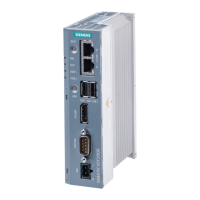
The primary function of the MindConnect Nano is to act as a gateway for industrial data. It collects data from connected machines and securely transmits it to MindSphere, Siemens' open IoT operating system. Once data is in MindSphere, users can leverage applications like Fleet Manager and Visual Analyzer to gain insights into their machine performance, optimize operations, and predict maintenance needs. The device is designed for easy integration into existing industrial environments, supporting both vertical and horizontal mounting orientations. It features multiple Ethernet ports for network connectivity and data acquisition, a USB port for configuration, and a robust power supply input.

Usage Features

Mounting and Physical Connection:

The MindConnect Nano can be mounted either vertically or horizontally. It's crucial to ensure adequate clearance around the device: at least 50 mm above and 100 mm below for proper ventilation and access. Connecting the power supply involves three steps: first, connecting the protective earth; second, securing the cables to prevent accidental disconnections; and third, connecting the 24 V DC power supply. The device includes a dedicated port for network connection to the internet (X1P1) for MindSphere communication. It's important to connect this port first and avoid connecting anything to the right port (X2P1) until after successful onboarding. Once all physical connections are made, the device can be switched on.

Onboarding Process and Configuration:

The onboarding process begins by accessing the MindSphere portal via a web browser on a PC with an internet connection. Users need their MindSphere Access login data, provided by Siemens after ordering MindSphere. Within the MindSphere portal, users navigate to the "Asset Configuration" app. Here, they will configure their asset by entering the MindConnect Nano's unique InfoID, which is found on the device's rating plate. This step links the physical device to its digital representation in MindSphere. Network configuration is a critical part of the setup. The device supports configuring Ethernet interfaces for both data acquisition and MindSphere connection. Users can specify network connection information, such as IP addresses and netmasks, or use DHCP for automatic assignment. If required, proxy configuration can also be set up within the MindSphere portal.

Configuration Download and USB Usage:

After completing the configuration in the MindSphere portal, the settings must be downloaded to a USB stick. This involves clicking "Save" to store the configuration, then navigating to the "Overview" section and selecting "Save and Export to USB." The configuration file is then downloaded and must be copied to the root directory of a FAT32 formatted USB stick. This USB stick is crucial for transferring the configuration to the MindConnect Nano. The configuration file is valid for seven days, so it must be used within this timeframe.

Device Onboarding and Data Acquisition:

Once the MindConnect Nano is powered on (indicated by a green PC ON/WD LED), the configured USB stick is inserted into the USB port (X63) of the device. The MindConnect Nano automatically reads the data from the USB stick, indicated by an orange blinking RUN/STOP/L1 LED. After successfully reading the configuration, the device will restart. Following the restart, the MindConnect Nano attempts to establish a connection to MindSphere. A successful connection is indicated by a green RUN/STOP/L1 LED and the UI showing the "Onboarded" state. If onboarding fails, users should refer to the "Getting Started" guide for troubleshooting. After successful onboarding, the plant network can be connected to the X2P1 port (X2P1 is for data acquisition from the plant network). Finally, the USB stick can be removed from the MindConnect Nano.

Post-Onboarding Usage:

With the MindConnect Nano successfully onboarded and configured, it begins data acquisition from the connected machines. Users can then access the MindSphere platform to utilize applications like Fleet Manager and Visual Analyzer to view and analyze their machine data. This enables real-time monitoring, performance analysis, and predictive maintenance capabilities.

Maintenance Features

The MindConnect Nano is designed for robust industrial use with minimal direct maintenance. 1. Software Updates: The device's connection to MindSphere allows for potential remote software updates, ensuring it remains secure and up-to-date with the latest features and security patches. 2. Troubleshooting: In case of onboarding issues or connection problems, the device's LED indicators provide visual cues for troubleshooting. The "Getting Started" guide and Siemens Industry Online Support (support.industry.siemens.com) offer comprehensive resources for diagnosing and resolving issues. 3. Industrial Security: Siemens emphasizes the importance of a holistic industrial security concept. While the MindConnect Nano is a secure component, users are encouraged to implement and continuously maintain a state-of-the-art security framework for their entire plant, systems, machines, and networks. Further information on industrial security is available at siemens.com/industrialsecurity. 4. Documentation and Support: Extensive documentation, including "MindSphere - Getting Started" and "MindSphere - FAQs," is available to assist users with setup, operation, and troubleshooting. Siemens Industry Online Support provides additional resources and assistance. 5. Browser Compatibility: For accessing the MindSphere portal and configuring the device, users need a PC with an internet connection and a modern web browser supporting HTML5, such as Firefox, Google Chrome, Safari, or Opera, ensuring broad compatibility and ease of access to the management interface.

Siemens MindConnect Nano Specifications

General IconGeneral
ConnectivityEthernet, Wi-Fi, Cellular
Power Supply24 V DC
Storage Temperature-40°C to +85°C
Device TypeIoT Gateway
Operating Temperature-20°C to +60°C
Protocols SupportedMQTT, OPC UA
ConfigurationWeb-based interface
SecurityTLS, VPN
Data ProcessingEdge computing capabilities

Related product manuals