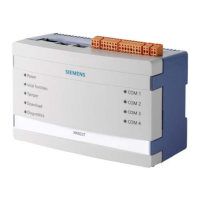
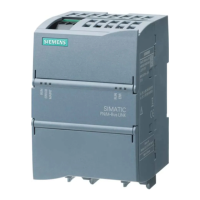
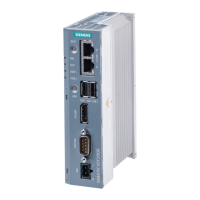
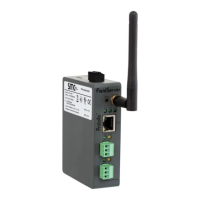
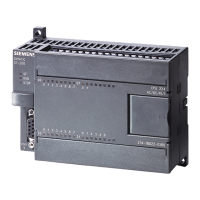
The MindConnect IoT2040 is a device designed to facilitate data collection and connectivity to MindSphere, Siemens' cloud-based open IoT operating system. It acts as a gateway, enabling industrial assets to securely transmit operational data to the cloud for analysis, monitoring, and further processing.
Function Description:
The primary function of the MindConnect IoT2040 is to establish a secure and reliable connection between industrial equipment and MindSphere. It collects data from connected assets, processes it, and then securely transmits it to the MindSphere platform. This allows users to gain insights into their machinery's performance, monitor operational parameters, and implement predictive maintenance strategies.
The device supports various industrial protocols, enabling it to interface with a wide range of existing equipment. Once connected, it can acquire data points from these assets, which are then configured and mapped within the MindSphere environment. This mapping ensures that the collected data is correctly interpreted and presented in a meaningful way within the cloud platform.
A key aspect of its functionality is the onboarding process, which involves configuring the device to connect to a specific MindSphere account and asset. This process is streamlined through the use of a USB stick containing a configuration file, which the device automatically reads upon insertion. This automated configuration simplifies deployment and reduces the need for manual intervention.
The MindConnect IoT2040 is also designed with security in mind. It integrates into a holistic industrial security concept, ensuring that data transmission from the plant floor to the cloud is protected against cyber threats. This includes secure communication channels and authentication mechanisms to safeguard sensitive operational data.
Furthermore, the device supports firmware updates, ensuring that it can be kept up-to-date with the latest features, security enhancements, and compatibility improvements. This capability is crucial for maintaining the long-term viability and performance of the IoT solution.
Usage Features:
The MindConnect IoT2040 is designed for straightforward integration into industrial environments. Its compact form factor allows for flexible mounting, supporting both vertical and horizontal orientations, with specific clearance requirements to ensure proper operation and ventilation.
To begin using the device, a power supply of 9-36 V DC is required, along with proper protective earth connection. Network connectivity is established through two Ethernet ports: one for connecting to the internet (X1P1) for MindSphere communication and another (X2P1) for connecting to the plant network and the industrial assets.
The onboarding process is initiated through the MindSphere Launchpad, where users can access the Asset Manager to create a new asset of the MindConnect IoT2040 type. The device's unique InfoID, found on its rating plate, is used to identify and register it within MindSphere. Network settings, including DHCP or static IP addresses, can be configured through the MindSphere interface, along with any necessary proxy data.
Once the device is physically connected and configured in MindSphere, a configuration file, known as an "Onboarding Key," is downloaded to a USB stick. This USB stick, formatted with FAT32, is then inserted into the MindConnect IoT2040. The device automatically reads this data, reboots, and attempts to establish a connection to MindSphere. Status LEDs provide visual feedback on the connection status, with a green RUN/STOP/L1 LED indicating a successful connection.
After successful onboarding, users can configure their assets for data collection within MindSphere. The Fleet Manager application allows users to visualize machine data, providing a centralized platform for monitoring and analysis. The device continuously acquires data from configured assets, making it available in MindSphere for various applications.
Maintenance Features:
Maintaining the MindConnect IoT2040 involves several aspects to ensure its continuous and reliable operation. One key maintenance feature is the ability to load new firmware. If the device was previously connected to an older version of MindSphere, it might require a factory reset and an upgrade to the latest firmware version. This process is guided by documentation and ensures the device is running the most current and compatible software.
Troubleshooting is supported through the device's integration with MindSphere's Fleet Manager. In case of problems with data acquisition or connectivity, users can consult the LOG files available through the "Files" extension in Fleet Manager. These logs provide valuable information that can help diagnose and resolve issues.
The device's design, with clear LED indicators, also aids in maintenance by providing immediate visual feedback on its operational status. For instance, the RUN/STOP/L1 LED's color and blinking patterns indicate different states, such as successful connection, data reading from USB, or attempts to connect to MindSphere.
Regular checks of the physical connections, including power supply and Ethernet cables, are part of routine maintenance to ensure secure and stable operation. The device's robust construction is designed for industrial environments, contributing to its overall durability and reducing the need for frequent physical maintenance.
Furthermore, the MindSphere platform itself offers tools and documentation to support the ongoing management of connected devices. This includes FAQs, online support resources, and detailed guides on getting connected and troubleshooting, all contributing to the maintainability of the MindConnect IoT2040 within a larger IoT ecosystem. The continuous review and updates of the device's documentation also serve as a maintenance feature, ensuring that users have access to accurate and up-to-date information for operation and troubleshooting.



 To Next Page


 General