
 Need help?
Do you have a question about the Siemens DESIGO RXC and is the answer not in the manual?
Guidelines for optimal antenna placement and handling to ensure reliable radio communication.
Wireless room units transmit time or event-controlled telegrams to the gateway.
LonWorks commissioning requires pressing the service pin after opening the device lid.
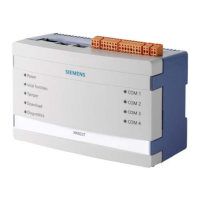
The Siemens RXZ95.1/LON Gateway EnOcean/LonWorks is a device designed to integrate wireless EnOcean room units with DESIGO RXC room controllers and LONWORKS® communication systems. This gateway facilitates the use of wireless room units, which are typically powered by solar cells, in place of standard QAX3x room units. A battery is only required in conditions of poor light.
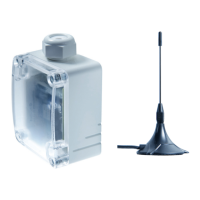
The RXZ95.1/LON gateway converts telegrams received via radio from EnOcean room units into LONWORKS standard network variables (SNVT). It supports the evaluation of up to 9 EnOcean room units, such as the QAX9x.x series. The integration of these room units into the system is managed through the gateway, which requires a separate AC/DC 24 V supply (not included in the delivery). An external antenna is provided with the gateway to ensure optimal radio reception.
The gateway's primary function is to bridge the communication between EnOcean wireless devices and a LONWORKS network, allowing for monitoring and configuration of room units within a DESIGO system. It is compatible with DESIGO RXC room controllers and other systems utilizing LONWORKS communication.
The RXZ95.1/LON gateway allows for the integration of various EnOcean room units, including those with temperature sensors (QAX95.1, QAX95.4), setpoint adjusters (QAX96.1, QAX96.4), and multifunctional buttons with 2-stage or 5-stage switches (QAX97.4, QAX98.4).
For engineering, the device can be set up using the RXT10 tool and an LNS plug-in. The process involves adding the device, selecting "PLG: Plug In Support" as the device type, and then configuring the gateway settings via the "Thermokon SRC-FTT" plug-in. This includes general settings like lower/upper setpoint adjustment, fan stages, presence key, receive time, and sending interval for network variables. Switch settings can also be configured for long button actuation, dimming, sun blind/shutter control, and scene activation.
For each sensor object (1-9), specific parameters can be configured, such as device type (e.g., temperature sensor), SensorID (for offline engineering or online learning), and SCPTmaxSendTime (heartbeat interval for room units).
Learning-in room units involves setting a "learn-in" bit for a specific sensor and then pressing a button on the room unit to transmit its EnOcean ID. Once the learn telegram is received, the bit is automatically reset. This process is repeated for additional room units.
Bindings between the gateway's network variables (e.g., nvoHVACTemp_x, nvoSetpoint_x) and the RXC's network variables (e.g., nviSpaceTemp, nviSetpointOffset) are established to enable communication of room temperature and setpoint offset.
The device is supplied in an operational status. Installation involves mounting it to a wall surface or an installation socket using screws (not included).
Wireless room units send time or event-controlled telegrams. The gateway verifies these telegrams and outputs them via its LONWORKS interface. Each telegram contains the type, data, and a 32-bit sender ID. For correct evaluation of measuring values, devices must be learned-in by the gateway, either automatically via a "learn button" on the room unit or manually by inputting the 32-bit sensor ID, followed by a special "learning" procedure.
To press the service pin for LonWorks commissioning, the lid of the device must be opened.
The device is classified as waste electronic equipment under European Directive 2002/96/EC (WEEE) and must not be disposed of as unsorted municipal waste. Relevant national legal rules must be adhered to, and systems for collecting electronic waste should be used.




 To Next Page
 General