EasyManua.ls Logo

Siemens PAD-3 - User Manual

Siemens PAD-3
52 pages
Print Icon
To Next Page IconTo Next Page
Loading...
Siemens Building Technologies, Inc. Siemens Building Technologies, Ltd.
8 Fernwood Road 2 Kenview Boulevard
Florham Park, New Jersey 07932 Brampton, Ontario L6T 5E4 Canada
P/N 315-099082-9
Fire Safety
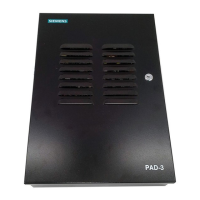
Model PAD-3
Distributed Power Module NAC Expander
Installation, Operation, and Maintenance Manual

Questions and Answers

  • D
    Denise RomeroAug 3, 2025
    What to do if OUTPUT LEDs (DS1, DS2, DS3, DS4) are lit on Siemens Extender?
    • J
      jhendersonAug 3, 2025
      If the OUTPUT1, OUTPUT2, OUTPUT3, or OUTPUT4 LEDs are lit, it indicates a problem with the associated NAC (Notification Appliance Circuit). This could be due to the NAC being open (greater than 49K ohms), shorted (less than 18K ohms), or experiencing an overcurrent condition (tripping with greater than 3.7Amps). To resolve this, test the associated NAC circuits for opens and shorts.
  • C
    Christina PatrickAug 9, 2025
    What to do if AUX. P.S. LED (DS5) is lit on Siemens Extender?
    • G
      Gina SaundersAug 9, 2025
      If the AUX. P.S. LED is lit, this indicates an overcurrent condition on the auxiliary power output, specifically a trip with greater than 3.7Amps. You should measure the current on the auxiliary power output to diagnose and resolve this issue.
  • M
    mitchelljeffreyAug 15, 2025
    Why is the GRND LED (DS6) lit on my Siemens Extender?
    • C
      Crystal BarberAug 15, 2025
      If the GRND LED is lit, it means one or more external field connections are shorted to earth ground (less than 40K ohms). You should check the external field connections for shorts to ground.
  • J
    jeffreyperryAug 21, 2025
    What to do if BATTRY LED (DS7) is lit on Siemens Extender?
    • J
      Jennifer BartonAug 21, 2025
      If the BATTRY LED is lit, it indicates a problem with the battery input power. Possible causes include: low battery input power (less than 21.4VDC), no battery input power, a shorted battery input, or an open polyswitch F2 or F3. Inspect the battery input power and connections. To reset, disconnect the battery and then reconnect it.
  • S
    Shelby AdamsAug 27, 2025
    How to troubleshoot POWER LED (DS8) not lit on Siemens Extender?
    • F
      fletchertravisAug 27, 2025
      If the POWER LED is not lit, it indicates that there is no AC input power or the AC input power is too low (less than 90VAC). Check the AC input power to ensure it is within the correct range.

Summary

DESCRIPTIONS

1.1 General Design Features

Overview of the PAD-3's design features, including inputs and outputs.

1.3 General Specifications

Provides technical specifications for environmental, power, and circuit parameters.

INSTALLATION

2.1 Mounting the Enclosure

Instructions for physically mounting the PAD-3 enclosure in its location.

2.4 Terminal Descriptions and Electrical Ratings

Defines terminals and their associated electrical specifications for connections.

2.5 Wiring the PAD-3

Comprehensive wiring instructions for connecting the PAD-3 to various systems.

CONNECTION TO CONTROL UNITS

SAMPLE APPLICATIONS

4.1 Notification Appliance Power Applications

Example configurations for powering notification appliances from the PAD-3.

4.2 Door Holder Applications

Wiring examples for using the PAD-3 in door holder release systems.

PROGRAMMING

5.1 DIP SWITCH SETTINGS

Guides on configuring the PAD-3 using its 10-position DIP switch.

5.2 JUMPER SETTINGS

Information on configuring the PAD-3 using its jumper settings.

REFERENCE DATA

6.2 BATTERY SIZE CALCULATIONS

Methodology for calculating required battery capacity for system operation.

TROUBLESHOOTING

8.1 LED INDICATORS

Explanation of the LED indicators and their fault/normal status meanings.

8.3 TROUBLE CONDITIONS

Description and probable causes for various trouble conditions indicated by LEDs.

BATTERY MAINTENANCE

GLOSSARY

Siemens PAD-3 Specifications

General IconGeneral
BrandSiemens
ModelPAD-3
CategoryExtender
LanguageEnglish

Related product manuals