A6V101035984_en--_c 2018-06-21 Subject to alteration Siemens Building Technologies / HVAC Products
Operating instructions
RDH100
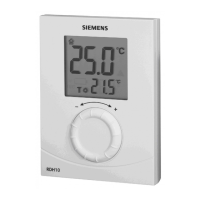
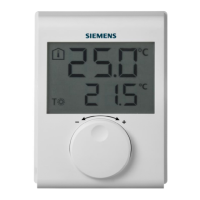
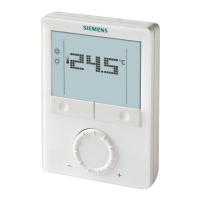
The RDH100 is a room thermostat that allows you to set the desired room temperature (setpoint)
for the desired time. The unit features an ergonomic setting knob for easy temperature control.
Display
Actual room temperature
in ºC
The unit controls to the
selected comfort
temperature
Indicates when heating is
demanded
Replace batteries
Setting knob
Warmer/colder
knob for
selecting the
temperature
setpoint
Battery compartment
2 alkaline batteries type AA, 1.5 V
Commissioning
∑ Remove the black transit tabs from the 2 alkaline batteries.
Check to see if the battery compartment is in its correct position
∑ If no batteries are inserted, fit 2 alkaline batteries type AA in the
battery compartment
Selecting the required temperature
∑ Turn the setting knob counter-clockwise to decrease the setpoint,
or clockwise to increase the setpoint in increments of 0.5 °C
∑ The required temperature is displayed next to the comfort
temperature symbol
1. Get 2 new alkaline batteries type AA, 1.5 V.
2. Within 1 minute: pull out the battery compartment and remove the batteries, insert the new
batteries and replace the battery compartment.
3. Make certain the old batteries are disposed of properly,
in compliance with environmental requirements.
Energy saving tips without sacrificing comfort
∑ Never allow room temperatures to exceed 21 ÛC
∑ Air out rooms for short periods of time only, but properly,
with the windows wide open
Parameter setting
Parameter setting mode
1. Press RESET on the rear for 5 seconds until “P01” appears.
Note: Pressing the button longer than 10 seconds resets the
thermostat.
2. Press RESET again and the parameter value on second line flashes
and is ready for adjustment.
3. Adjust the parameter using setting knob.
4. Press RESET once to confirm the setting.
5. Rotate the setting knob clockwise to next parameter and repeat steps
2 to 4.
6. Exit the parameter setting mode by rotating the setting knob
clockwise to “End” and pressing the RESET button once.
Parameters:
∑ P01 Control behaviour: 2-position 1K / 2-position 0.5 K / PID fast /
PID slow (factory-setting)
∑ P02 Maximum temperature range
∑ P03 Minimum temperature range
DE
EN
FR
IT
NL
ES
PT
CS
HU
PL
SV
FI
ZH
TR
EL
RO
DA



 To Next Page