A6V11239600_en--_a 2018-06-22 Subject to alteration Siemens Building Technologies / HVAC Products
for Service Interval Reminder Setting
Elements Functions
1
: Time setting position
2 RUN position
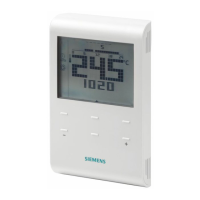
3 Programming selector
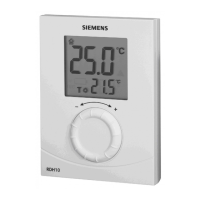
4 Advance button (override / presence button)
5 Setting knob
Service interval reminder parameter
Parameter Description Factory setting Setting range
SEr Days until next service is due
and boiler service needs to
be arranged.
OFF OFF, 1…400 days
PrE Pre-warning time 30 days 0…50 days
Act Action on service due Warning only (0) 0 = Warning only
1 = 60 mins control with
Comfort temperature,
manually triggered
The settings will be kept in the non-volatile memory and will not be erased if removing the
battery or performing a reset on the rear side of the thermostat.
Enable service reminder
· Set programming selector to position .
· Press advance button for about 5 seconds until the
display goes blank. Turn setting knob, screen display
will be:
o 1
st
line: “SEr”
o 2
nd
line: “OFF”
· Press advance button once and “OFF” starts flashing
and is ready for adjustment.
· Adjust the days of next service due day (1…400 days)
by turning setting knob.
· Press advance button once to confirm the setting.
Note: If service due day is set to “OFF”, thermostat will
go back to normal operation (time setting position ).
· The display will show:
o 1
st
line: “PrE”
o 2
nd
line: “0d”
· Adjust pre-warning time to 0…50 days by turning
setting knob.
· Press advance button once to confirm the setting.
· The display will show:
o 1
st
line: “Act”
o 2
nd
line: “0”
· Adjust service interval action by turning setting knob:
o 0: warning only
o 1: 60 mins control with Comfort temperature
· Press advance button once to confirm setting and go
back to normal operation.
Set programming selector to RUN position.

 Need help?
 General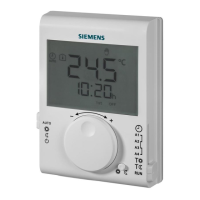

 To Next Page