Installing the Device
2.5.1Connecting High AC/DC Power
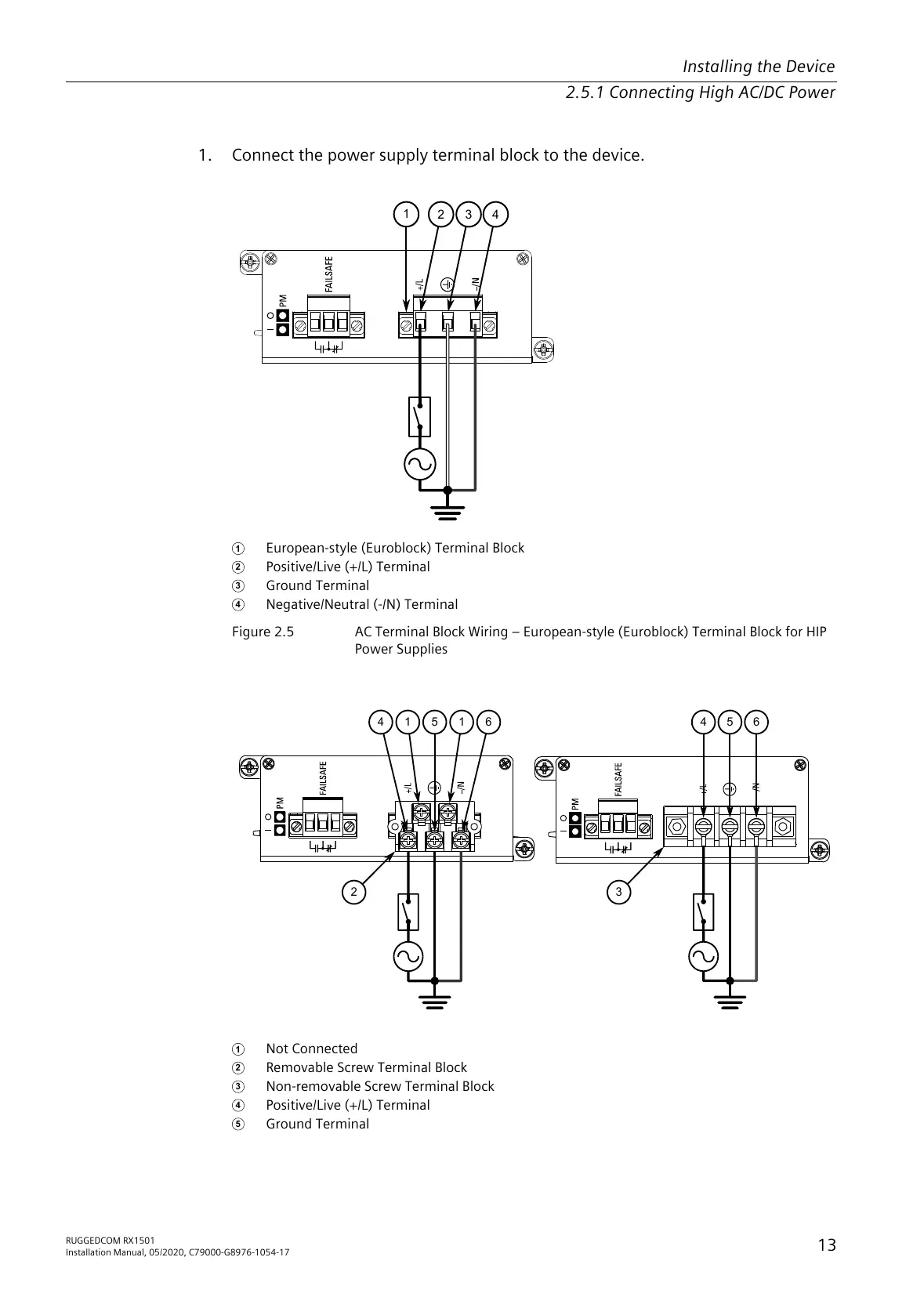
1. Connect the power supply terminal block to the device.
1
European-style (Euroblock) Terminal Block
2
Positive/Live (+/L) Terminal
3
Ground Terminal
4
Negative/Neutral (-/N) Terminal
Figure2.5 AC Terminal Block Wiring – European-style (Euroblock) Terminal Block for HIP
Power Supplies
1
Not Connected
2
Removable Screw Terminal Block
3
Non-removable Screw Terminal Block
4
Positive/Live (+/L) Terminal
5
Ground Terminal
RUGGEDCOM RX1501
Installation Manual, 05/2020, C79000-G8976-1054-17
13
All manuals and user guides at all-guides.com



 To Next Page