840D/828D SINUMERIK Operate Page 9
B509
B509
Notes
Note:
The values of the variables must have been assigned before they are
called in the program.
Value assignment in the program block:
In an NC-block several assignments can be made, however, not in blocks
with other instructions.
N1; *** Value assignment to the R-Variable ***
N2 R0=0 R1=200 R2=300
N3 R3=80 R4=-4 R5=-20 R6=6
N4 R10=160 R11=0.2
N5; *** End of value assignment ***
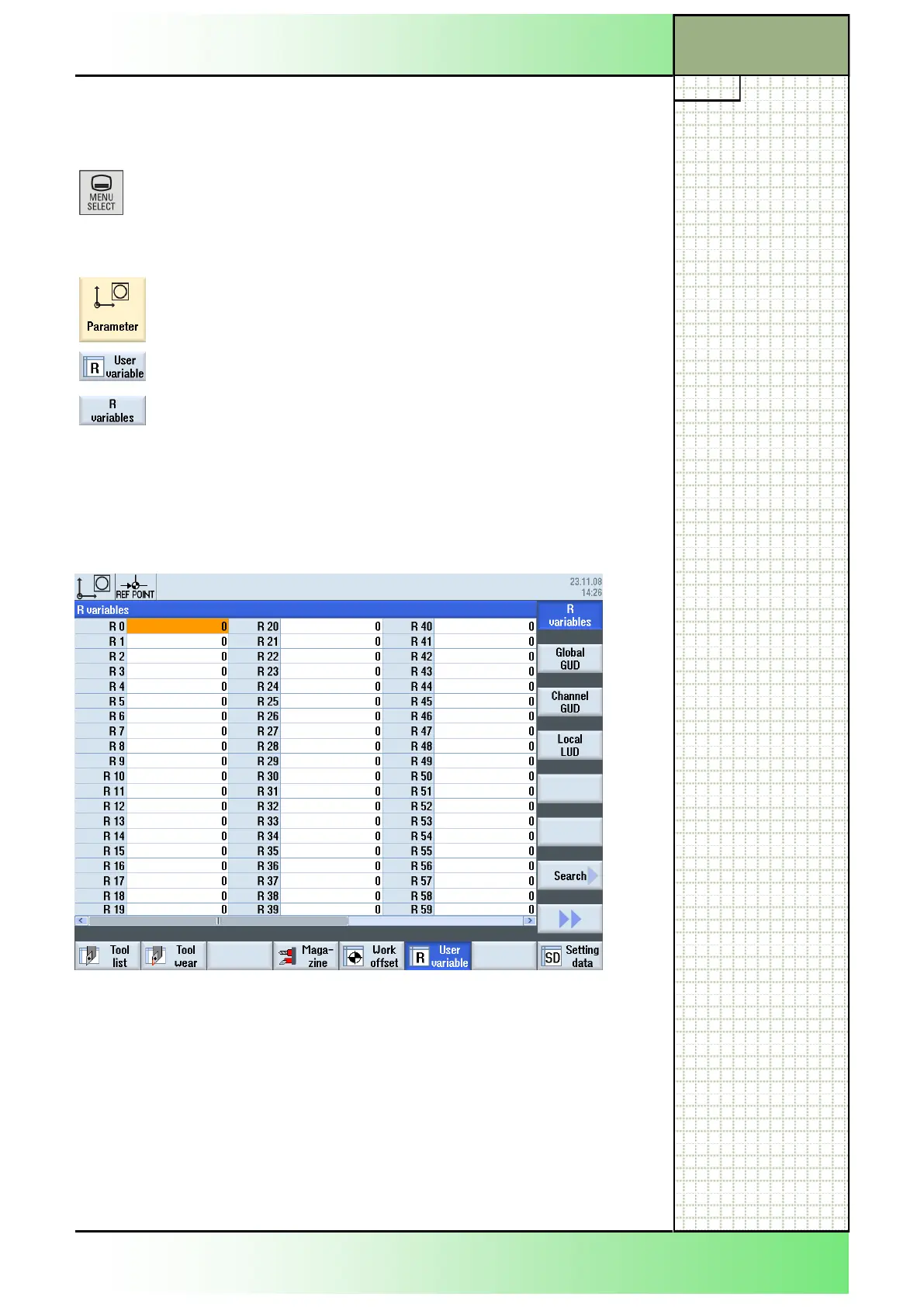
Value assignmentmanually: (via variable list)
The “R-variables”-window can be accessed via:
1. Press the button “MENU SELECT” on the
operator panel (OP).
2. The yellow horizontal and vertikal softkeybar
appears.
3. Press the yellow HSK 2 “Parameter”.
4. Press the HSK 6 “User variable”
5. If not selected before press the VSK 1 “R vari
ables“.
6. The “R variables”-window opens up (like dis-
played below).
7. Assign a “R variable“-value.
Section 4
Calculation variables R
















 To Next Page