B517
B517 Page 6 840D/828D SINUMERIK Operate
Notes
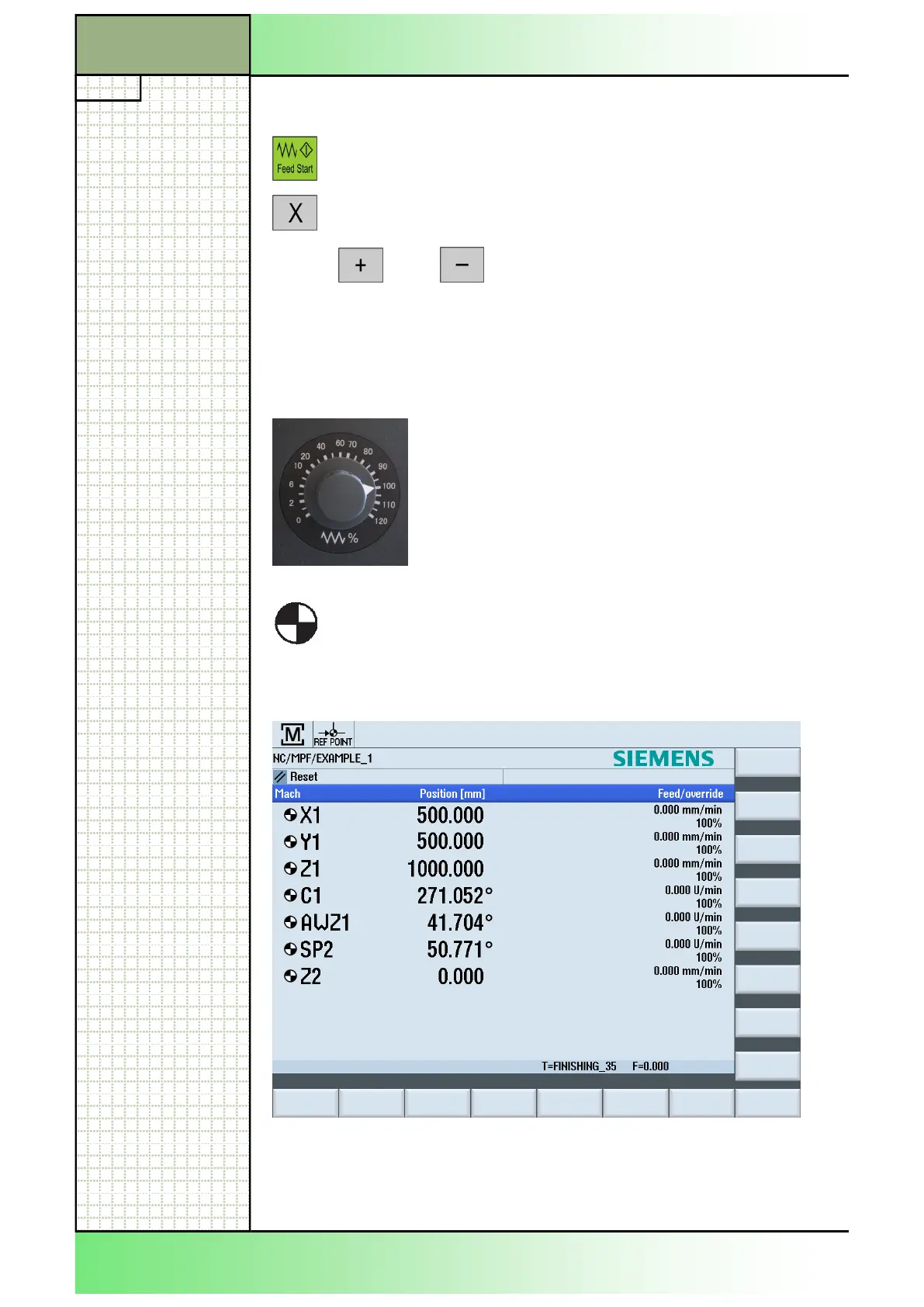
Axes that have been referenced are shown on the display with a
“Reference point symbol“ preceding the axis denomination.
Note the screen below.
While referencing, confirm the feed override setting,
since the axes are traversed at the feed rate that has
been preset by means of a machine datum.
3.2.2 Manual referencing
Press “FEED START“ on the machine control panel.
Select an axis for referencing by pressing an axis-
key (X, Y, Z, 4, 5, 6) on the machine control panel.
Press or .
Note:
Refer to the machine manufauturer's documentation.
Select all other axes one after the other and start the referencing motion by
pressing either „+“ or „-“.
The axis is referenced as soon as the reference point is reached. The ac-
tual value display is set to the reference point value.
From now on, path limits, such as software limit switches, are active.
End the function via the machine control panel by selecting operating
mode "AUTO" or "JOG".
Section 3
Approaching the reference point of the axes
















 To Next Page