B518
B518 Page 8 840D/828D SINUMERIK Operate
Notes
Section 2
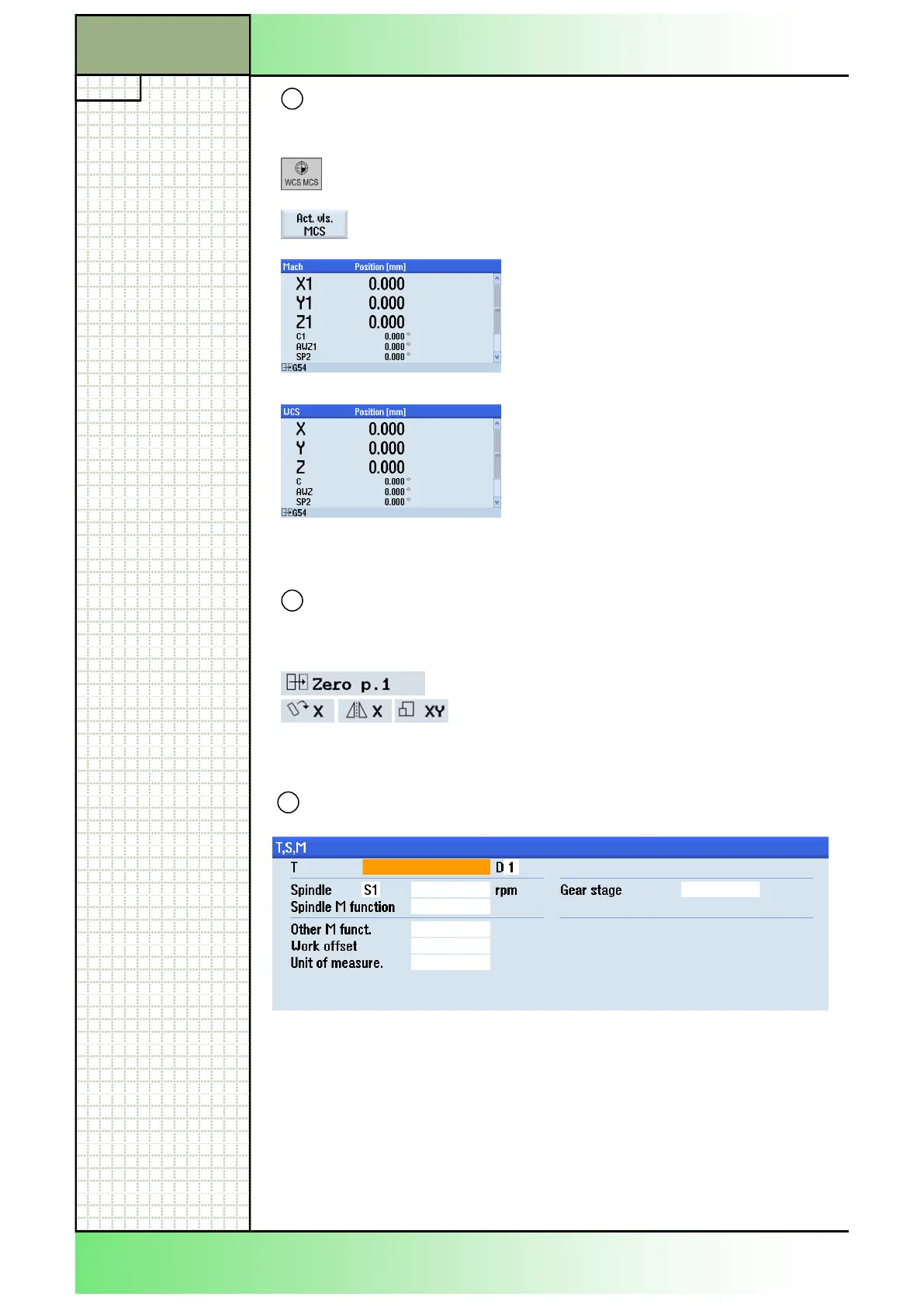
Position display for the axes
8
Description MCP/Display area
Switching between the machine co-
ordinate system and the tool co-ordinate
system is possible either by means of the
vertical softkey or the MCP.
Display of the available axes wit axis de-
nomination and position data in the ma-
chine coordinate system (Mach).The
slider on the right hand side indicates
some hidden values like the angle position
of the spindle (SP).
Display of the available axes with axis de-
nomination and position data in the work
piece coordinate system (WCS), how-
ever, without programmable work offsets
and system frames for cycles (ENS).
Display of the active zero point, rotation, mirroring and scaling
9
Display area Description
Name of the currently active work offset,
rotation, mirroring, rotation and scaling for
the present machining sequence.
Work window
10
Depending on the pressed horizontal softkey the associated parameter
fields and help pictures are displayed. Here the “T,S,M”-mask is shown.
Basic operations
















 To Next Page