B520
B520 Page 16 840D/828D SINUMERIK Operate
Notes
Section 5
Measuring the workpiece zero
5.2 Vertical softkey bar
Display area Description
By pressing the VSK 2 "Work offset" the input mask
"Work offset" will be selected.
See module B523 - "Operating area "Parameter"".
offset values are accepted.
By pressing the VSK 8 "Back" you switch back to
the main screen of the Sinumerik Operate.
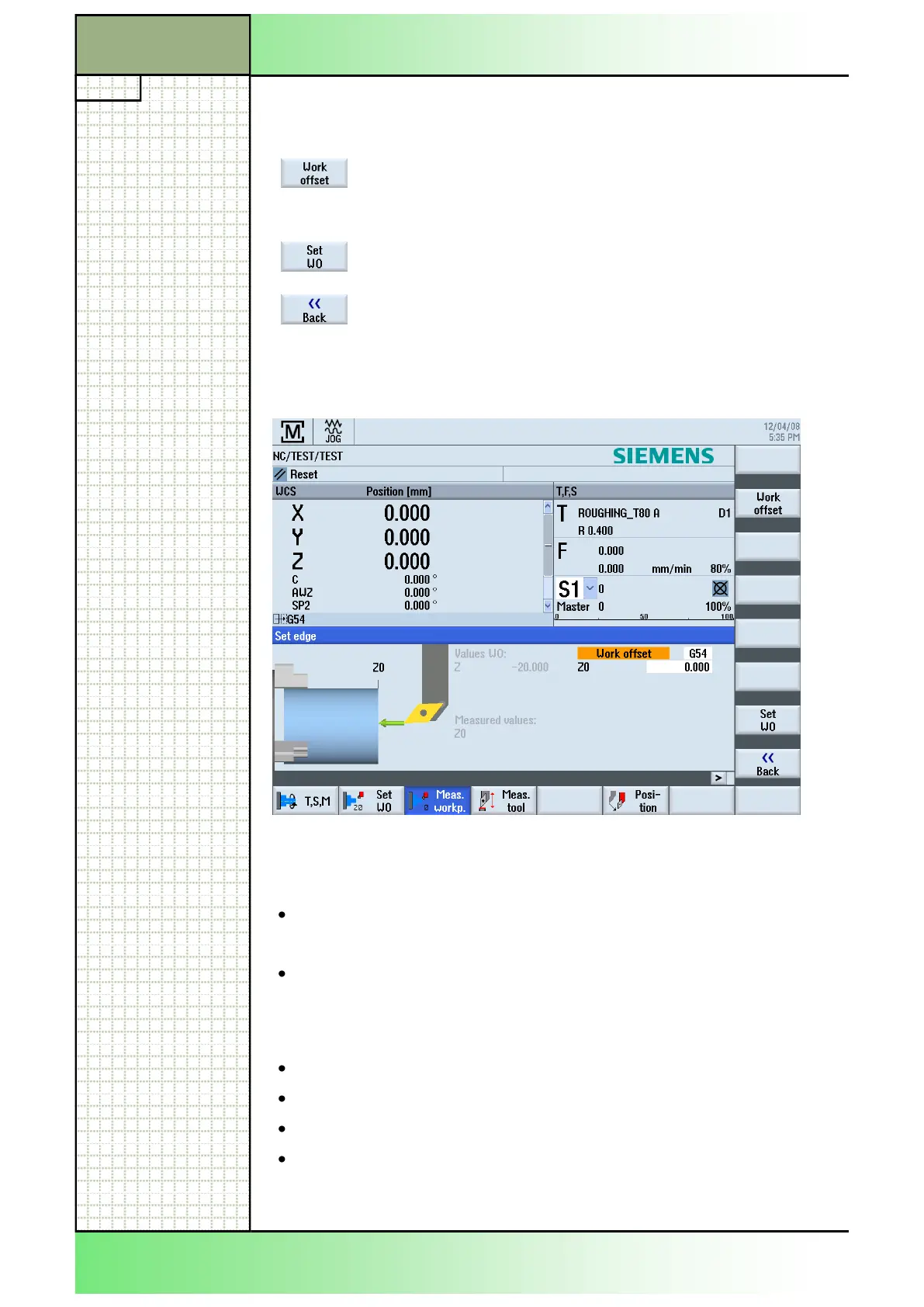
5.3 Measuring the workpiece with "Set edge"
5.3.1 Parameters for "Set edge"
"Set edge":
Work offset
Measuring only
set value (G54...G57),
or
ues should only be shown.
Work offsets:
G54
G55
G56
G57
Alternative parameter selection. Several
Work offsets are possible.
Note the machine manufacturer„s documen-
tation.
Z0
[mm] Reference point.
















 To Next Page