B523
B523 Page 28 840D/828D SINUMERIK Operate
Notes
3.13 Filter
The filter function allows you to filter-out tools with specific properties in the
tool management lists.
3.13.1 Selecting the function “Filter”
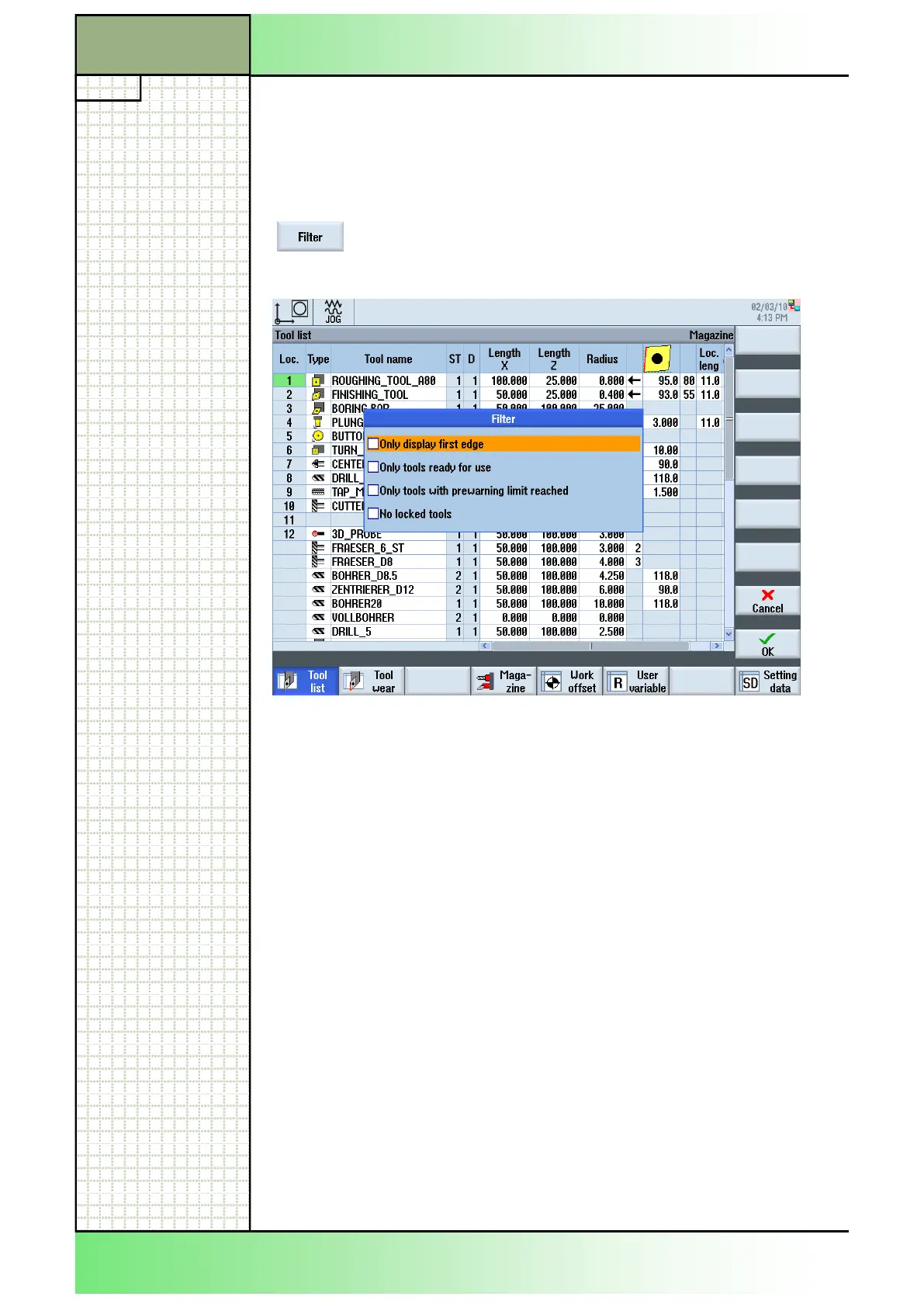
Pressing the VSK 2.2 “Filter” the “Filter” dialogue
window opens.
Filter criteria:
Only display the first
cutting edge
Only tools with the cutting edge number D1 are
listed.
Only tools that are
ready to use
Only tools that are ready to use are listed.
Only tools that have
reached the pre-
alarm limit
Only tools that have reached the pre-warning limi
are displayed.
Only locked tools Only locked tools are displayed.
Note
Multiple selection
You have the option of selecting several criteria. You
will receive an appropriate message if conflicting fil-
ter options are selected.
Section 3
Tool list
















 To Next Page