B523
B523 Page 34 840D/828D SINUMERIK Operate
Notes
Section 5
Magazine management
Tools are displayed with their magazine-related data in the magazine list.
Here, you can take specific actions relating to the magazines and the
magazine locations.
Individual magazine locations can be location-coded or disabled for exist-
ing tools.
5.1 Selecting the function “Magazine“
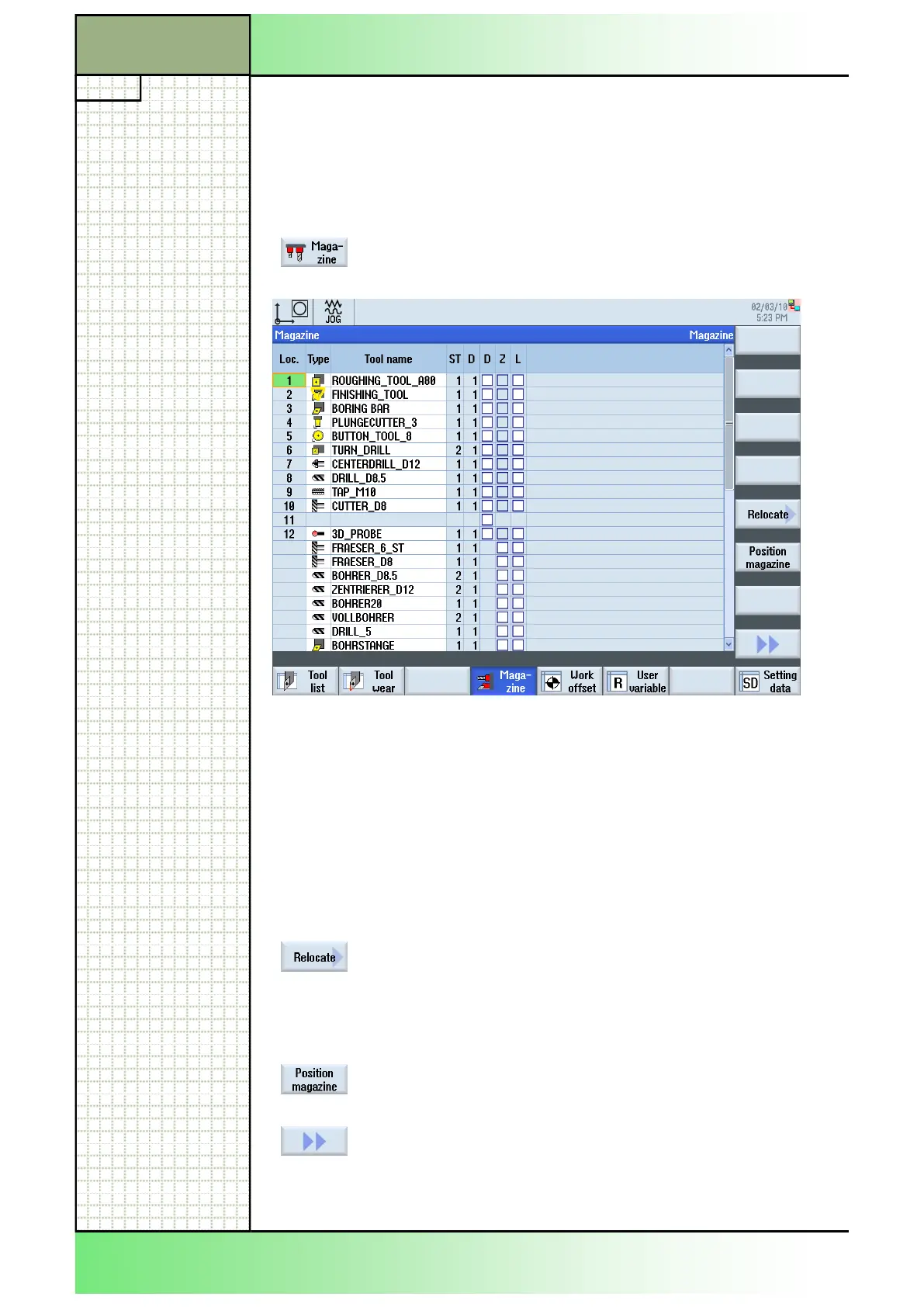
By pressing the HSK 4 “Magazine“ the following
magazine list will be displayed on the screen.
In the magazine list, all magazine locations are shown.
It is indicated whether a magazine location is available, disabled or
occupied by a tool.
If a magazine location is defect, this location can be disabled.
If an oversized tool is inserted, which uses more than a half of the
neighbouring magazine locations, then the neighbouring magazine loca-
tions will be disabled.
5.2 Vertical softkey bar
Display area Description
By pressing the VSK 5 “Relocate“ a tool can be
transferred from one magazine location to another
or, with pressing the VSK 4 “Spindle”, it can be
transferred to the spindle. The selected target loca-
tion must be confirmed with the VSK 8 “ok” or can
aborted with VSK 7 “Cancel”.
By pressing the VSK 6 “Position magazine“ you can
position magazine locations directly on the loading
point. (See section 5.6)
By pressing the VSK 1.8 “Extend” on the operator
panel the extended vertical softkey bar 2 opens
with the functions “Sort”, “Filter” and “Details”
(see sections 3.12 and 3.13).
















 To Next Page