B523
B523 Page 36 840D/828D SINUMERIK Operate
Notes
Section 5
Magazine management
5.5 Relocate
Tools can be directly relocated within magazines to another magazine lo-
cation, which means that you do not have to unload tools from the maga-
zine in order to load them into a different location.
When you are relocating a tool, the application automatically suggests an
empty location.
You may also directly specify an empty magazine location.
5.5.1 Selecting the function “Relocate”
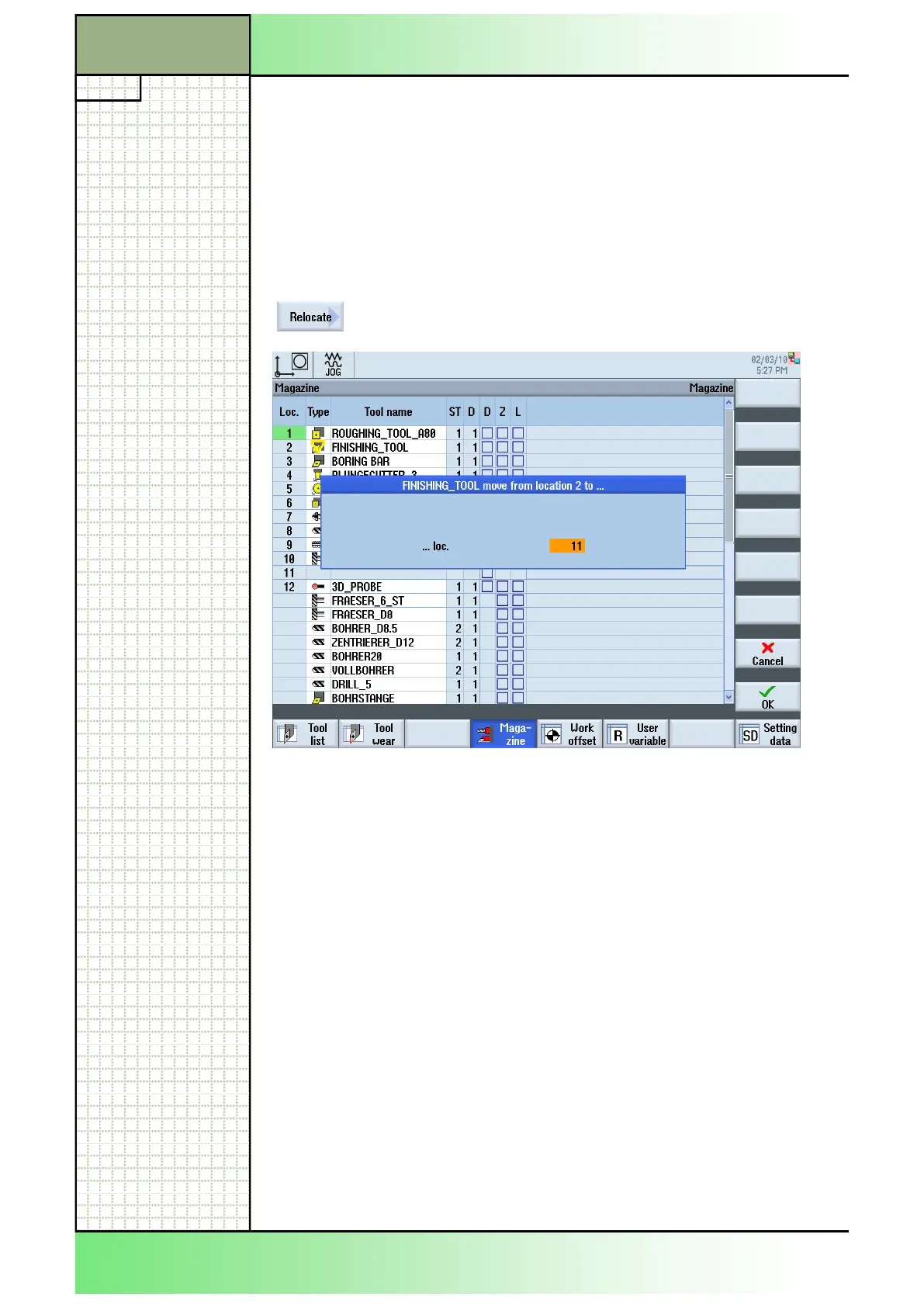
By pressing the VSK 5 “Relocate” the “...move from
location...to...” window opens.
5.5.2 Relocating a tool
1. Press the “MENU SELECT“-key on the operator
panel, then the HSK 2 “Parameter” to open the oper-
ating area “Parameter”. Alternatively press the
“OFFSET”-key on the keyboard.
2. Press the HSK 4 “Magazine“.
The magazine window opens.
3. Position the cursor on the tool that you wish to relo-
cate to a different magazine location.
4. Press the VSK 5 “Relocate”.
The “...move from location...to...” window opens.
The "... loc." field is initialized with the number of the
first empty magazine location.
5. Press the VSK 8 "OK" to relocate the tool to the sug-
gested location.
















 To Next Page