B523
B523 Page 40 840D/828D SINUMERIK Operate
Notes
Section 7
Work offset
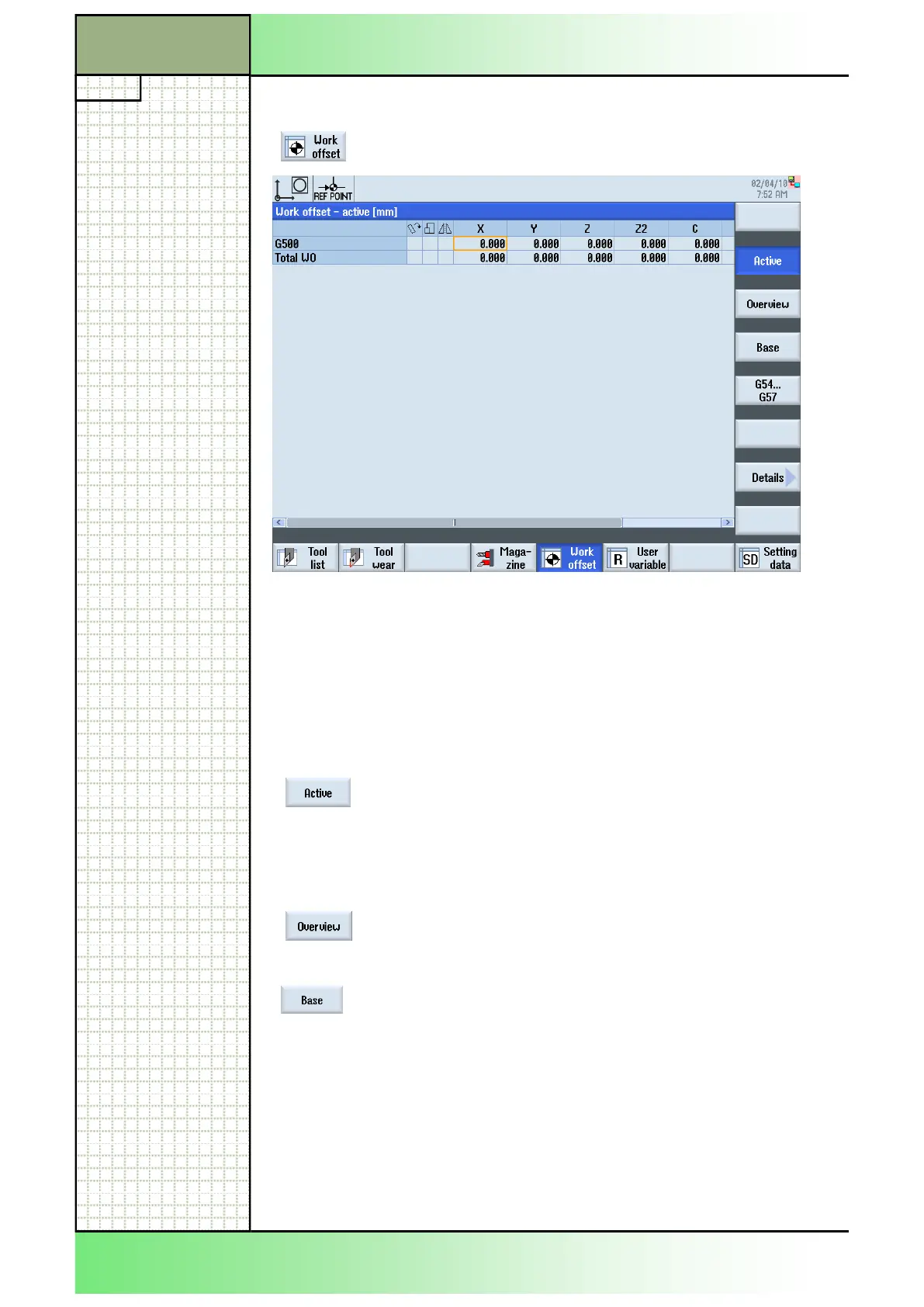
The horizontal scroll bar above the horizontal softkey bar indicates that
more parameters for the work offset are available. Because of the limited
screen area, they are covered by the softkeys of the VSK bar. Move the
orange selection cursor, with the help of the blue cursor keys on the key-
board to the left to reach the additional parameters.
7.1 Selecting the function “Work offset“
By pressing the HSK 5 “Work offset“.“ the “Work
offset - active” window opens.
7.2 Vertical softkey bar
Display area Description
By pressing the VSK 2 “Active“ for all installed axis
all current active offsets will be displayed, as well
as as all active system offsets.
Fields in the work offset list with a light blue back-
ground can not be altered.
(See section 7.4 in this module)
By pressing the VSK 3 “Overview” the active offsets
and system offsets are displayed for all set-up
axes.
By pressing the VSK 3 “Base“ for all installed axis
the chanelspecific basic work offsets are displayed
in coarse offset and fine offset.
The values can be changed directly in the “Work
offset - basic” window,
(See section 7.5 in this module)
















 To Next Page