B523
B523 Page 42 840D/828D SINUMERIK Operate
Notes
Section 7
Work offset
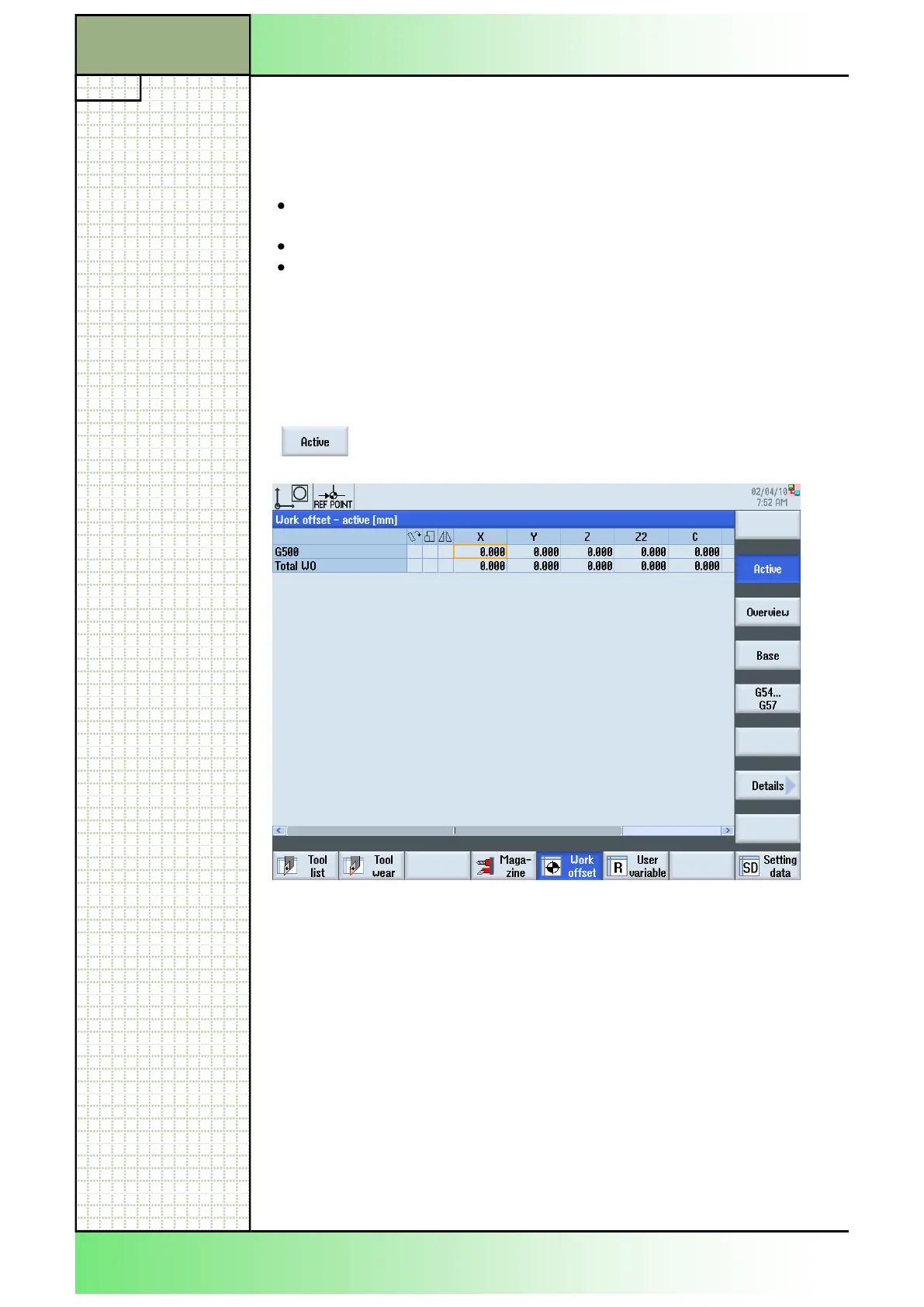
7.4.1 Selecting the function “Active”
By pressing the VSK 2 “Active“ the “Work offset -
active” window opens.
7.4 Active work offset
The following work offsets are displayed in the “Work offset - active” win-
dow:
Work offsets, for which offsets are included, or for which values are
entered
Adjustable work offsets
Total work offset
This window is generally used only for monitoring. The availability of the
offsets depends on the setting. Please refer to the manufacturer`s docu-
mentation.
7.5 Work offset overview
The active offsets and system offsets are displayed for all set-up axes.
In addition to the offset, the rotation, scaling and mirroring defined using
this are also displayed.
This window is generally used for monitoring.
















 To Next Page