840D/828D SINUMERIK Operate
Notes
Section 3
Storage medium “NC”
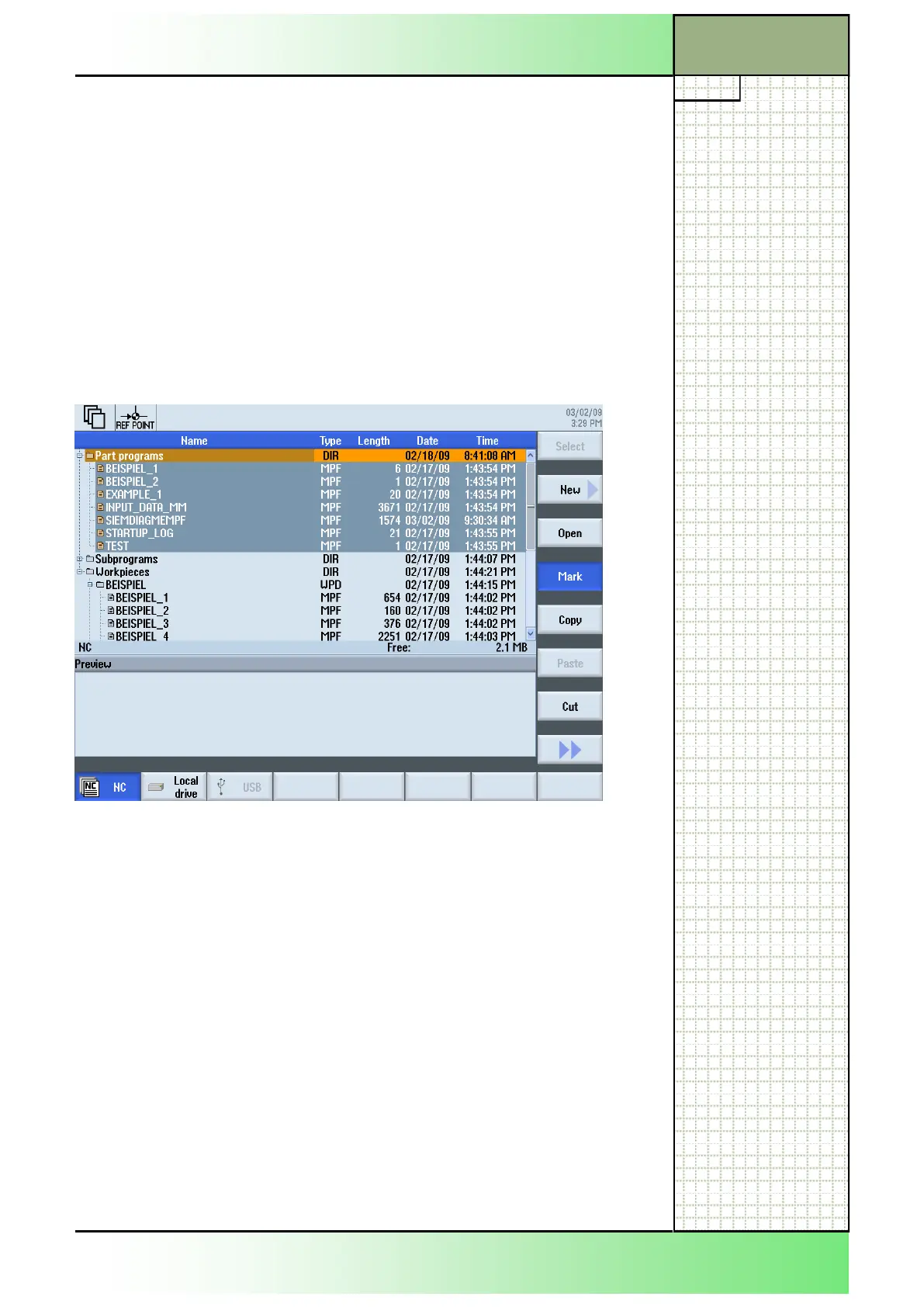
3.5 Marking directories / NC-programs
First open the desired directory in the program manager, like described in
sections 2.1 and 3.1.
1.
Place the cursor with the blue “cursor down”-key on
the first program or folder that you want to mark.
2. Press the VSK 4 “Mark“.
The program or directory selected with the orange
cursor is marked.
3.
Mark more programs or directories in a row by
pressing the blue “cursor down”-key one to several
times.
All selected files or directories are marked grey.
Thereafter, the marked NC-programs can be cut or copied by pressing
the VSK 5 “Copy” or the VSK 7 “Cut” and inserted somewhere else on the
NC, the local drive or the USB drive.
Tip 1:
To shortcut the marking process place the cursor on the first program or
directory in a row you want to select.
Now press the “SHIFT”-key on the keyboard, hold it pressed and move
the cursor with the blue “cursor down” key to the last program or directory
you want to select. Release the “SHIFT”-key.
The files are now marked.
Tip 2:
If you only want to mark a single program or directory place the cursor on
the file and press the blue “SELECT”-key on the keyboard.
The single file is now selected.
Go on with copying, cutting or deleting, like described next.
















 To Next Page