840D/828D SINUMERIK Operate
Notes
Section 3
Displaying and handling alarms
If faulty conditions are recognized in the operation of the machine, then an
alarm will be generated and, if necessary, the machining will be inter-
rupted. The error text that is displayed together with the alarm number
gives you more detailed information on the error cause.
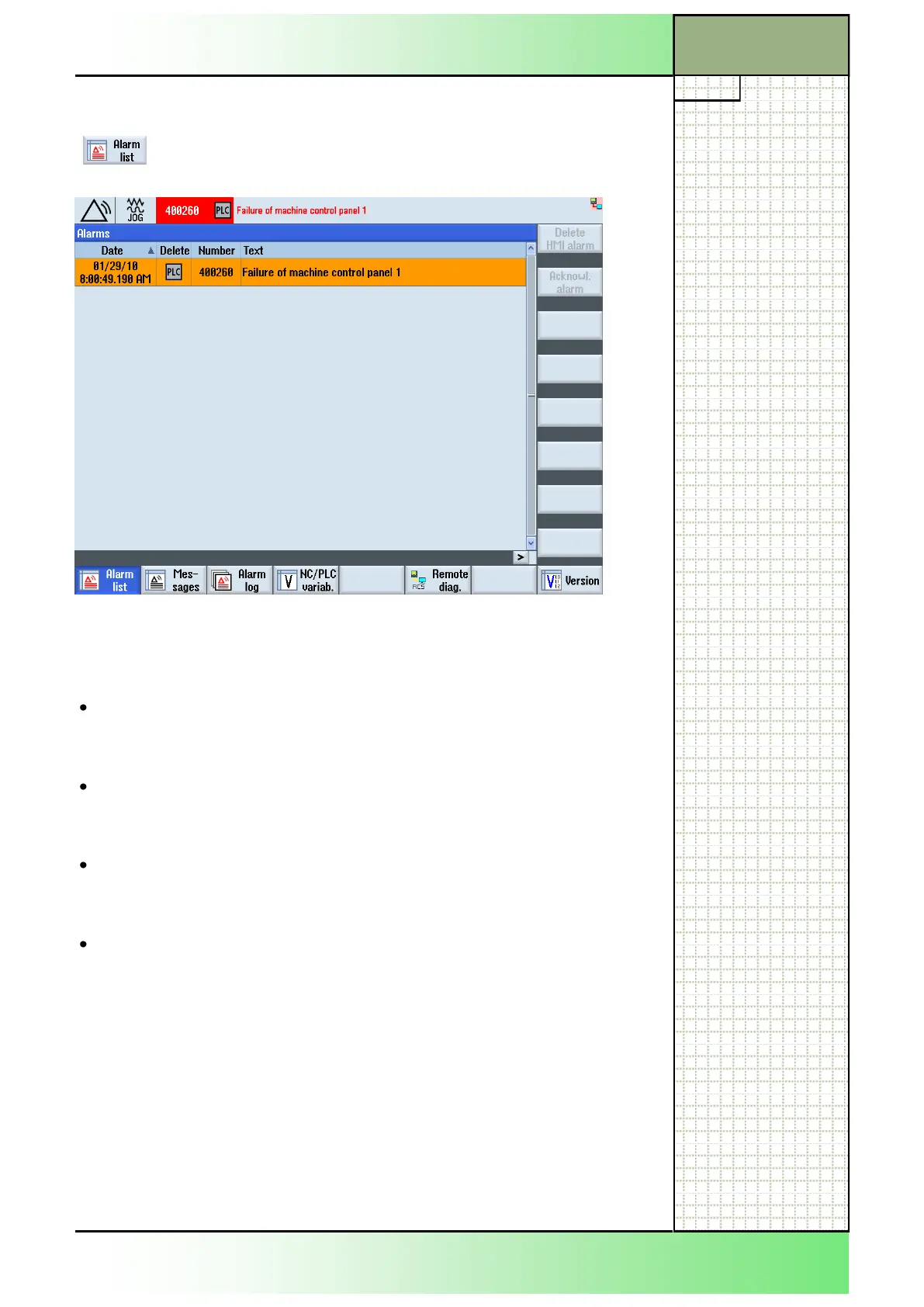
Date and time
- If a faulty condition is determined in the control, the system time and
date is monitored and displayed in a list.
Clearing criterion
- For every alarm an icon shows the key that has to be pressed on the
keyboard to clear the alarm (see section 3.3).
Alarm number
- The alarms are displayed with an alarm number, which identifies the
kind of alarm more precisely.
Alarm text
- The alarm text describes the error in short words.
Attention:
Please check the situation in the plant on the basis of the description of the
active alarm(s). Eliminate the cause/s of the alarm/s and acknowledge it/
them as instructed.
Failure to observe this warning will place your machine, workpiece,
stored settings and eventually even your own safety at risk.
3.1 Selecting the function “Alarm list”
Press the HSK 1.1 “Alarm list” to open the “Alarms”-
window like displayed below.
















 To Next Page