B626
B626 Page 6 840D/828D SINUMERIK Operate
Notes
Section 2
Simple programming example
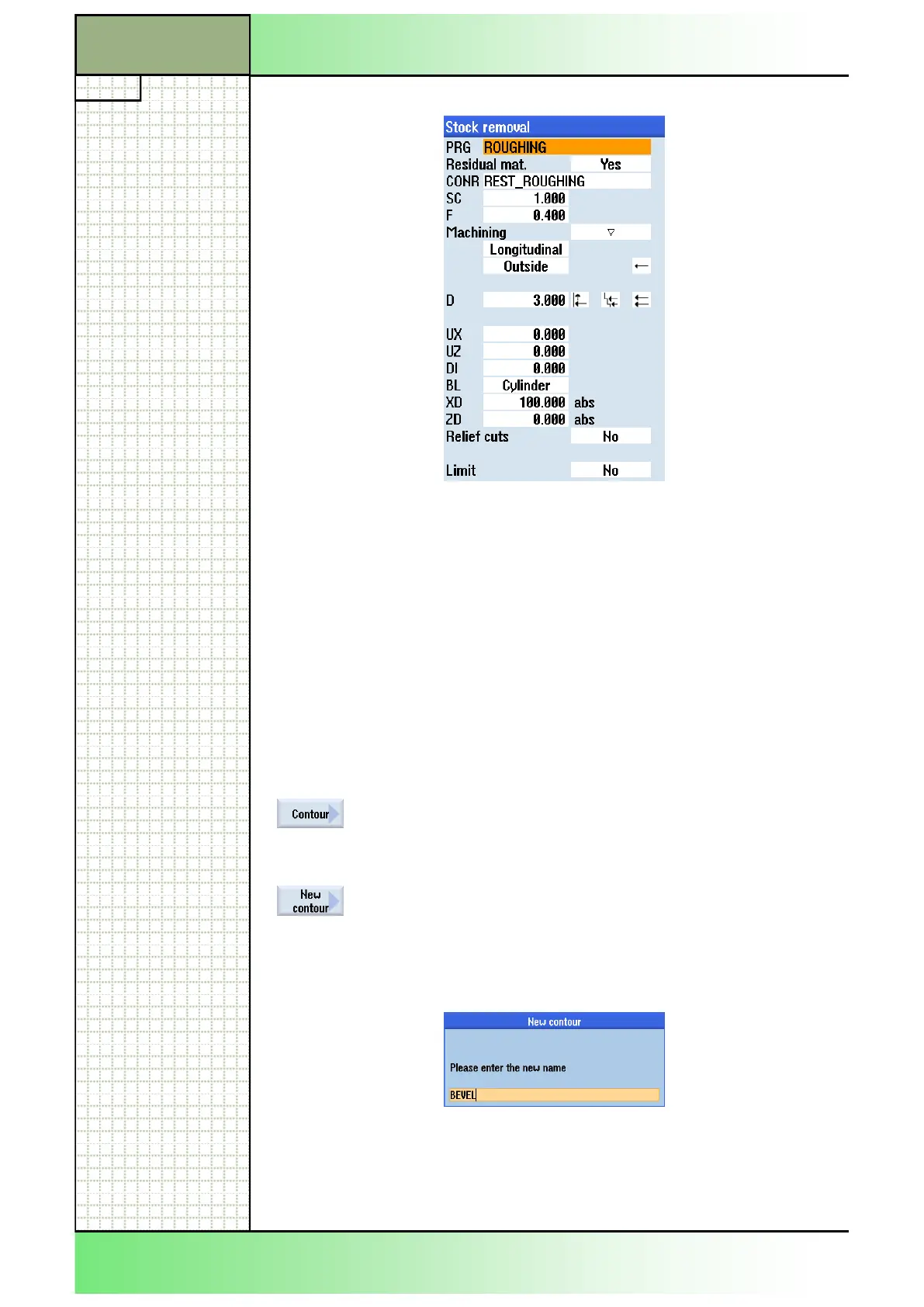
9. Fill out the parameter mask as follows:
Confirm your inputs by pressing the VSK 8 “Accept”.
The following line is inserted into the program:
N170 CYCLE952("ROUGHING",,
"REST_ROUGHING",2301311,0.4,0,0,3,0.1,0.1,0,0,
0.1,0,1,100,0,,,,,2,2,,,0,1,,0,12,110)
10. Program the following G code commands:
N180 G0 X400 Z200
N190 M30
11. At the end, program the contour description for the
machining.
Press now the VSK 1 “Contour”.
The vertical softkey bar for creating or calling up a
contour opens.
Press the VSK 1 “New contour” to create a new con-
tour.
An input mask opens, where you can assign a name
to the new contour.
12. Enter the following name for the contour:
Confirm your input by pressing the VSK 8 “Accept”.




 To Next Page