EasyManua.ls Logo

Siemens VersiCharge SG - User Manual

Siemens VersiCharge SG
2 pages
Print Icon
To Next Page IconTo Next Page
Loading...
2
Powering
your drive
into the
future!
Sample Tools Used
Refer to the included installation manual to:
Review the complete Installation and Operations Manual
Learn how to use the amperage adjustment dial or participate in EV programs
from your utility company with the VersiCharge SG
Find additional information on how to future proof your home’s energy
consumption
usa.siemens.com/versicharge
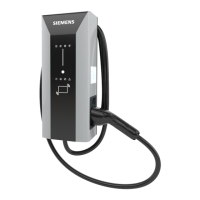
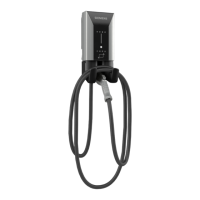
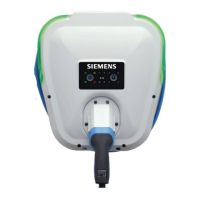
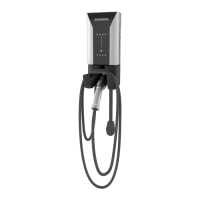
Wi-Fi enabled VersiCharge SG
Quick Start Guide
Electric Vehicle Charging Station
Certified Electrician
(Recommended)
Cordless Drill
(Phillips Bit)
240 V AC
Voltmeter
2 pole, 40 amp
circuit breaker
#8 copper wire,
3 conductors
NEMA 6-50 Outlet
(if not hardwiring)
Click QR code
to play
installation
video
Published by Siemens Industry, Inc. 
Siemens Industry, Inc.
 Triangle Parkway
Norcross, GA 
For more information, including service or parts, please contact our
Customer Support Center.
Phone: + () -
usa.siemens.com/versicharge
Article No. SIDS-B--AUS
Printed in USA
All Rights Reserved
© , Siemens Industry, Inc.
The technical data presented in this document is based on an actual case
or on as-designed parameters, and therefore should not be relied upon for
any specific application and does not constitute a performance guarantee
for any projects. Actual results are dependent on variable conditions.
Accordingly, Siemens does not make representations, warranties, or
assurances as to the accuracy, currency or completeness of the content
contained herein. If requested, we will provide specific technical data or
specifications with respect to any customer’s particular applications. Our
company is constantly involved in engineering and development. For that
reason, we reserve the right to modify, at any time, the technology and
product specifications contained herein.

Other manuals for Siemens VersiCharge SG

Questions and Answers

  • B
    Billy GallagherAug 14, 2025
    What to do if Siemens Battery Charger has a weak Wi-Fi signal?
    • H
      harrisjohnAug 15, 2025
      If your Siemens Battery Charger has a weak Wi-Fi signal but has internet access, consider adding a signal extender that supports 2.4 GHz to improve the signal strength.
  • C
    Charles KelleyAug 18, 2025
    Why does my Siemens Battery Charger have no internet access?
    • J
      John GonzalesAug 18, 2025
      If your Siemens Battery Charger has a good, fair, or weak signal but no internet access, it could be due to the homeowner's internet being down. The signal from the EVSE to the router is good, but there is no connection to the cloud. You can log on to the EVSE from the homeowner's local network through local webpages.
  • A
    alexlaneAug 21, 2025
    What to do if Siemens Battery Charger Wi-Fi cannot connect?
    • B
      Beth JacobsAug 21, 2025
      If the Siemens Battery Charger can accept a connection from a local wireless device, the charger should be broadcasting its SSID. If it is not, power cycle the charger and wait for the SSID broadcast. If the issue persists, contact Customer Service.
  • W
    Wendy HallAug 25, 2025
    What to do if Siemens Battery Charger tries to communicate with the service portal?
    • C
      Carl BarberAug 26, 2025
      If the Siemens Battery Charger's Wi-Fi is installed and working, the module power LED is on, and the system is trying to communicate with the service portal, power cycle the VersiCharge Wi-Fi module by carefully sliding it out of the channel and sliding it back in, seating it firmly. If the issue persists, contact Customer Service.
  • J
    Joe ThompsonAug 27, 2025
    What does it mean if Siemens Battery Charger Wi-Fi module has a good signal and internet access?
    • M
      Michael BrownAug 27, 2025
      If the Siemens Battery Charger Wi-Fi module has established a connection to the local wireless network with a good signal and has internet access, this is the ideal state, and no further action is required.
  • W
    wagnersaraAug 31, 2025
    What to do if Siemens Battery Charger is not in AP mode?
    • J
      Jesse LawrenceAug 31, 2025
      Power cycle the VersiCharge and check the Wi-Fi status for AP Mode. If not in AP mode, contact Customer Service.
  • R
    regina80Sep 3, 2025
    What does it mean if Siemens Battery Charger Wi-Fi module has a fair signal and internet access?
    • V
      vaughnjasmineSep 3, 2025
      If the Siemens Battery Charger Wi-Fi module has established a connection to the local wireless network with a fair signal and has internet access, this is a fair state, and no further action is required.
  • T
    Tracy FloresSep 7, 2025
    How long does Siemens Battery Charger Wi-Fi connection take?
    • V
      vpenaSep 7, 2025
      The process of the Siemens Battery Charger Wi-Fi module attempting to connect to the local wireless network can take several minutes, as the system is checking credentials. The speed of this process depends on the signal strength.
  • J
    Jonathan WilliamsSep 12, 2025
    What to do if Siemens Battery Charger module fails self-diagnostics?
    • D
      Danielle HernandezSep 12, 2025
      If the Siemens Battery Charger module fails self-diagnostics, open the cover. Slide the Wi-Fi module out of the channel and reseat it firmly by sliding it back into position.

Summary

Safety Warnings

Hazardous Voltage Warning

Warning of death, serious injury, or property damage from hazardous voltage. Turn off power before working.

Explosion Hazard Warning

Caution against arcing/sparking parts near flammable vapors. Install at least 18 inches above floor level.

Installation and Mounting

Electrical Wiring Preparation

Steps for running wire, using a receptacle, or hardwiring the unit. Requires 40A circuit breaker.

Mounting the VersiCharge Unit

Instructions for selecting a location, attaching the mounting bracket, and securing the charging station.

System Check and Power On

Procedure to check system status, verify power, and plug into the vehicle. Consult manual for faults.

Device Indicators and Status

Indicator Light Overview

Explanation of 12 indicator lights on the VersiCharge SG, including Power, Charging, Wi-Fi, and Time Delay.

Siemens VersiCharge SG Specifications

General IconGeneral
Input Voltage208-240 VAC
Charging LevelLevel 2
Connector TypeSAE J1772
Operating Temperature-22°F to 122°F (-30°C to 50°C)
Enclosure RatingNEMA 4
Mounting TypeWall

Related product manuals