23
LIMITS OF CONTINUOUS SHOOTING
To prevent overheating of the flashgun’s circuitry, do not use your
flash unit for at least 10 minutes after continuously firing the flash for
the number of exposures shown in the table below.
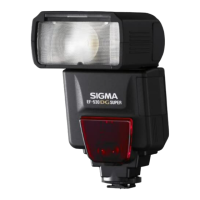
Number of Flash Exposures
20 Continuous Flash Shots
25 Continuous Flash Shots
40 Continuous Flash Shots
Caution!!
In case the icon appears on the display, the amount of light will
be limited to prevent overheating of the flashgun’s circuitry. Refrain
from using the flashgun until the icon disappears.
BASIC STEPS OF SETTING
This section describes the basics of the settings. With EF-630, most
settings can be conducted easily by the following steps.
Caution!!
When the power switch is at the [ ] (lock) position, the settings
cannot be changed. Be sure to set to [ON] to change the settings.
[Flash function settings] and [Flash C.Fn settings] where the flash
settings can be changed on the Menu screen of the camera are not
supported. Please perform the settings at the flash side.
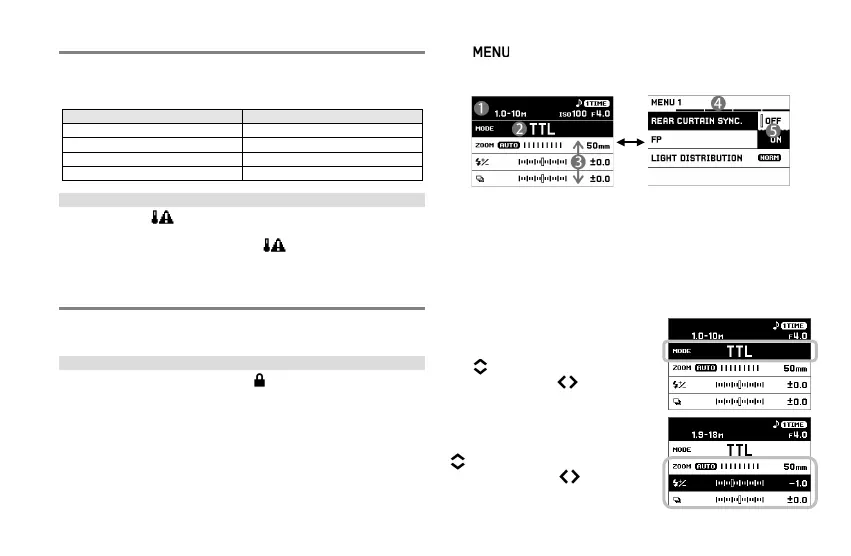
Switchover between the Main screen and the Setup menu by using
the button. (When the power is set to [ON], always start
from the Main screen.)
Changes the Flash mode and
sets the details of each Flash
Adds the optional functions of
flash shooting and sets the
basic conditions of the flash.
② Flash mode area
③
⑤ Sub menu
BASIC OPERATIONS ON MAIN SCREEN
SELECTING FLASH MODE
Select the Flash mode area by using
the buttons and change the Flash
mode by using the buttons or the
dial.
SETTING
DETAILS
OF
FLASH
MODE
Select Mode details area by using the
buttons and change the setting
values by using the buttons or the
dial.







 To Next Page