33 Signet 8900 Multi-Parameter
11.1 Relay Setup Menu
Relay 1 Source:
Flow F1 >
Select measurement type or derived function to be assigned to this relay:
Level, Volume, Temperature, Pressure, Flow, pH, ORP, Difference, Ratio,
Conductivity, None, Sum, Reject, Passage, Recovery A, Recovery B, Recovery C,
Power 2, Power 4, Multiple.
Select the mode of operation for this relay:
Off, Low, High, Window, Prop Pulse, PWM, Volumetric Pulse, USP, Advanced.
If relay mode is Low or High: Enter the relay setpoint.
If relay mode is Prop Pulse, PWM or Window: Enter the low-end setpoint.
If relay mode is Prop Pulse, PWM or Window: Enter the high-end setpoint.
If relay mode is PWM, set the pulse period.
Minimum 0.1 s, maximum 1000 s (16.7 minutes)
Relay 1 Rng: max
+45.000 GPM >
Relay 1 SetPnt:
10.0 GPM >
Relay 1 Rng: min
+25.000 GPM >
Relay 1 Period:
5.0 secs >
Relay 1 maxRate:
120 pls/min >
Relay 1 Volume:
100.00 Gallons >
Relay 1 P.Width:
0.1 secs >
If relay mode is High, Low, Window or USP: Enter hysteresis.
If relay mode is High, Low, Window or USP: Enter the trigger time delay. The relay will
activate only if the process value exceeds the setpoint for this period of time.
Minimum 0.1 s, maximum 6400 s (106.67 minutes)
If relay mode is Pulse: Set the maximum pulse rate. (1 to 400 pulses per minute.)
If relay mode is Vol Pulse (Flow): Set the volume represented by one pulse.
If Relay mode is pulse: Set the duration of the relay pulse.
Minimum 0.1 s, maximum 999.9 s (16.66 minutes)
For solid state relays only: N.C. = Normally Closed
N.O. = Normally Open
Manually toggle relay to test operation.

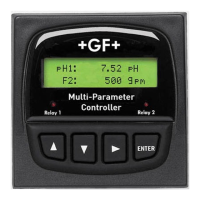

 To Next Page