
 Need help?
Do you have a question about the signia Pure 13 BT and is the answer not in the manual?
This document serves as a user guide for the Signia Pure 13 BT primax hearing instruments, providing detailed information on their function, usage, maintenance, and technical specifications.
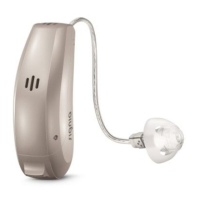
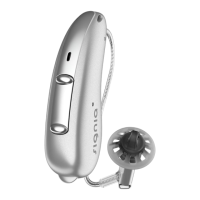
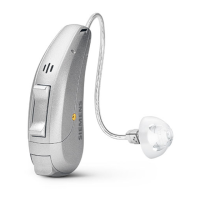
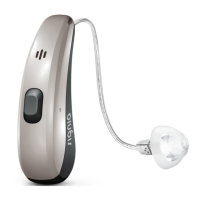
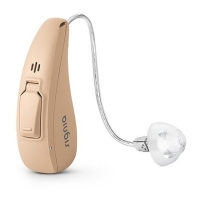
The Signia Pure 13 BT primax are Receiver-in-Canal (RIC) hearing instruments designed to enhance hearing for individuals with hearing loss. The receiver is positioned within the ear canal and connected to the main instrument via a receiver cable. These instruments are not intended for children under the age of 3 years or individuals with a developmental age under 3 years. A key feature is their wireless functionality, which enables advanced audiological capabilities and synchronization between two hearing instruments. They incorporate Bluetooth® low energy technology, facilitating seamless data exchange with smartphones and direct audio streaming with iPhones, iPads, and iPods. The "Made for iPhone" designation signifies that the electronic accessory has been designed to connect specifically to these Apple devices and has been certified by the developer to meet Apple performance standards.
The hearing instruments automatically adjust volume and hearing programs based on the listening situation. Users can also manually adjust the volume and switch between various hearing programs using the rocker switch. An optional power-on delay feature allows for whistle-free insertion of the hearing instruments into the ears. Additionally, a tinnitus therapy feature is included, which generates a sound to distract the user from tinnitus. For situations where Bluetooth technology is restricted, such as on airplanes, an airplane mode can be activated or deactivated via a smartphone app or the instrument's controls, temporarily turning off Bluetooth while allowing the hearing instruments to continue functioning without direct audio streaming or other Bluetooth-dependent features.
The battery size recommended for these hearing instruments is 13. The specific battery type and its lifespan will determine how long the user has to replace the battery once an alert signal indicates a low charge. The instruments are identified with country-specific information for wireless functionality: USA FCC ID: SGI-RIC001 and Canada: 267AB-RIC001.
The hearing instruments are designed for daily use and are recommended to be worn all day for optimal adjustment. They can be turned on and off in two ways:
The rocker switch is a versatile control that can be programmed by a Hearing Care Professional for various functions, including:
The instruments are color-coded for easy identification: a red marker indicates the right ear, and a blue marker indicates the left ear. Insertion involves holding the receiver cable at the bend closer to the ear piece, carefully pushing the ear piece into the ear canal, twisting it slightly until it sits well, and then lifting the hearing instrument to slide it over the top of the ear. Opening and closing the mouth during insertion can help prevent air accumulation in the ear canal. An optional retention strand can be bent and positioned into the bottom of the ear's bowl to securely retain the ear piece. Removal involves lifting the hearing instrument and sliding it over the top of the ear. For custom shells or Click Molds, a small removal cord is pulled toward the back of the head. For other ear pieces, the receiver is gripped in the ear canal with two fingers and carefully pulled out, avoiding pulling the receiver cable.
For phone calls, the telephone receiver should be held slightly above the ear, aligning it with the hearing instrument. A specific telephone program can be configured by a Hearing Care Professional for optimal volume during calls. Audio streaming from iPhones, iPads, and iPods allows users to receive phone calls and listen to music directly through their hearing instruments.
Regular maintenance is crucial to prevent damage and ensure optimal performance.
 General
| Brand | signia |
|---|---|
| Model | Pure 13 BT |
| Category | Hearing Aid |
| Language | English |





 To Next Page