Need help?
Do you have a question about the signia StreamLine and is the answer not in the manual?
Details the function and usage of the primary control button on the device.
Explains the buttons and indicators used by the wearer for operation and status.
Lists the items provided in the product package for user convenience.
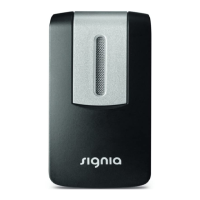
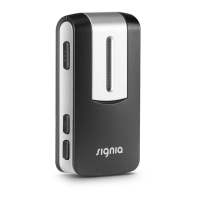
Illustrates the location and function of the StreamLine Mic's controls and indicators.
Instructs users to open and close hearing aid battery doors to initiate pairing mode.
Guides users to power on the device, noting indicator lights for pairing initiation.
Details placing hearing aids near the StreamLine Mic for automatic pairing completion.
Instructs users to ensure Bluetooth is active on their smartphone before pairing.
Guides users to power on the device, noting indicator lights for pairing initiation.
Explains how to put the StreamLine Mic into pairing mode by holding buttons.
Details selecting the device from the phone's Bluetooth menu and entering PIN if required.
Instructs users to press the multi-function button to turn the device on.
Explains how to switch between Bluetooth Streaming and Remote Microphone modes using the MFB.
Describes the meaning of different status indicator light colors for various functions.
Explains the meaning of the power indicator light colors (green, orange, red).
Details how to adjust volume and change hearing aid programs using the device buttons.
Instructs users to activate remote microphone mode via the MFB.
Explains the functionality and range of the device when used as a remote microphone.
Advises on the correct vertical wearing position for optimal microphone directionality.
Reminds users that hearing aids must be paired with the phone and StreamLine Mic.
Describes how incoming calls are indicated by ringtone and device status light.
Explains how to answer and end calls using the phone or the StreamLine Mic.
Confirms the requirement for prior pairing of hearing aids and StreamLine Mic.
Guides users on initiating audio streaming from a source like a phone or computer.
Details how to pause and restart audio streaming using the MFB.
Explains how phone calls interrupt audio streaming and how they are indicated.
Describes how to accept a call while streaming audio, making it hands-free.
Explains how to end a call and resume audio streaming, noting potential manual restart.
 General
| Brand | signia |
|---|---|
| Model | StreamLine |
| Category | Microphone |
| Language | English |

 To Next Page