4
Installing the SLP 410, 420, 430, 440 or 450
Here, you’ll find out how to unpack and set up your new SLP. As part of the setup process,
you’ll load a roll of standard address labels and run a quick test.
Unpacking the SLP
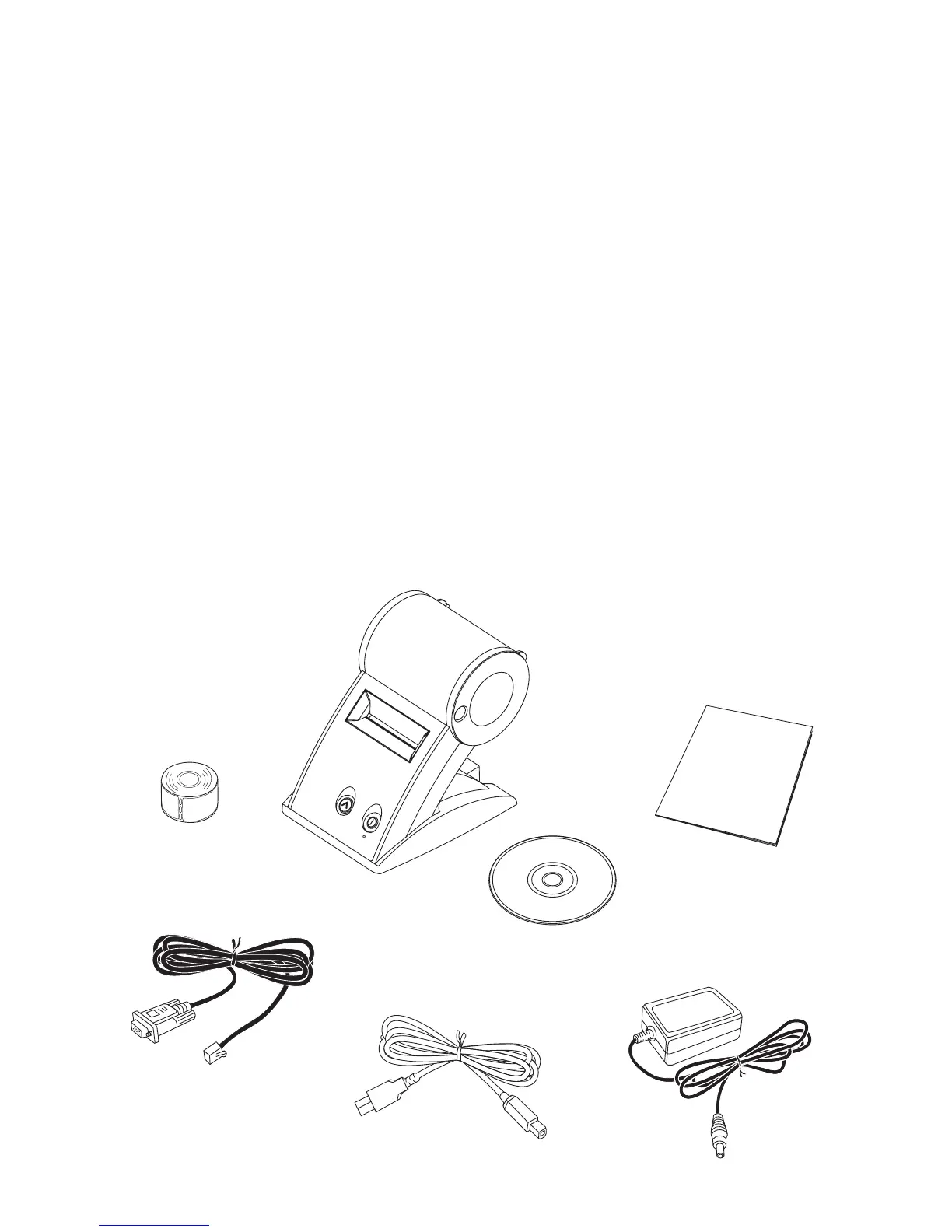
Carefully remove the printer and its components from the box. It’s a good idea to save the
box and packing materials in case you need to store or ship the printer. Make sure you
have all of the following items.
• A Smart Label Printer 410, 420, 430, 440 or 450
• Smart Label software with User Guide
• Serial cable
• USB cable
• AC adapter
• Power cord (SLP 430 or 450 only)
• Starter roll of SmartLabels
• Quick Start Card
SmartLabels
Quick Start
Smart Label Software
Serial Cable
USB Cable
AC Adapter
Smart Label Printer
410, 420, 430,
440 or 450


 To Next Page