12
Adjusting the Position of Labels
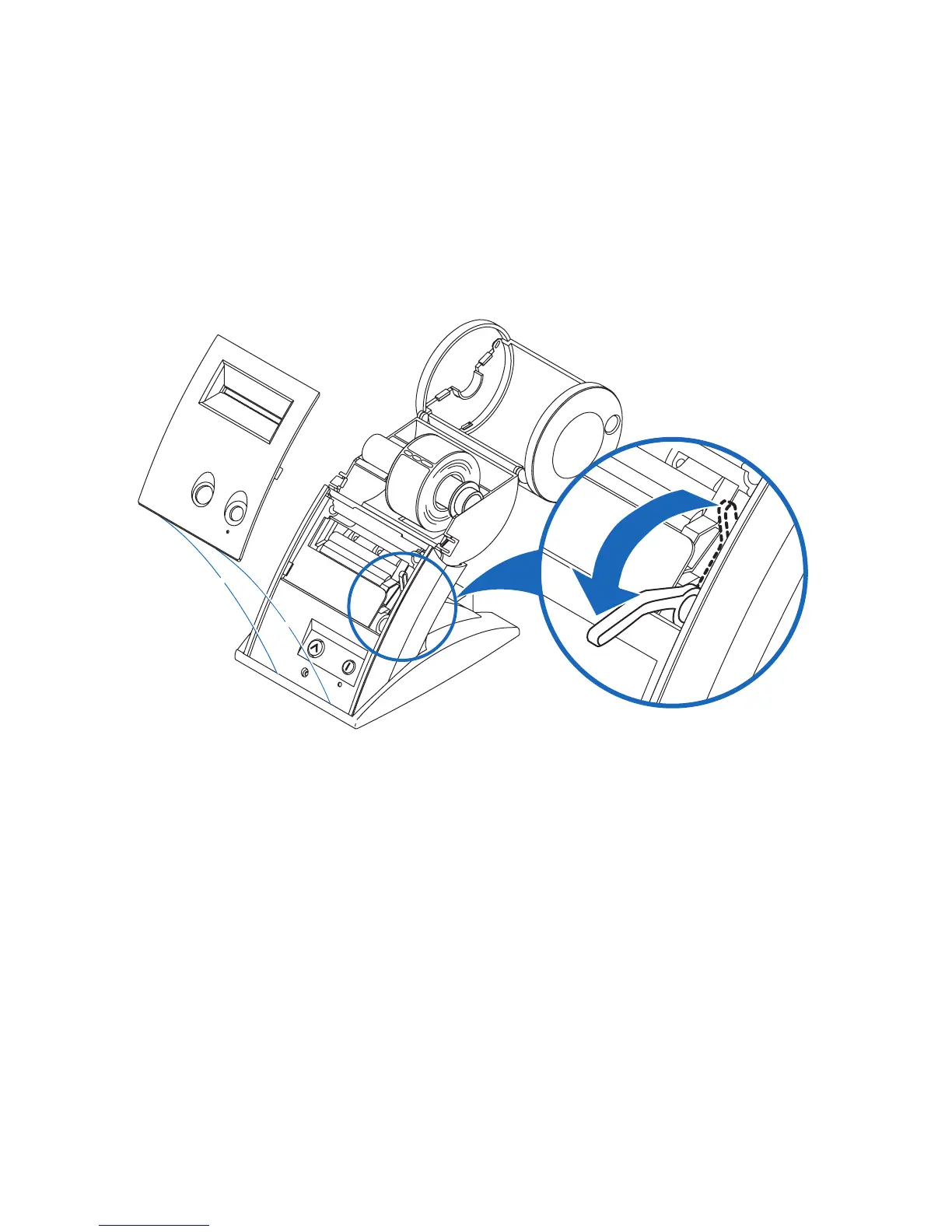
If you find the labels are advancing at an angle, it’s easy to realign them. Follow these
steps:
1 Swivel the label cover open and remove the print engine cover by pulling forward on the
edges at the top of the cover.
2 Release the pressure on the label stock by moving the platen release lever forward.
3 Realign the label stock so it is straight.
4 Return the platen release lever to the locked position.
5 Make sure the labels feed through the slot.
6 Replace the print engine cover, starting at the bottom, on the SLP and push the top
edge forward until the cover snaps into place.
Remove the print engine cover
Release the platen lever


 To Next Page