13
Removing Stuck Labels
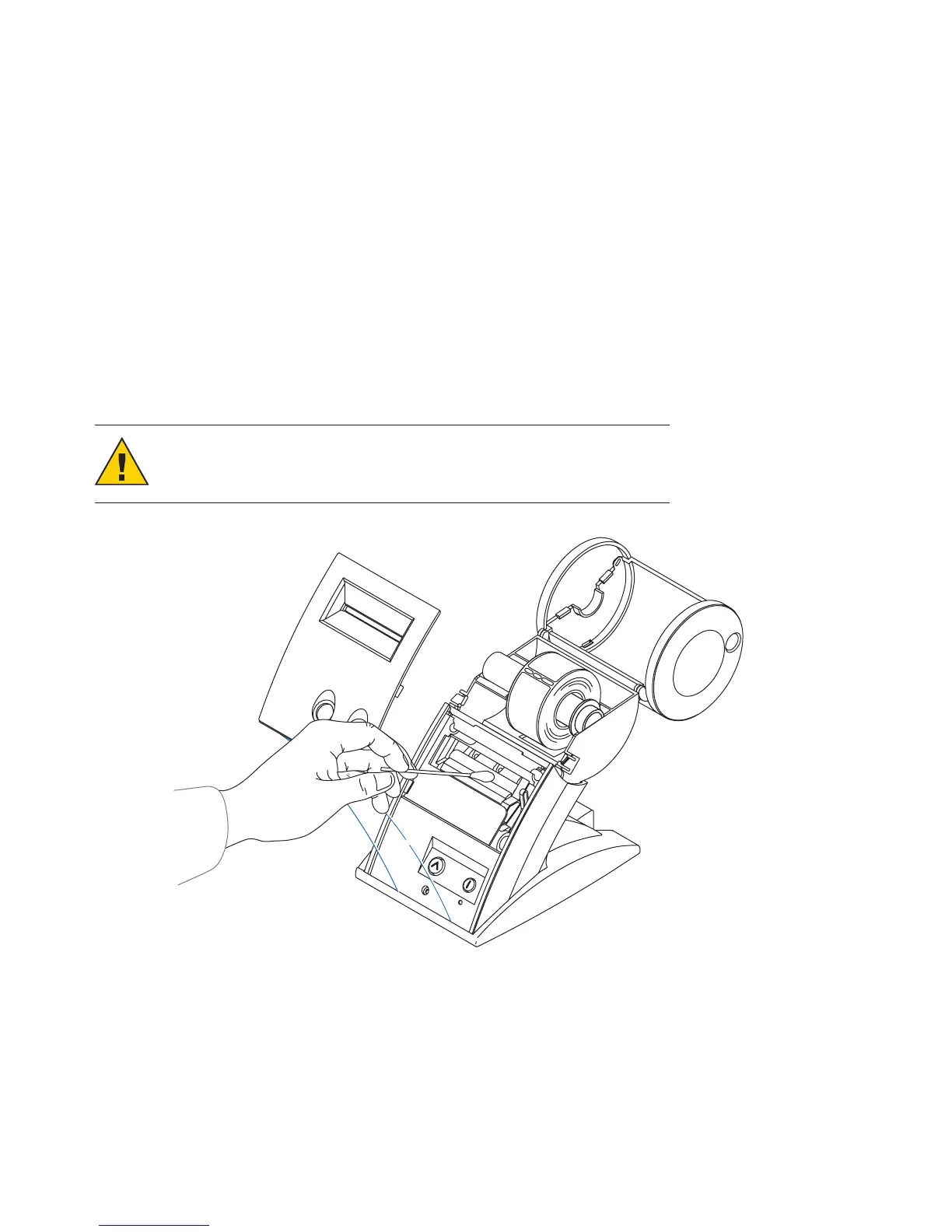
If a label becomes stuck in your SLP, remove it as follows:
1 With a pair of scissors, cut the label stock between the label roll and the label slot at the
back of the printer.
2 Swivel the label cover open and remove the print engine cover by pulling forward on the
edges at the top of the cover.
3 Release the pressure on the label stock by moving the platen release lever forward.
4 Remove the stuck label.
5 If the label — or pieces of the label — stick to the platen, use a small amount of isopropyl
rubbing alcohol on a cotton swab to dissolve the adhesive on the back of the label.
CAUTION: DO NOT touch the print engine. It may be hot.
6 Once you have removed any remaining pieces of label, return the platen release lever
to the locked position.
7 Replace the print engine cover, starting at the bottom, on the SLP and push the top
edge forward until the cover snaps into place.


 To Next Page