8
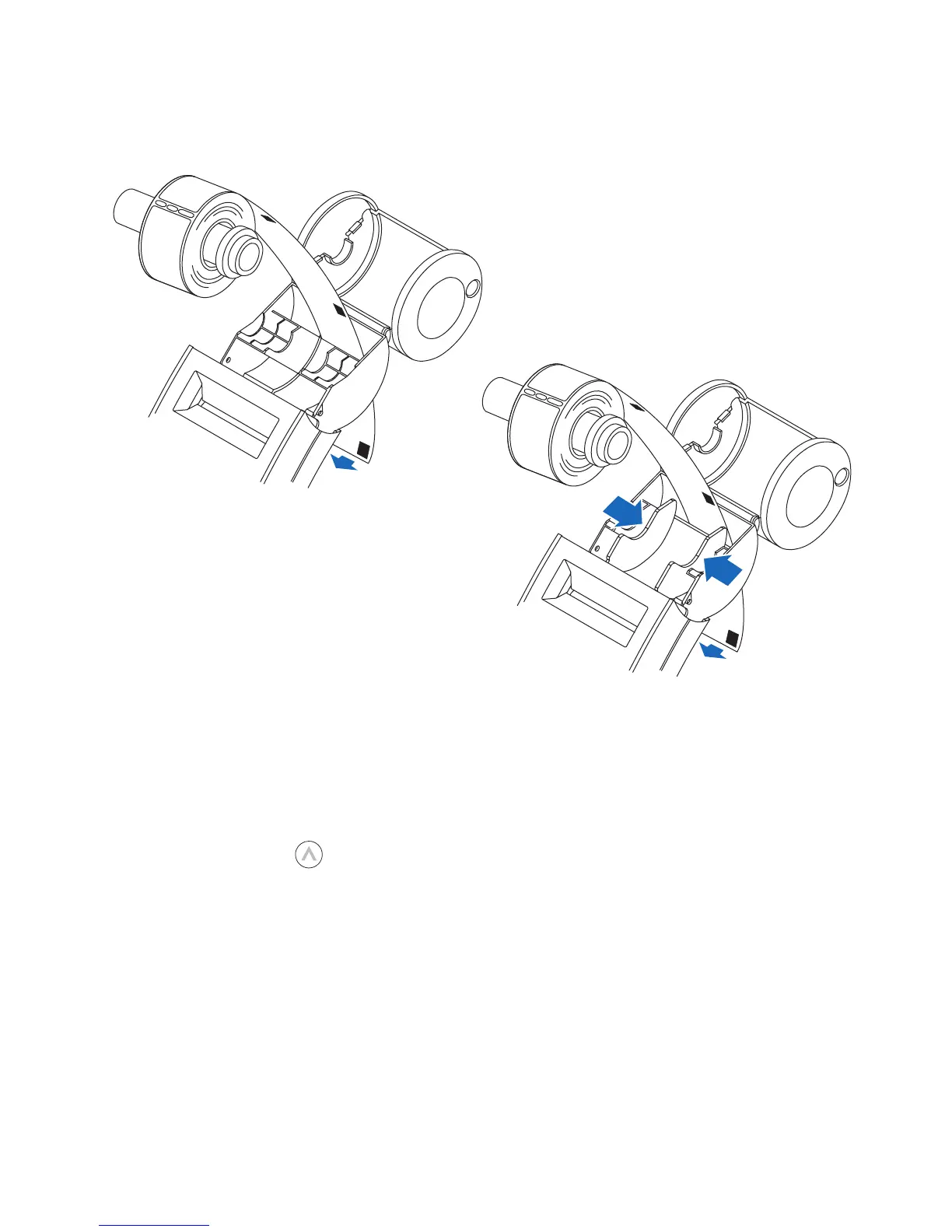
3 Remove the spindle from the SLP and insert the label roll on the spindle.
4 Insert the labels and spindle into the SLP. If using an SLP 420, 430, 440 or 450, adjust the
guides to fit the labels as shown below.
5 Insert the free end of the label roll, label side down, into the slot on the back of the
printer. Push the label stock into the slot until you feel a slight resistance. Continue
pushing gently. The SLP automatically feeds the labels through and aligns the end
in the exit slot.
If the label end doesn’t appear through the slot:
Press and release the form feed button to advance the labels.
SLP 410
SLP 420/430/440/450
Label guides


 To Next Page