-
30 -
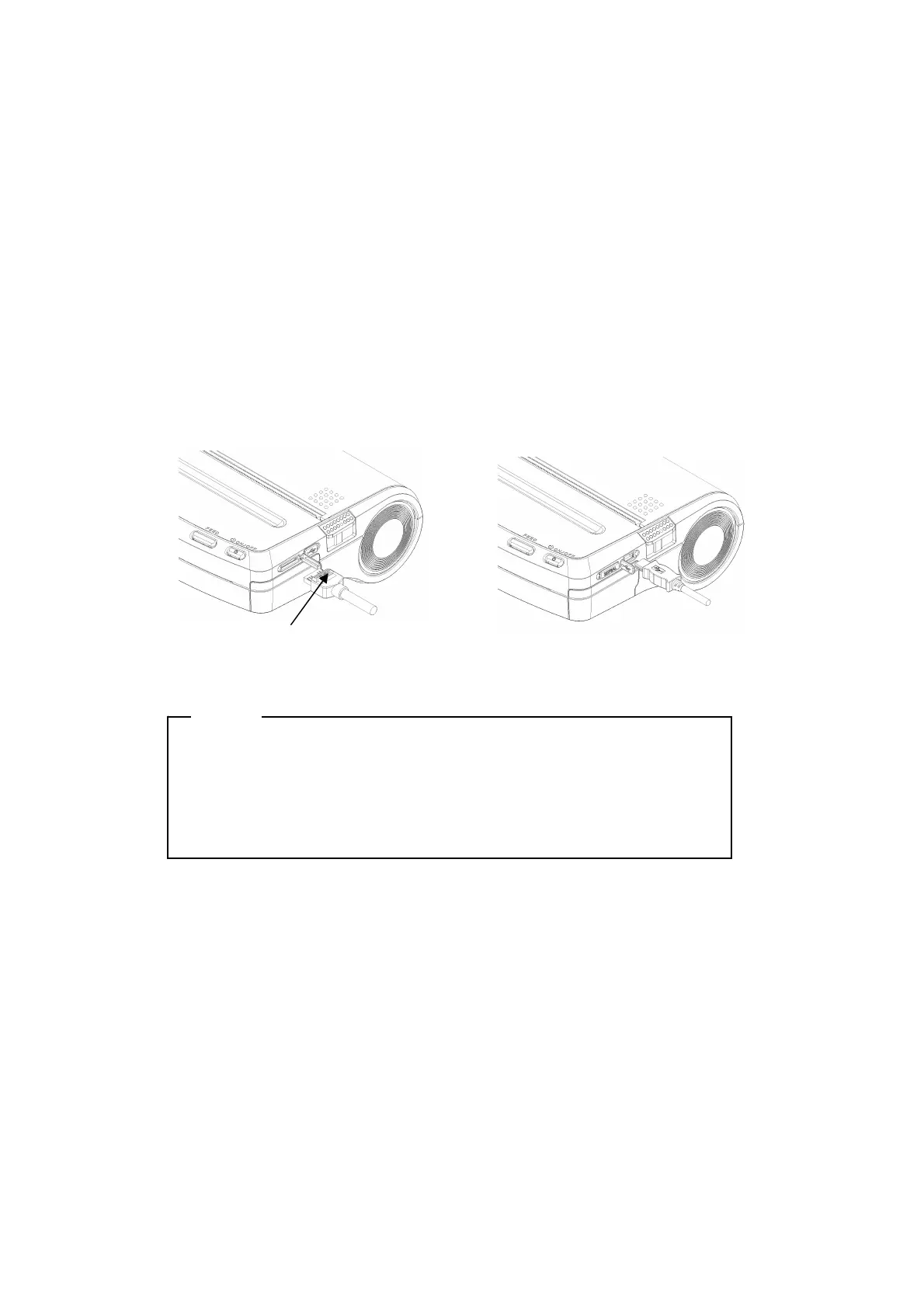
Serial/USB Communication with an Interface Cable
(1) Turn the printer off.
(2) Open the interface connector cover and connect the interface cable. The connector
of serial interface cable has lock for preventing from falling off.
(3) Turn the printer on and send data from the host device to the printer.
(4) Verify that the data is printed correctly.
(5) The serial interface cable connector has a lock. To remove the cable, pull it out,
while holding the lock. Pulling the connecter by force may cause connector
damaged.
NOTE
- When plugging or unplugging the interface cable, hold the connector,
not the cable.
- DO NOT connect the serial and USB interface cable at the same time.
If doing so, the USB communication mode has priority over the serial
communication.
USB interface cable
Serial interface cable
Lock


 To Next Page