-
31 -
Infrared communication by IrDA
(1) Turn the printer off.
(2) Turn the printer on without connecting the interface cable to it.
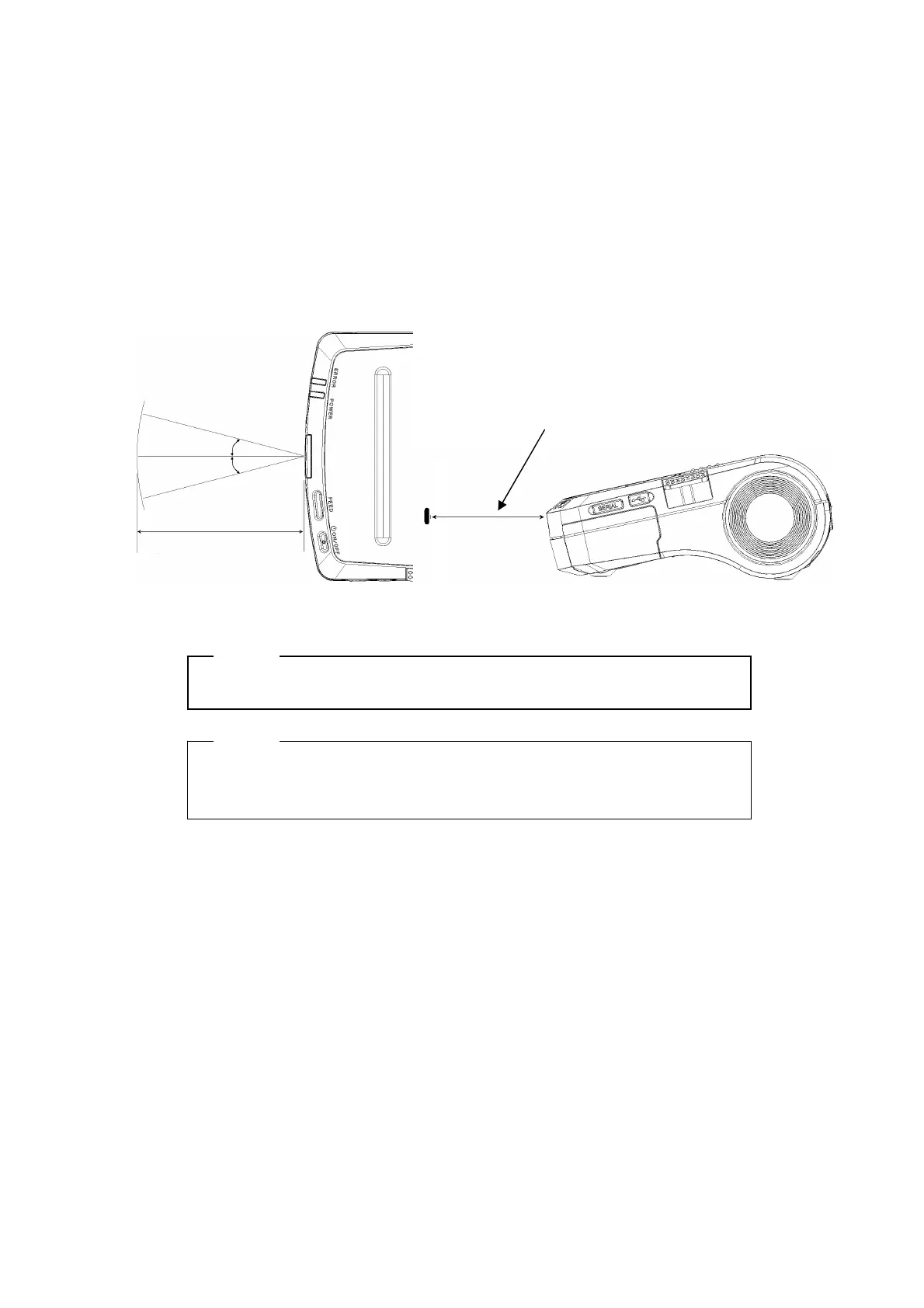
(3) Place the infrared transmitter/receiver of the host device and the infrared
transmitter /receiver of the printer as shown in the figure.
(4) Check communication status from the host device.
(5) Send data from the host device to the printer. Verify that the printer prints it
correctly.
NOTE
- The host device must conform to IrDA (Ver. 1.2) or BHT-Ir protocol.
HINT
• The positions shown in the figure are for reference. The best positions
depend on the model and environmental conditions.
Keep the host device and the infrared
transmitter/receiver of the printer horizontal.
10~15cm
15°
15°


 To Next Page