Copyright© SILENCE Urban Ecomobility 40
C. MOBILE APP - SCOOTER ALWAYS CONNECTED
If one thing sets the S01 apart, it is its mobile app. It lets you stay connected no matter where you are, and lets you safely share your scooter with anyone you
want. It is the first electric scooter that comes standard with this connection and was designed from the very beginning to have this function. The whole system
is designed by and for users, making it easier to use the scooter and providing all the information you need in a fully personalised way.
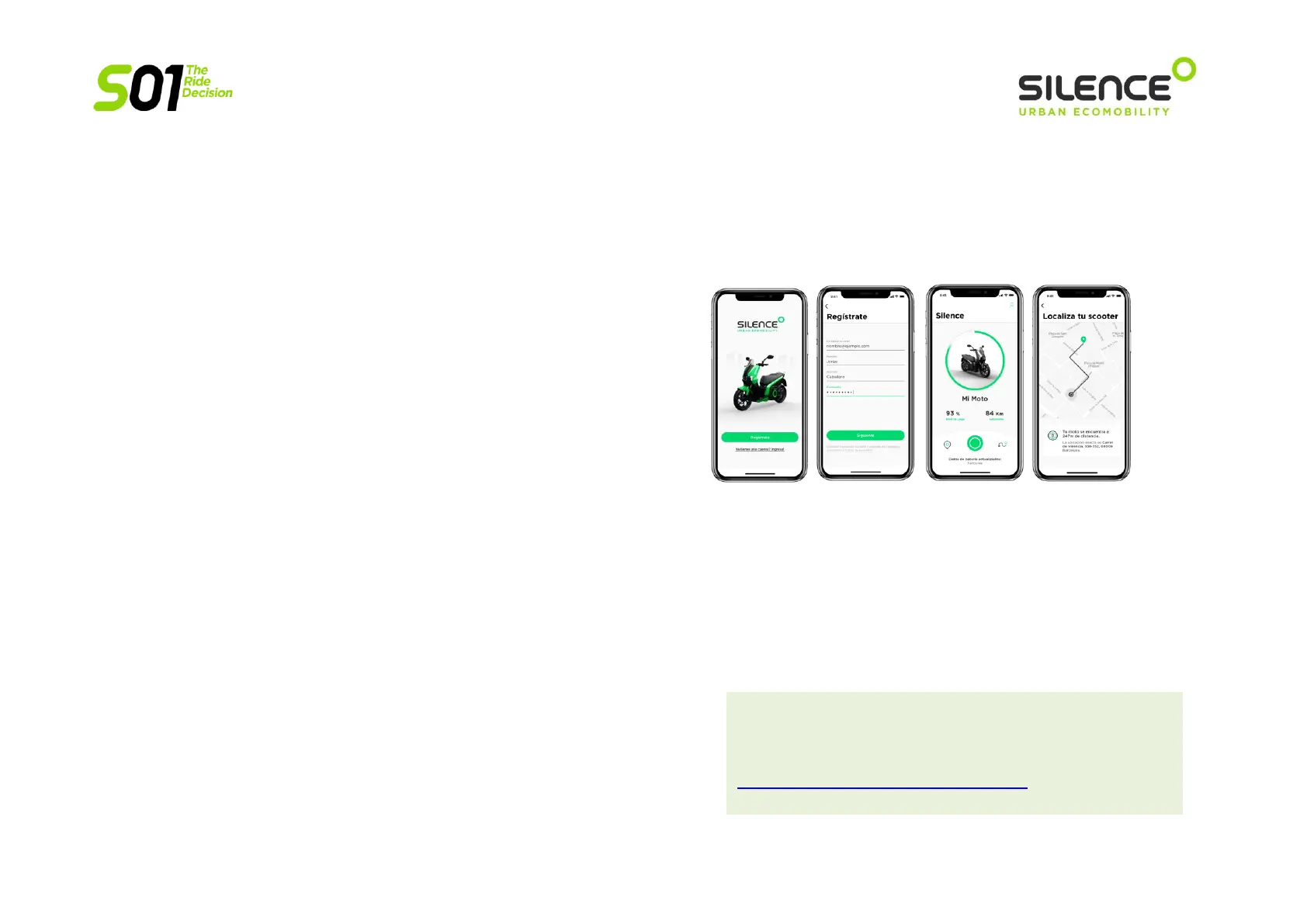
Using the “SILENCE Connected” APP, you can:
o KEEP AN EYE ON YOUR VEHICLE AT ALL TIMES
Switch your SILENCE on and off, open the seat. Share with whoever you want,
using a code, without having to be there physically or give them your key.
o FIND YOUR SCOOTER
With the app, you’ll know where your scooter is all the time, using
geolocation.
o KNOW YOUR BATTERY STATUS
You can check the battery level and remaining range in CITY mode, whenever
you want.
o SAFE AND CALM
You’ll get warnings on the temperature of the vehicle and its main parts.
o PLAN YOUR ROUTE
Put your destination into the app and it will create the best route, giving you
information on estimated time and kilometres, to make sure the battery
charge is optimal to get you where you’re going.
o FALL AND THEFT WARNING
You’ll get warnings if your vehicle is moved without your
authorisation or knocked over.
o FIND OUT YOUR CARBON FOOTPRINT
You’ll get statistics on the CO2 saved on each of your journeys.
The APP, available for iOS and Android, was developed to be
totally intuitive and self-explanatory. For more information
(and for the most up-to-date info) on the APP, go to
https://www.SILENCE.eco/conectividad/.


 To Next Page