1-2About the SX-2000U2
Users Manual
1.2 Parts on the SX-2000U2
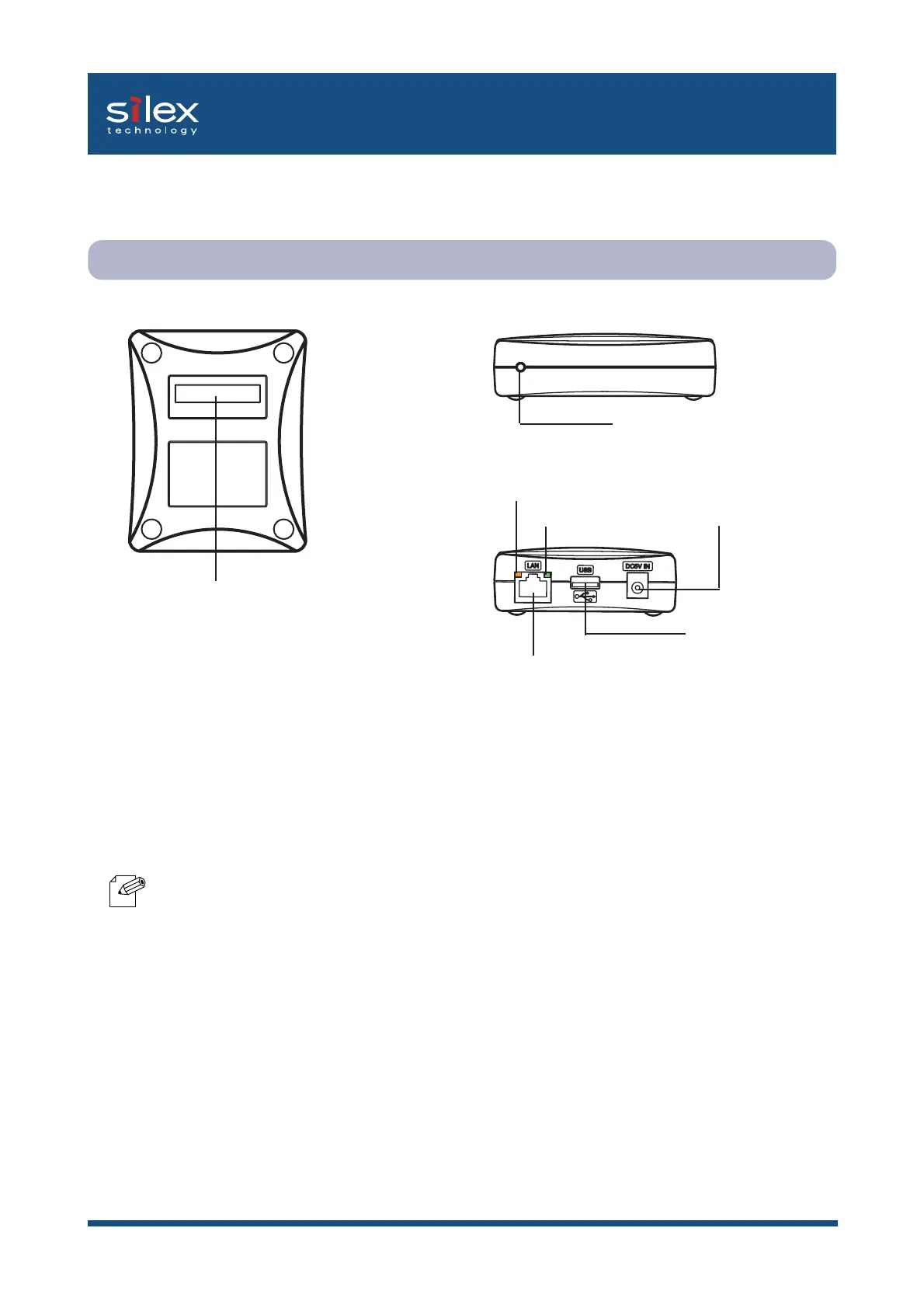
Parts and function
[BOTTOM]
(1) Ethernet Address
The Ethernet Address of this product.
The last 6 digits are the product's serial number.
- If the Ethernet Address is
00:80:92:00:17:13, it is marked as
008092001713. The products number
(serial number) is 001713.
[SIDE]
(2) Push Switch
By pushing the push switch, this product
can be reset to the factory default settings. Refer
to "Reset this product to the factory default
settings" in the Appendix for details.
[BOTTOM]
[BACK]
[BACK]
(3) STATUS LED (Orange)
Flashes during data transfer.
(4) LINK LED (Green)
Lights when a proper network connection is
established.
(5) Power Connector
Connects to the AC adapter.
(6) Network Port (10BASE-T/100BASE-TX)
Connects to the network cable.
(10BASE-T/100BASE-TX Auto-detection)
(In 100BASE-TX environment, use category 5)
(7)USB Port
Connects to the USB cable.
[SIDE]
(1)
Ethernet
Address(The last 6
digits are the
product's serial
number)
(4)
LINK LED(Green)
(3) STATUS LED(Orange)
(6)
Network Port
(10BASE-T/100BASE-TX)
(2) Push Switch
(5) Power Connector
(7) USB Port
NOTE



 To Next Page