Need help?
Do you have a question about the Silonn SLIM01 and is the answer not in the manual?
Steps for unpacking, placement, water filling, and initial cleaning before operation.
Recommended weekly cleaning procedures for interior, exterior, and storage.
This document provides an instruction manual for the Silonn Portable Automatic Ice Maker, model SLIM01G1. It covers important safety information, product introduction, control panel functions, usage instructions, cleaning, maintenance, and troubleshooting.
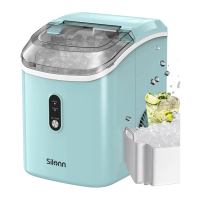
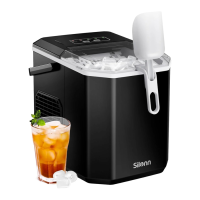
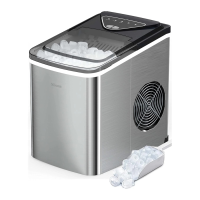
The Silonn Portable Automatic Ice Maker is designed for indoor household use to produce ice. It operates automatically, allowing users to select between small and large ice modes. The unit features indicators to alert users when the water reservoir is low ("ADD WATER") or when the ice basket is full ("ICE FULL"). It also includes a self-cleaning mode for convenient maintenance. The ice maker is designed to be user-friendly, with a simple control panel for operation and mode selection.
Before the first use, users are instructed to unpack the unit, ensure all accessories (ice basket, ice scoop) are present, and place the unit on a stable, level surface. It is crucial to use only drinking water and avoid filling the water reservoir with hot water, as this can damage the unit. Water at room temperature or lower is recommended. The ice maker should not be used in very cold environments (below 41°F/5°C). A pre-operation cleaning is also advised.
The control panel features several key indicators and buttons:
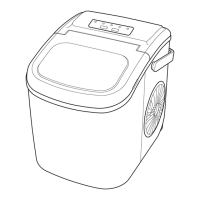
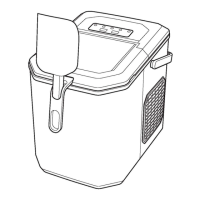
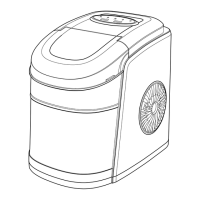
The unit includes a large viewing window, allowing users to monitor the ice-making process without opening the lid. The maximum water fill line is visible once the ice basket is removed, guiding users on the appropriate water level. The drain plug is located at the bottom for easy water drainage during cleaning or storage.
Regular cleaning is recommended to ensure fresh-tasting ice and maintain the unit's appearance, ideally once per week. The cleaning process involves:
Important notes for maintenance include:
The manual also provides troubleshooting tips for common issues. For instance, if the "ADD WATER" indicator turns on, the solution is to stop the ice-making cycle, fill water, and press the "ON/OFF/CLEAN" key to restart. If the "ICE FULL" indicator turns on, users should remove ice from the basket. If the infrared light sensor is malfunctioning, contacting customer assistance is advised. If the ice-making cycle is normal but no ice is produced, it could be due to the process taking too long or the water temperature being too low. The recommended room temperature for operation is 50°F–105°F, and water temperature should be 40°F–90°F.
Overall, the Silonn Portable Automatic Ice Maker is designed for convenient and efficient ice production with clear operational indicators and straightforward maintenance procedures.
 General
| Type | Countertop Ice Maker |
|---|---|
| Ice Storage Capacity | 1.5 lbs |
| Ice Shape | Bullet |
| Water Reservoir Capacity | 2.2 liters |
| Dimensions | 12.3 x 9.5 x 14.0 inches |
| Weight | 20.5 lbs |
| Power Consumption | 120W |
| Voltage | 115V |
| Ice Making Technology | Thermoelectric |
| Water Tank Capacity | 2.2 liters |
| Cycle Time | 6-8 minutes |
| Control Panel | LED Display |
| Self-Cleaning Function | Yes |
| Add Water Indicator | Yes |
| Ice Full Indicator | Yes |
| Ice Production Capacity | 26 lbs per day |
| Ice Size | Small and Large |
| Ice Cube Size | Small and Large |

 To Next Page