Need help?
Do you have a question about the Silonn SLIM09 and is the answer not in the manual?
Steps to prepare the ice maker before its initial operation.
Instructions for attaching the ice maker handle.
Step-by-step guide for manual cleaning of the ice maker.
Instructions for initiating the self-cleaning cycle.
Details of the 30-day limited warranty policy.
Information on the warranty extending from 30 days to 1 year.
Specific exclusions and limitations of the extended warranty.
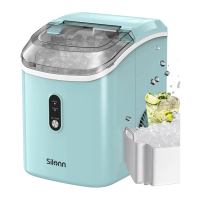
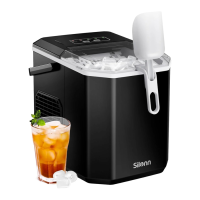
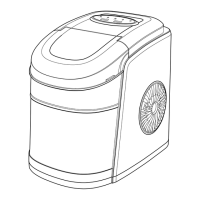
This document provides an instruction manual for the Silonn Ice Maker, models SLIM09B, SLIM09T, SLIM09W, and SLIM09G1. It covers important safety information, product introduction, control panel functions, usage instructions, cleaning and maintenance, troubleshooting, and warranty information.
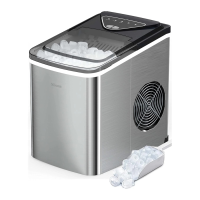
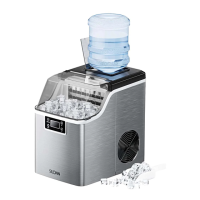
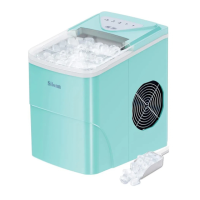
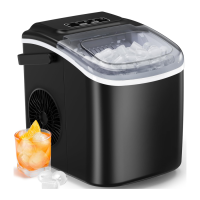
The Silonn Ice Maker is designed to produce ice for household use. It operates by freezing water to create ice cubes, which are then collected in an internal basket. The device offers two ice cube sizes: small and large, allowing users to choose based on their preference or need. It features an automatic ice-making process, with indicators to inform the user about water levels and ice basket capacity. The unit is equipped with a self-cleaning mode for convenient maintenance.
Before the first use, it is crucial to stand the ice maker upright for 24 hours to allow the refrigerant to settle. Users should also check for all accessories, including the ice basket and ice scoop. For optimal performance and hygiene, the first four cycles of ice produced should be discarded. The ice maker is designed for use in ambient temperatures between 10°C and 32°C (50°F and 89.6°F).
To begin operation, the user needs to open the cover, remove the ice basket, and pour water into the reservoir, ensuring it does not exceed the "MAX" water mark. After adding water, the unit is turned on by pressing the "ON/OFF" button. The "POWER" indicator light will turn green. Users can then select their desired ice cube size (small or large) by pressing the "SELECT" button. The ice maker will typically produce ice within 6 to 13 minutes, depending on the room temperature and the selected ice size.
The ice maker provides visual cues through its indicator lights. The "ADD WATER" indicator turns red when the water reservoir needs refilling. When this occurs, the user should add more water and press the "ON/OFF" button to resume operation. The "ICE FULL" indicator turns red when the ice basket is full, signaling that the ice is ready for use.
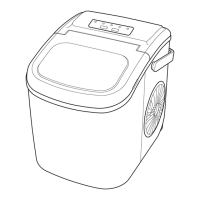
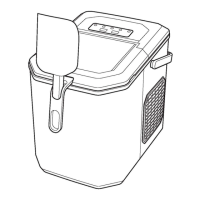
The handle for the ice maker needs to be installed by positioning it over the insert hole, fitting it into the insert notch, and then lifting it back to lock it into place.
Important usage precautions include:
Regular cleaning is essential to maintain fresh-tasting ice and the unit's appearance. It is recommended to clean the ice maker once per week.
 General
| Weight | 15.94 pounds |
|---|---|
| Ice Storage Capacity | 1.5 pounds |
| Power Consumption | 170 watts |
| Cycle Time | 6-8 minutes |
| Self-Cleaning Function | Yes |
| Refrigerant | R600a |
| Ice Production Capacity | 26 pounds per day |
| Ice Shape | Bullet |
| Ice Size | Small |
| Ice Cube Size | Small |

 To Next Page