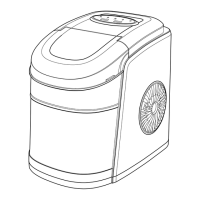
04
5
1
2
3
4
6
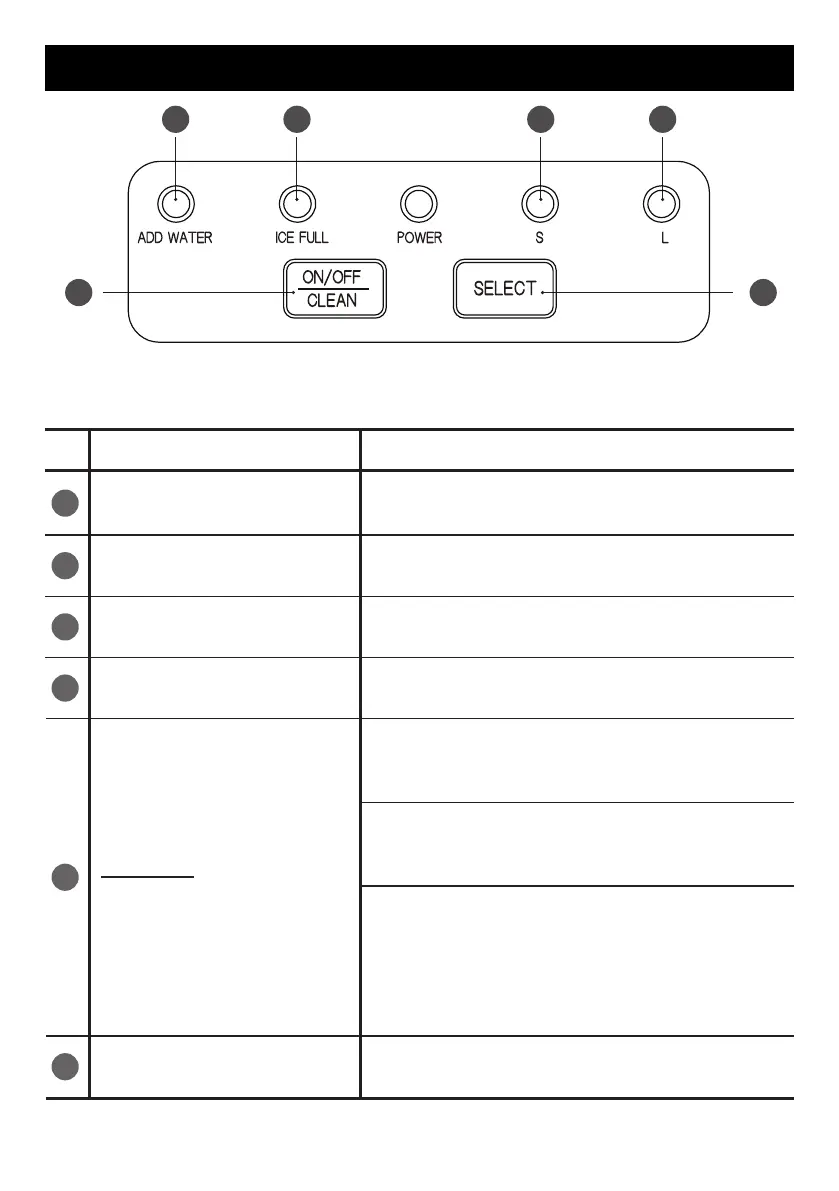
Key (with indicator)
ADD WATER
ICE FULL
S
L
SELECT
Function
The indicator light turns red when the
water reservoir needs water.
The indicator light turns red when the
ice basket is full.
The indicator light turns green when
large ice mode is selected.
The indicator light turns green when
small ice mode is selected.
Short press the “ON/OFF/CLEAN“
button to turn on the ice maker and the
“POWER“ indicator light turns green.
Short press the “ON/OFF/CLEAN“ but-
ton to turn off the ice maker and the
“POWER“ indicator flashes in green.
When the ice maker is in standby mode,
long-press the “ON/OFF/CLEAN“
button for 5 seconds and the ice maker
will switch to self-cleaning mode
.
The
indicator lights of “S“ and “L“ will flash
in green consecutively.
Confirming large ice mode or small ice
mode.
ON/OFF
CLEAN
1
5 6
2 3 4
CONTROL PANEL INTRODUCTION


 To Next Page