13 GB/IE
the standard zero-setting. The circle-symbol disappears as
soon as the TARE function is used.
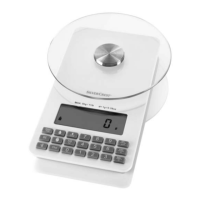
To do this press the ▲Z / T button
7
once. The message
“TARE” appears in the LC display
5
. Again, the weight
“0” is shown in the LC display.
Place the next product to be weighed in the bowl / container.
The weight of the newly added product is shown in the
LC display.
Note: You can repeat this process many times. Never
place more than 5 kg onto the appliance.
Remove the bowl / container and the weighed product
from the balance tray. Press the ▲Z / T button. Again, the
weight “0” is shown in the LC display.
Removing weighed product
Press the ▲Z / T button
7
. The message “TARE” appears
in the LC display
5
. Again, the weight “0” is shown in
the LC display.
Remove the desired amount of the weighed product.
The weight of the product is shown in the LC display as
a negative value.
Note: You can repeat this process many times.
Remove the bowl / container and the weighed product
from the balance tray. Press the ▲Z / T button. Again,
the weight “0” is shown in the LC display.
Setting the timer
The timer can be used in the clock and weighing modes. Set
the timer for a defined time period. A signal sounds at the end
of the period. The set time runs as a countdown.








 To Next Page
