EasyManua.ls Logo

Silvercrest IAN 91621 - User Manual

Silvercrest IAN 91621
84 pages
Print Icon
To Next Page IconTo Next Page
Loading...
IAN 91621
BLUETOOTH
®
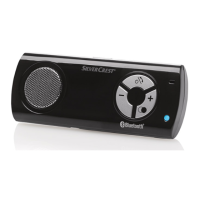
HANDS-FREE KIT SBTF 10 C2
BLUETOOTH
®
- FREI-
SPRECHEINRICHTUNG
Bedienungsanleitung
BLUETOOTH
®
HANDS-FREE KIT
Operating instructions
BLUETOOTH
®
-
MATKAPUHELINTELINE
Käyttöohje
BLUETOOTH
®
-
HÅNDFRIT SÆT TIL
MOBILTELEFONEN
Betjeningsvejledning
BLUETOOTH
®
-
HANDSFREE
Bruksanvisning

Table of Contents

Questions and Answers

  • A
    Angela WestAug 11, 2025
    What to do if my Silvercrest IAN 91621 cannot connect to my mobile phone?
    • T
      tinagarciaAug 12, 2025
      If your Silvercrest Automobile Accessories device isn't connecting to your mobile phone, first make sure that Bluetooth is enabled on your phone. Also, verify that the hands-free device is properly installed, powered on, and receiving power. If you're using multiple Bluetooth devices, disconnect any existing Bluetooth connections on your mobile phone. Finally, ensure that the hands-free device is within 10 meters of your phone and that there are no obstructions or electronic devices between them.
  • D
    Dennis AndrewsAug 17, 2025
    What to do if my Silvercrest Telephone Accessories hands-free appliance won't connect?
    • F
      fernando57Aug 17, 2025
      If your Silvercrest Telephone Accessories hands-free appliance is not connecting, ensure that the Bluetooth function on your mobile phone is activated. Verify that the hands-free appliance is correctly installed, switched on, and has power. If you are using multiple Bluetooth devices, disconnect any previously established Bluetooth connections on your mobile phone. Also, make sure the hands-free appliance is within 10 meters of the mobile phone without any obstructions or electronic devices in between.
  • J
    Jennifer SmithAug 25, 2025
    What to do if Silvercrest IAN 91621 Automobile Accessories cannot connect with my mobile phone?
    • J
      Jorge FletcherAug 25, 2025
      If your Silvercrest Automobile Accessories device won't connect to your mobile phone, make sure that the Bluetooth function on your phone is enabled. Also, ensure the hands-free device is correctly installed, powered on, and receiving power. If you're using multiple Bluetooth devices, disconnect any previous Bluetooth connections on your mobile phone. Finally, check that the hands-free device is within 10 meters of the mobile phone and that there are no obstructions or electronic devices between them.
  • K
    Kelly YangAug 29, 2025
    What to do if Silvercrest IAN 91621 hands-free appliance cannot connect with a mobile telephone?
    • T
      Tracy HensleyAug 29, 2025
      If your Silvercrest Automobile Accessories hands-free appliance isn't connecting to your mobile phone, ensure that Bluetooth is activated on your phone. Also, verify that the hands-free appliance is correctly installed, switched on, and receiving power. If you have multiple Bluetooth devices, disconnect any previously established Bluetooth connections on your mobile phone. Finally, make sure the hands-free appliance is within 10 meters of your mobile phone, with no obstructions or electronic devices in between.
  • S
    Stacey HillSep 5, 2025
    What to do if my Silvercrest IAN 91621 hands-free appliance won't connect to my phone?
    • B
      Bryan ChapmanSep 5, 2025
      If your Silvercrest Automobile Accessories hands-free appliance is not connecting to your mobile phone, please ensure that: * The Bluetooth function on your mobile phone is activated. * The hands-free appliance is correctly installed, switched on and has power. * Any previously established Bluetooth connections on your mobile phone are disconnected. * The hands-free appliance is within 10 meters of the mobile phone, without any obstructions or electronic devices in between.

Silvercrest IAN 91621 Specifications

General IconGeneral
BrandSilvercrest
ModelIAN 91621
CategoryAutomobile Accessories
LanguageEnglish

Related product manuals