- 10 -
NOTE:
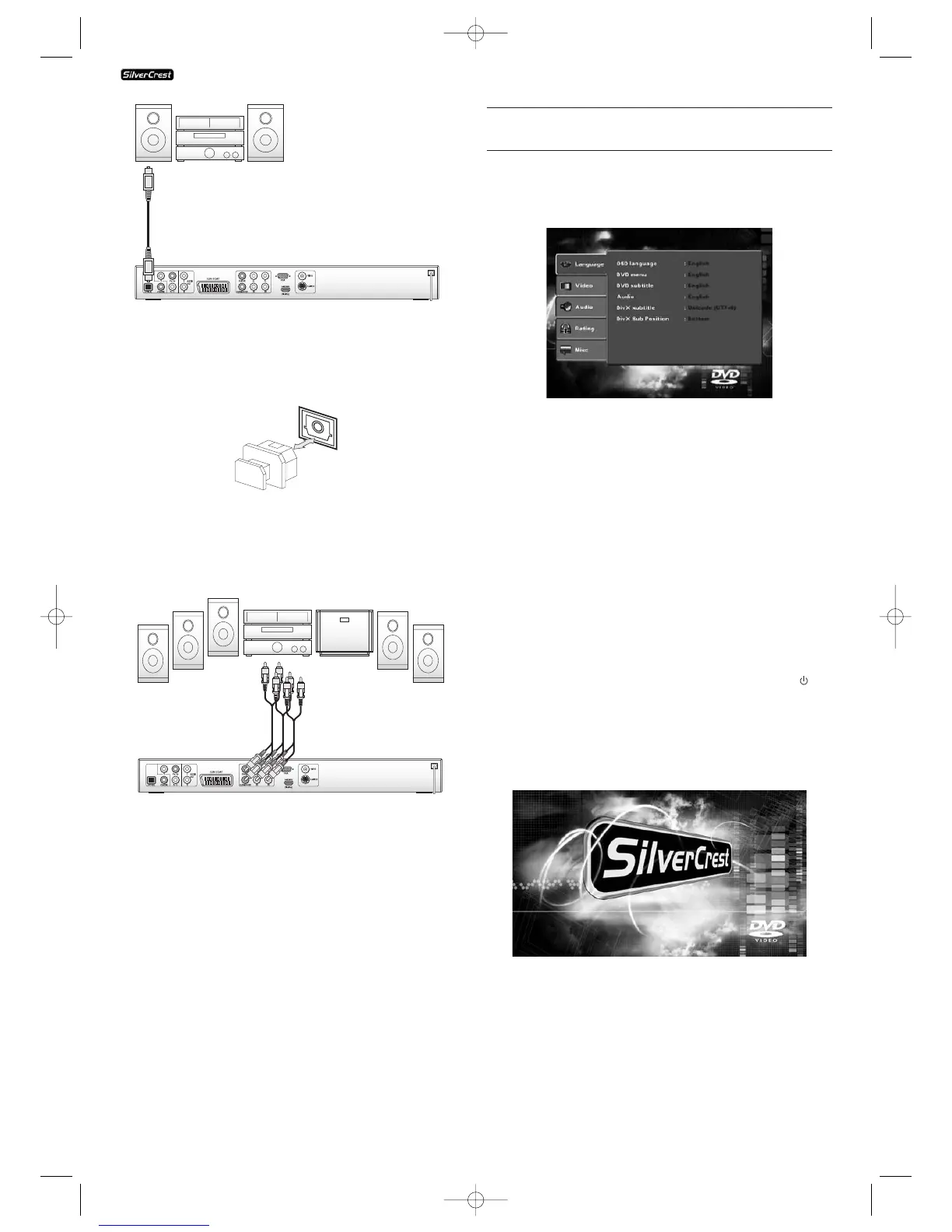
Make sure that no dirt can enter into the socket for the optical
cable. This could cause signal interference.
Always insert the protective plug into the socket if no optical
cable is connected.
7.3. Connecting digital audio components via analogue
cables
If a digital input is not available on the audio component you
can connect the DVD player to it via conventional analogue
cinch cables.
In order to connect the DVD player with analogue cables...
Insert a cinch cable in each of...
• the sockets inscribed with "FL" (front left channel)
• the sockets inscribed with "FR" (front right channel)
• the sockets inscribed with "SL" (rear left channel)
• the sockets inscribed with "SR" (rear right channel)
• the socket inscribed with "CENTRE" (front centre channel)
and
• the socket inscribed with "SUBWOOFER" (Bass) on the rear
panel of the DVD player.
• insert the cinch cables into the corresponding analogue
inputs in the digital audio component.
8. Necessary settings to the DVD player before
operation
All possible settings on the DVD player can be administered
with the remote control via the so called "OnScreen display"
menu (in short "OSD Menu"). The OSD Menu will be super-
imposed on the television screen.
Before you use the DVD player for the first time for playback
of DVDs, VCDs/S-VCDs or Audio-/MP3-CDs you must implement
a few settings via the OSD Menu. These settings are dependent
amongst others on...
• the language, in which you want the OSD Menu to be
displayed
• which TV standard corresponds to the television, to
which you want to connect the DVD player
• Which image format your television can display
In order to implement the necessary settings via the OSD
Menu...
• First insert the connecter plug of the DVD player's power
cord into a power socket.
• To turn the DVD player on press the "ON/OFF" button on
the front panel of the DVD player. If the DVD player is already
switched on but is in Standby Mode press the button
"Standby" on the remote control to switch the DVD player
on. Standby Mode is indicated by the red LED on the front
panel of the device.
The device will check to see if a disc is inserted. The SilverCrest-
Logo appears on the television screen:
• Firstly please familiarize yourself with the OSD Menu's
operation by means of the following brief introduction.
KH 6515/6516
KH6515_16_A4_C_V3_EN.qxd 23.08.2006 14:19 Uhr Seite 10



 To Next Page