12 GB/IE/NI
Initial app setup
NOTES:
Screenshots are from Android 10 version or from iOS 13.3 version.
Older versions may have functional limitations.
Updating the firmware might result in changes to the app’s functionality.
Screenshots are for reference only. There may be slight deviations between iOS and
Android versions.
Preparation
Download the SilverCrest Watch app by using the QR code on the packaging.
The QR code is also shown on the sticker on the display of the Smartwatch.
Install SilverCrest Watch app.
Switch on Bluetooth function on the mobile device.
1. Open the app.
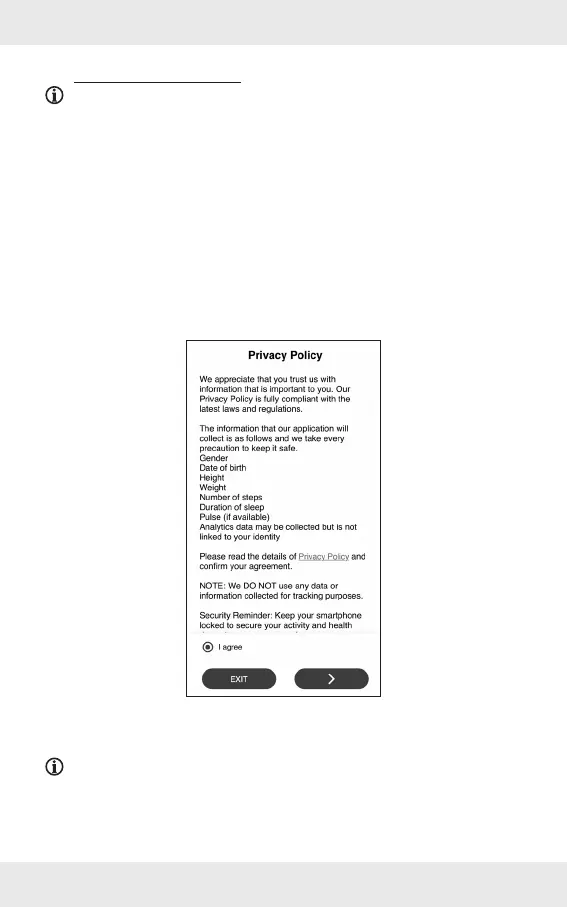
2. Read the Privacy Policy.
3. Tap I agree and afterwards >.
NOTE: The product’s full functions can only be used when the I agree option is
selected.


 To Next Page