EasyManua.ls Logo

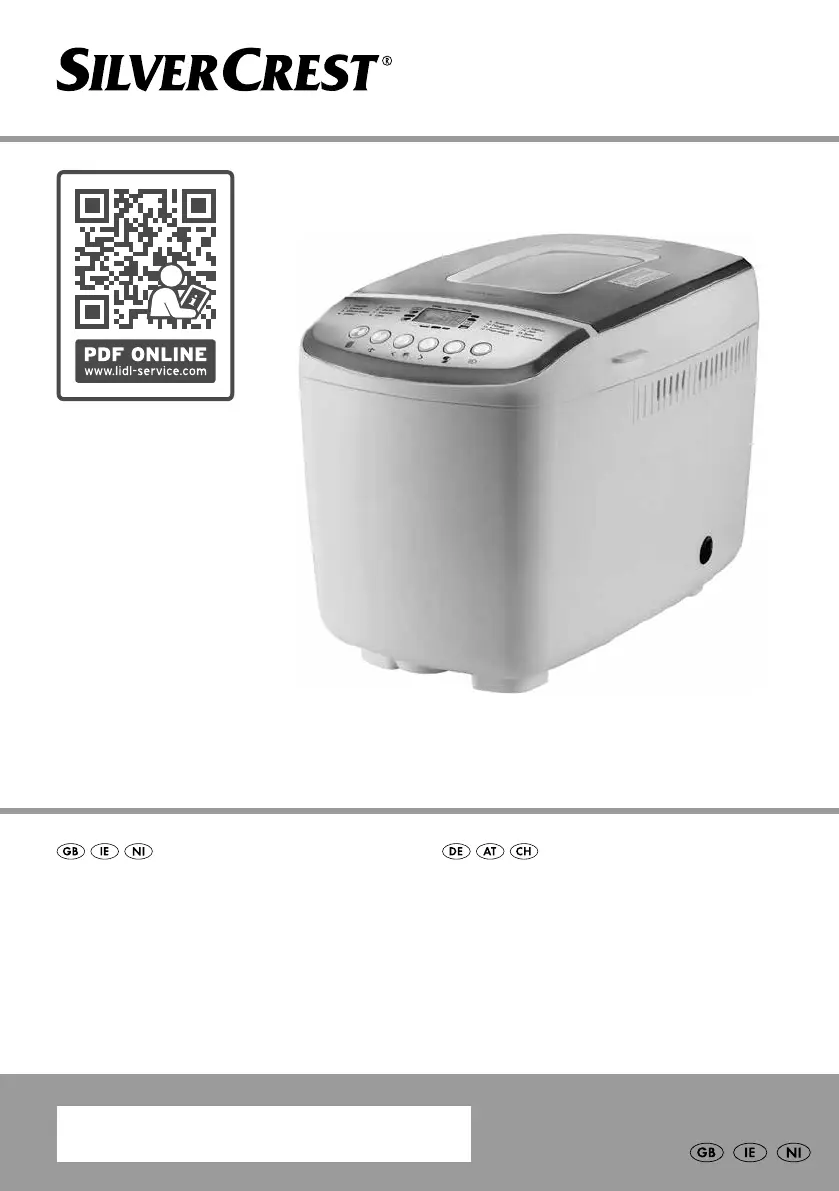
Silvercrest SBB 850 F2 - User Manual

Silvercrest SBB 850 F2
52 pages
Print Icon
To Next Page IconTo Next Page
Loading...
BREAD MAKER SBB 850 F2
BREAD MAKER
Operating instructions
BROTBACKAUTOMAT
Bedienungsanleitung
IAN 360597_2010

Questions and Answers

  • S
    schmidtscottAug 18, 2025
    What to do if Silvercrest Bread Maker does not start?
    • G
      George HarperAug 18, 2025
      If your Silvercrest Bread Maker doesn't start, first, ensure the operating light is on to verify the appliance is working. Then, check if the mains plug is properly connected to the wall socket. Also, be aware that some program phases, like 'Preheat' or 'Rise,' may not show kneading blade rotation. Refer to the 'Programme sequence' table to identify the current phase.
  • C
    Christina SmithAug 21, 2025
    What happens if Silvercrest Bread Maker loses power during baking?
    • S
      Sara ReidAug 21, 2025
      If your Silvercrest Bread Maker loses power during operation for less than 10 minutes, it will automatically restart the last program.
  • A
    andrew98Aug 22, 2025
    Why does my Silvercrest Bread Maker display 'H:HH'?
    • W
      williamsrhondaAug 23, 2025
      If your Silvercrest Bread Maker displays 'H:HH' after starting, it means the appliance hasn't cooled down enough from the last use. Stop the program, switch off the appliance, open the lid, and let it cool for about 20 minutes before restarting.
  • S
    Sandra Smith MDAug 26, 2025
    How to prevent Silvercrest SBB 850 F2 Bread Maker from crushing fruits and nuts?
    • N
      nicole54Aug 26, 2025
      To prevent your Silvercrest Bread Maker from crushing fruits or nuts, add these ingredients only when you hear several beeps and see 'ADD' on the display.
  • O
    osimmonsAug 27, 2025
    What to do if kneading blades of Silvercrest Bread Maker do not turn?
    • J
      jay94Aug 27, 2025
      If the motor of your Silvercrest Bread Maker runs but the kneading blades don't turn, check that the kneading blades and the baking tin are correctly clicked into place.
  • D
    daniel64Aug 29, 2025
    Why can't I start a new program on my Silvercrest SBB 850 F2?
    • P
      phillipstoddAug 30, 2025
      If your Silvercrest Bread Maker won't start a new program and the display reverts to program 1, the appliance may still be too hot from previous use. Turn it off, open the lid, and allow it to cool down for about 20 minutes before trying again.
  • M
    Michael RodriguezSep 1, 2025
    What to do if Silvercrest Bread Maker displays 'E:E0'?
    • A
      Alexis JonesSep 1, 2025
      If your Silvercrest Bread Maker displays 'E:E0', switch it off and unplug it. Plug it back in and switch it on again. If the error persists, no answer.
  • T
    Teresa GonzalezSep 3, 2025
    How to prevent Silvercrest Bread Maker from crushing added ingredients?
    • E
      Erika BarrettSep 3, 2025
      To prevent the Silvercrest Bread Maker from crushing fruits or nuts, add these ingredients only when you hear several beeps and see "ADD" on the display.
  • J
    Jackson CarrSep 5, 2025
    What to do if Silvercrest SBB 850 F2 kneading blades do not turn?
    • J
      Jonathan AndersonSep 6, 2025
      If the Silvercrest Bread Maker motor runs but the kneading blades do not turn, check that the kneading blades and the baking tin have clicked correctly into place.
  • O
    Oscar StevensSep 8, 2025
    Why does my Silvercrest Bread Maker display "H:HH"?
    • S
      Sara ParkerSep 8, 2025
      If the Silvercrest Bread Maker displays "H:HH" after starting a program, it means the appliance hasn't cooled down enough from the last baking. Stop the program, switch off the appliance, open the lid, and let it cool for about 20 minutes before using it again.

Summary

Safety Information - Electrical Shock and Injury Risks

Risk of Electrical Shock

Details precautions to prevent electrical shock hazards during use and cleaning of the appliance.

Risk of Injury

Outlines safety measures to prevent injuries, including handling hot parts and children's safety.

Safety Information - Fire Hazards

Risk of Fire

Details precautions to prevent fire hazards, such as ensuring ventilation and avoiding flammable materials.

Safety and Property Damage Warnings

Control Panel Operation

Starting, Stopping, and Pausing

Explains how to start, pause, stop, and reset the appliance programmes using the Start/Stop button.

Setting Programme Parameters

Details on selecting programme, browning level, quick mode, timer, and bread weight.

Baking Bread - Ingredients

Setting and Starting the Programme

Pausing or Stopping the Programme

Taking Out the Bread

Appliance Operation

Memory Function and Cleaning

Troubleshooting Common Issues

Appliance Not Starting

Solutions for when the appliance does not start up after pressing the Start/Stop button.

Display Error Messages

Troubleshooting steps for error messages like 'H:HH' or 'E:EO' on the display.

Motor and Kneading Blade Issues

Solutions for motor not running or kneading blades not turning.

Power Failure and Ingredient Crushing

Troubleshooting for power interruptions and crushing of added ingredients.

Kompernass Handels GmbH Warranty

Warranty Claim Procedure

Silvercrest SBB 850 F2 Specifications

General IconGeneral
Power850 W
Programs12
Keep-warm functionYes
Crust Control3 settings
Timer15 hours

Related product manuals